
yenl19593687
Participant
February 4, 2020
Answered

White bar appears when hitting short cut keys in after effects
  • February 4, 2020
  • 7 replies
  • 2545 views

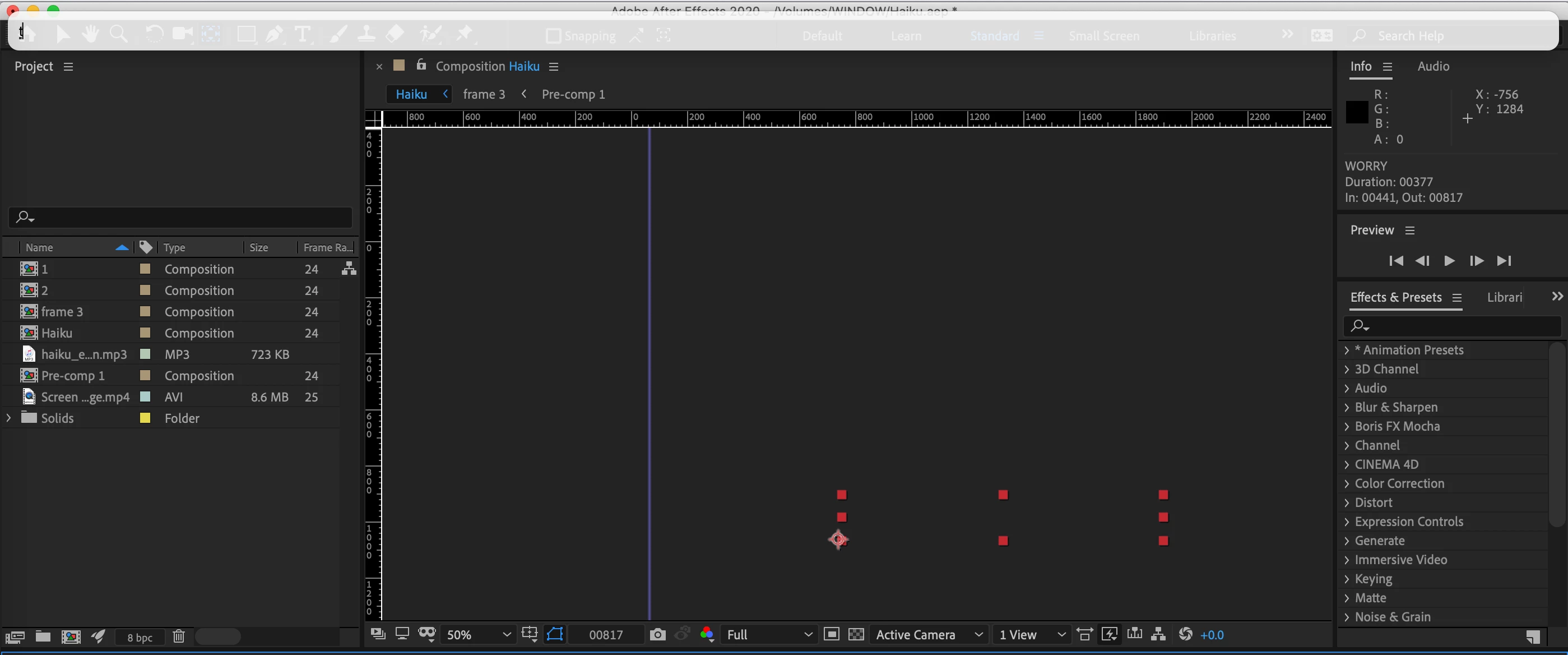
Does anybody has this white box pops up when hitting short cuts in after effects? If yes, do you know how to stop that from happening? It has been really annoying as it slows down with my working speed a bit. Would appreciate any advice/help. 

Correct answer Ko.Maruyama

It could be language or spotlight.  Check to make sure you're not accidentally hitting cmd+space

7 replies

Participant
March 8, 2025

How to Fix the "White Bar Appears When Pressing Shortcuts in After Effects" Issue

Many After Effects users have reported a white bar flashing when pressing shortcut keys like Option + Shift + P, T, S, R for keyframes. This issue is usually caused by the keyboard input language settings on Mac.

🔧 Follow These Steps to Fix It:

Step 1: Open System Settings

  1. Click the Apple Menu () in the top-left corner.
  2. Select System Settings (or System Preferences on older macOS versions).
  3. Go to Keyboard from the left sidebar.

Step 2: Check Your Input Sources

  1. Click Edit next to Input Sources.
  2. If you see ABC - India (or any other custom layout), remove it by clicking the "-" button.
  3. If English (US) is not added, click the "+" button, search for "English (US)" or "U.S.", and add it.
ninose11
Inspiring
April 2, 2024

It's April 2024, and I have the same problem with AE 2024.3. The white bar flashes whenever I call up "FX Console" and it's really distracting. Can anyone look into this further? Sorry, I already checked my language settings in Mac OS Ventura and nothing seems off. I'm also not using Spotlight. So I know it's not that.  

Participant
April 4, 2024

You can try to change your Keyboard setting (Text Input) to English. I use Vietnamese keyboard so I have to change to English keyboard to get rid of the white bar while using short cut keys.

Participant
January 3, 2025

Thank you, it's solved.

DavidMatos
Inspiring
July 11, 2022

Same here on a Portuguese keyboard. This is not Spotlight. Seems a conflict between commands within Ae.

Participant
May 5, 2021

I'm having the same issue. I have my keyboard set on spanish, and I assigned the accent key to Zoom out on timeline, but when I use it, that same white bar with the accent glyph appears on top, and the next shortcut that I try to use won't do anything. It's just one extra hit, but it's annoying. Hope somebody can help. 

Ko.Maruyama
Community Expert
Ko.MaruyamaCommunity ExpertCorrect answer
Community Expert
February 4, 2020

It could be language or spotlight.  Check to make sure you're not accidentally hitting cmd+space

Mylenium
Legend
February 4, 2020

That's your system's input helper application. Check your language settings.


Mylenium

ninose11
Inspiring
April 2, 2024

Hi Mylenium, exactly what should I check in my language settings? Sorry, I'm not seeing anything out of the ordinary when I check there. Can you elaborate on what might be the cause of this white bar flashing whenever I call up FX Console? Thank you very much in advance for any help or suggestions you can offer. 🙏 

LinSims
Community Expert
Community Expert
February 4, 2020

Let me move this to the After Effects forum for you, where you are more likely to receive an answer to your question.

Note that the Community Help forum is for help in how to use the Adobe Communities. Product questions should be posted in the associated product community.