S_ A
Inspiring
December 7, 2023
Answered

why am getting two different expressions from the same effect control

  • December 7, 2023
  • 2 replies
  • 367 views

Hi,


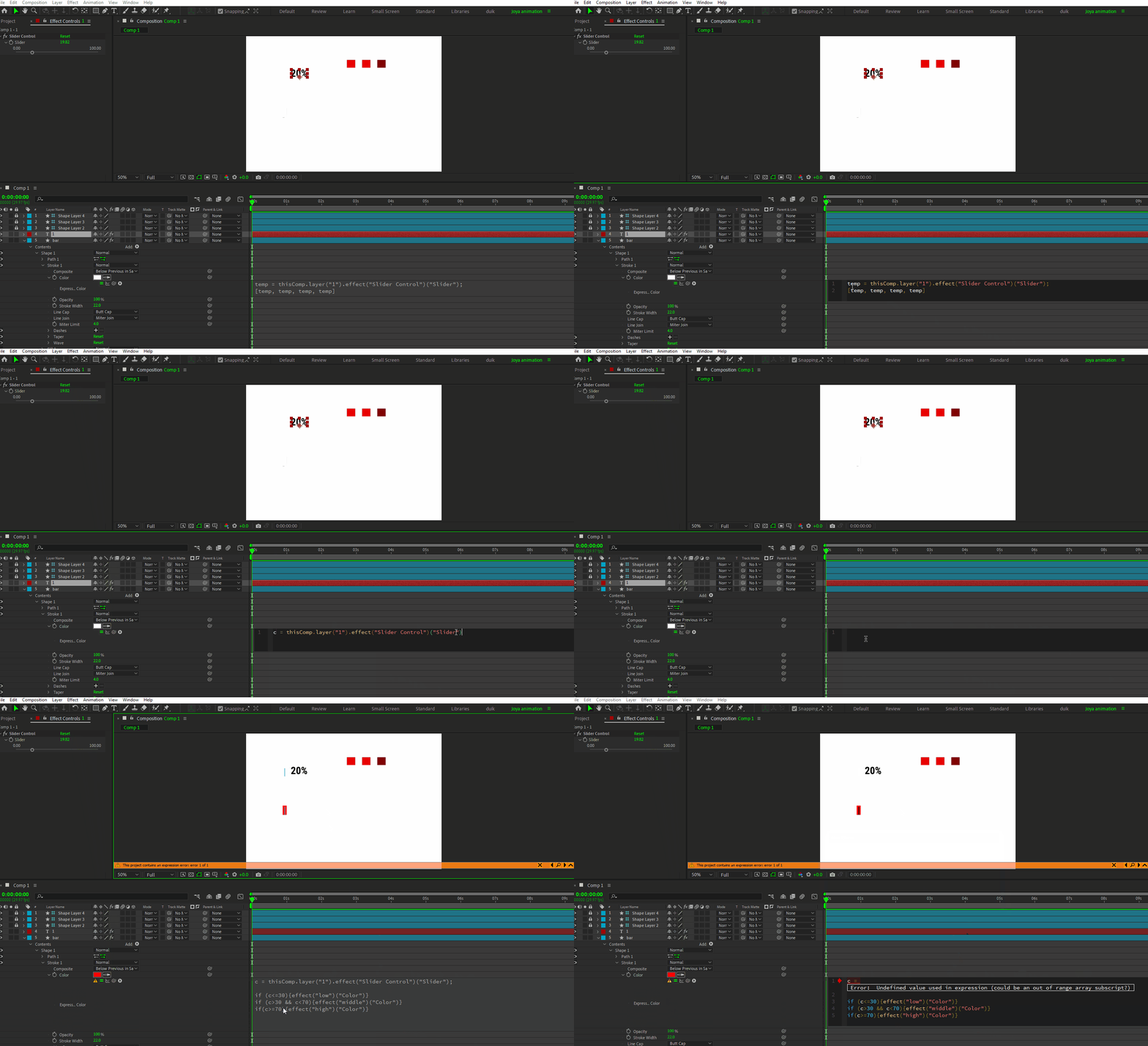
I was learning if else expressions and practicing it, the tutor only gets one expression when he whipped the 'color' of a shape layer (stroke) to the slider control. but am getting two and also an error.


why does this happen?


This topic has been closed for replies.
Correct answer Rick Gerard

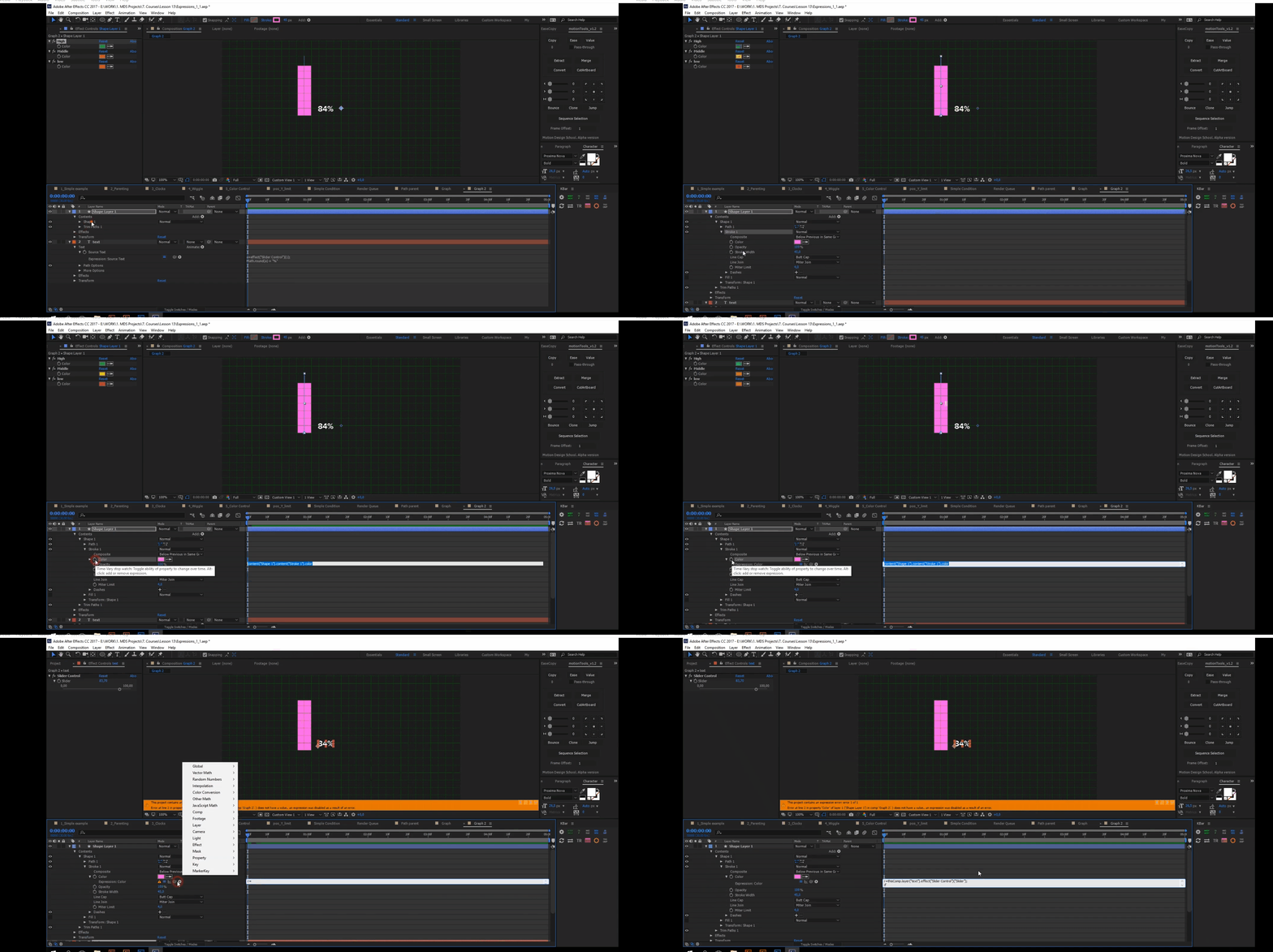
You cannot simply tie color to a slider. Sliders have one property. Color has four. That's why you get the four temp values. The person who created the tutorial you are watching did not link color to a slider. Something else must be going on, or you are watching a tutorial prepared by an amateur, and they cut something out. 


The only option for a color expression is to use one of the color conversions and supply the appropriate values or simply enter the color array. When applied to a fill property, this expression will give you a yellow color.


[1, 1, 0, 1]


 That's all there is to it. If you want to pickwhip from a color property to a color controller, add an Expression Controls/Color Control. 


In the future, when you are having problems with a tutorial, please post a link to the tutorial so we can see what you are seeing. If you are trying to change colors with an if/else statement, you need to use an Effect/Expression Controls/Menu Control, not a slider. I suspect a funky workflow from the instructor.


2 replies

Rick GerardCommunity ExpertCorrect answer
Community Expert
December 7, 2023

You cannot simply tie color to a slider. Sliders have one property. Color has four. That's why you get the four temp values. The person who created the tutorial you are watching did not link color to a slider. Something else must be going on, or you are watching a tutorial prepared by an amateur, and they cut something out. 


The only option for a color expression is to use one of the color conversions and supply the appropriate values or simply enter the color array. When applied to a fill property, this expression will give you a yellow color.


[1, 1, 0, 1]


 That's all there is to it. If you want to pickwhip from a color property to a color controller, add an Expression Controls/Color Control. 


In the future, when you are having problems with a tutorial, please post a link to the tutorial so we can see what you are seeing. If you are trying to change colors with an if/else statement, you need to use an Effect/Expression Controls/Menu Control, not a slider. I suspect a funky workflow from the instructor.

S_ A
S_ AAuthor
Inspiring
December 7, 2023

you are right, this guy  edited the video, I wasted hours try to figure out whts going on. thank you so much. 

Mylenium
Legend
December 7, 2023

Shape layers are simply a bit more specific and have other default properties. Don't think about it too much. That's just the way it is.


Mylenium

S_ A
S_ AAuthor
Inspiring
December 7, 2023

oh okay,  Thank you for your  reply.