
Participant
December 3, 2016
Answered

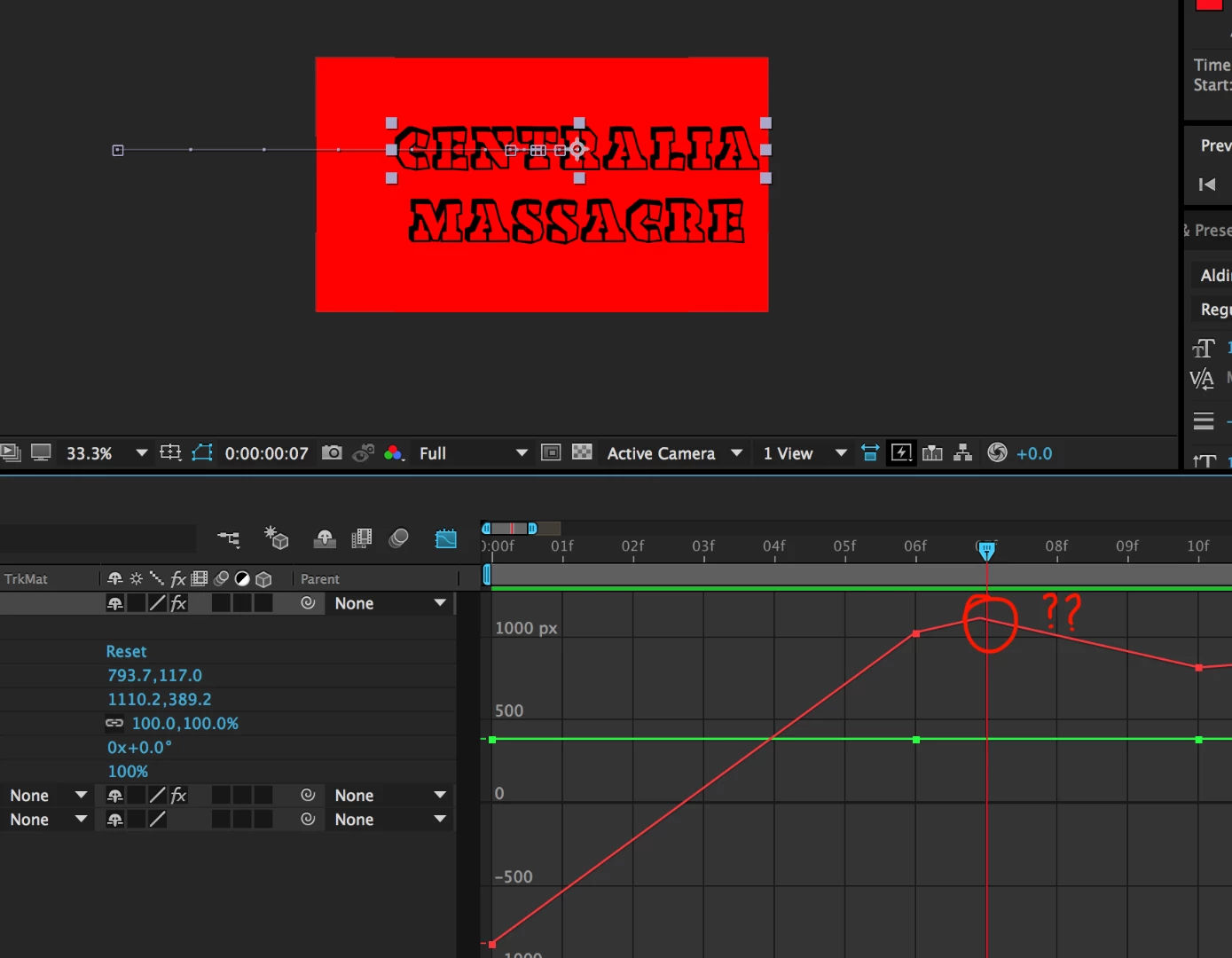
Why are there additional movements in between key frames?

  • December 3, 2016
  • 3 replies
  • 673 views

I am trying to move an object from point A to point B, however, I keep running into this problem where my object makes additional movements in between key frames. I never turned on easing and am using standard linear key frames. Why does this keep happening?

Here is a shot of the graph editor, which illustrates the extra movement that I cant eliminate,
This topic has been closed for replies.
Correct answer waseem103

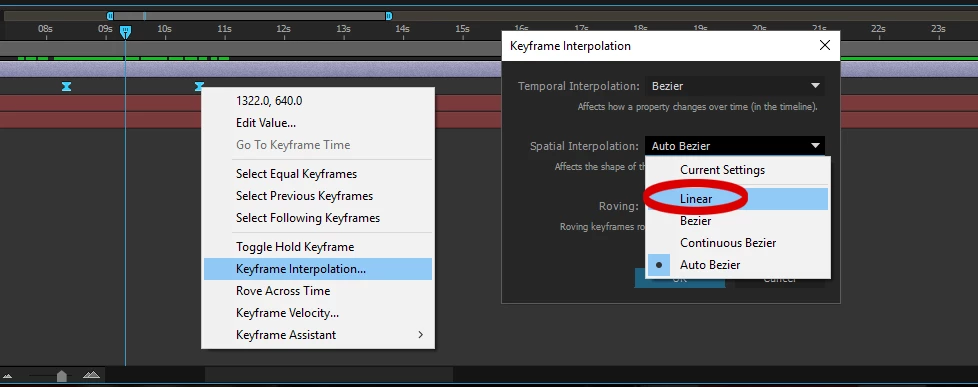
select the two keyframes then right click

choose keyframe interpolation

spatial Interpolation

change it from Auto Bezier to Linear

3 replies

Participant
December 3, 2016

Looks like this did the trick, thanks.

waseem103
waseem103Correct answer
Inspiring
December 3, 2016

select the two keyframes then right click

choose keyframe interpolation

spatial Interpolation

change it from Auto Bezier to Linear

Roei Tzoref
Legend
December 3, 2016

we call it "the boomerang effect". learn about it here:

to avoid these kinds of problems, set you preferences default spatial interpolation to linear checkbox to ON

Participant
December 3, 2016

Awesome, thanks!