


This topic is closed to new replies. Start a new post to keep the conversation going.

4 replies

Participating Frequently
January 14, 2024

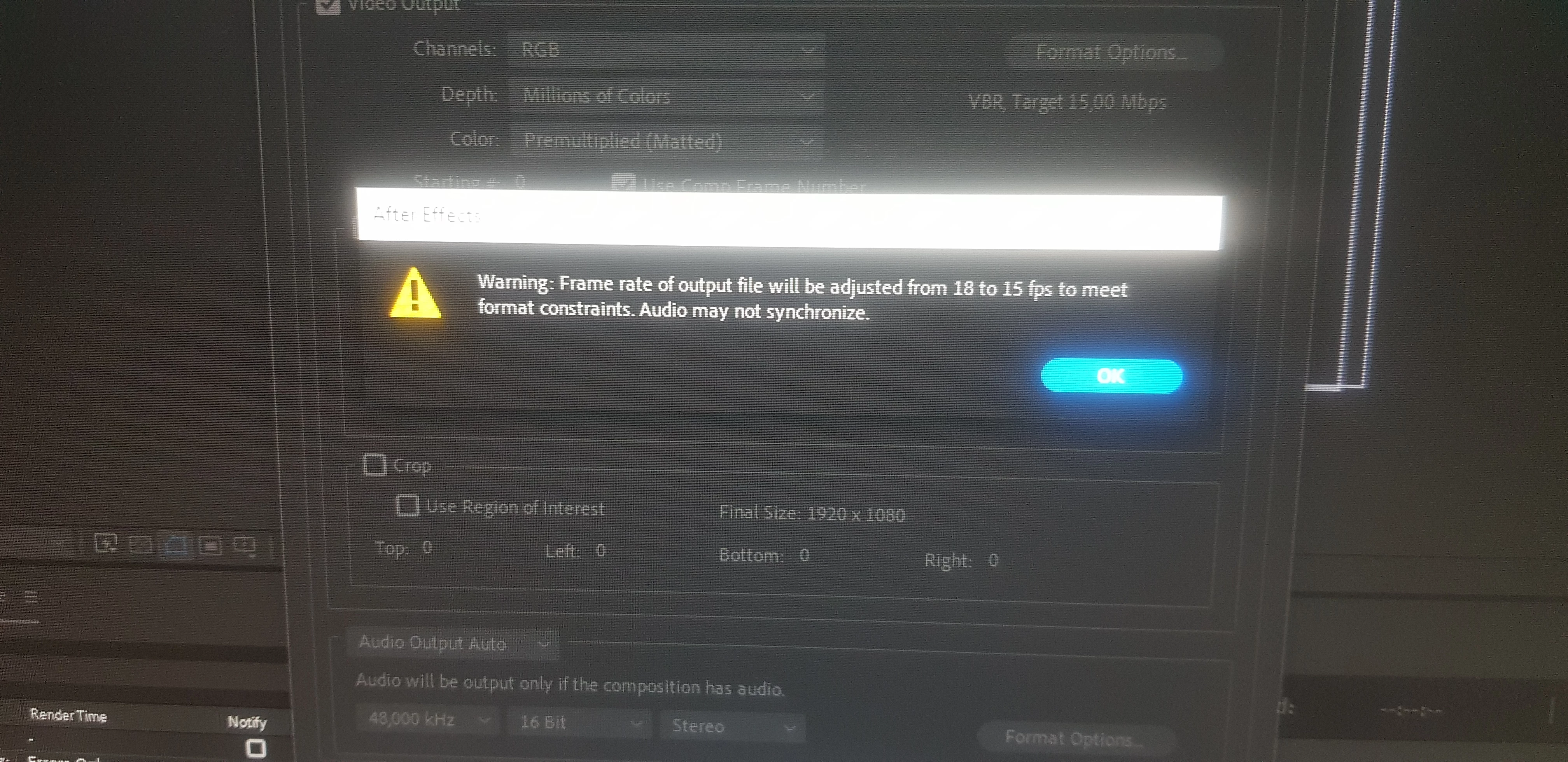
Video formats like H.264 typically adhere to specific frame size and frame rate standards. H.264, due to its color compression method in blocks of 4 pixels, requires an even-numbered frame size. If you require an unconventional 18 fps, especially for a specialized playback system, refer to the system's user manual for guidance.

Translate
Mylenium
Legend
January 14, 2024

Hit that magic "Format Options" button... You may want to read the online help on soem basics.


Mylenium

Translate
Community Expert
January 14, 2024

Most video formats have frame size and frame rate standards. For example, h.264 must have an even-numbered frame size because color is compressed in blocks of 4 pixels. DV formats must have frame rates that correspond to DV video standards, including pixel aspect ratio, frame size, and frame rates. You have chosen a format that does not support 18 fps. I'm guessing that you have chosen H.264 as the codec. If you need exactly 18 fps for a specialized playback system, consult the user manual or guide for that system. 

Translate
jane-e
Community Expert
Community Expert
January 14, 2024

@Nightedit34783399bjeq 


I've moved your post from Using the Community (for questions about the forums) to After Effects, based on seeing "After Effects" in the white area. If you are using Premiere Pro or Photoshop, let us know so we can move your post again.


Jane

Translate