
Answered
Why do Layers appear in alphabetical order and all the elements appear in the center
I create compositions and set layers in Illustrator but everytime when import that file in After effects, I chose the option Composition - Retain Layer Sizes. 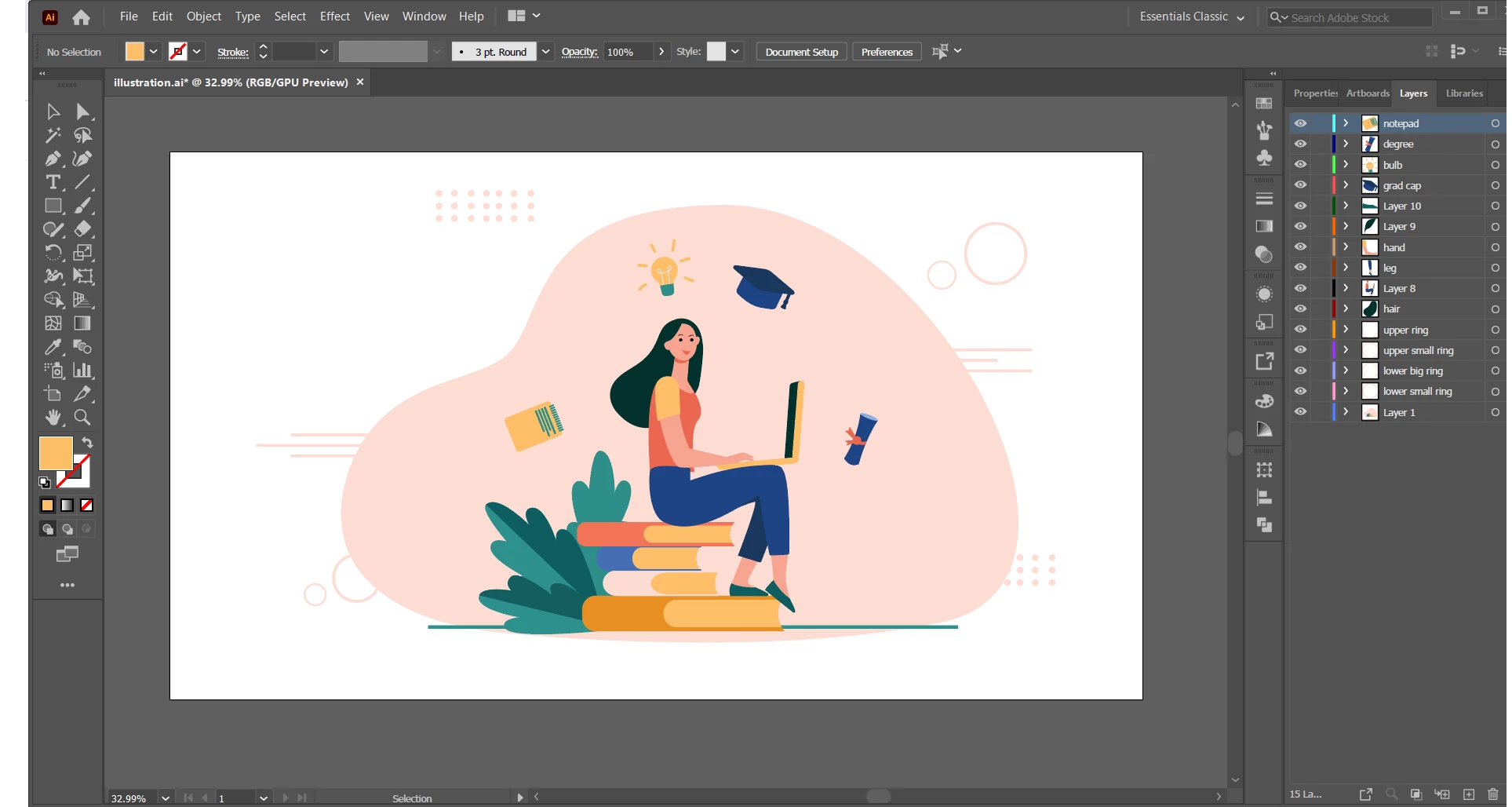
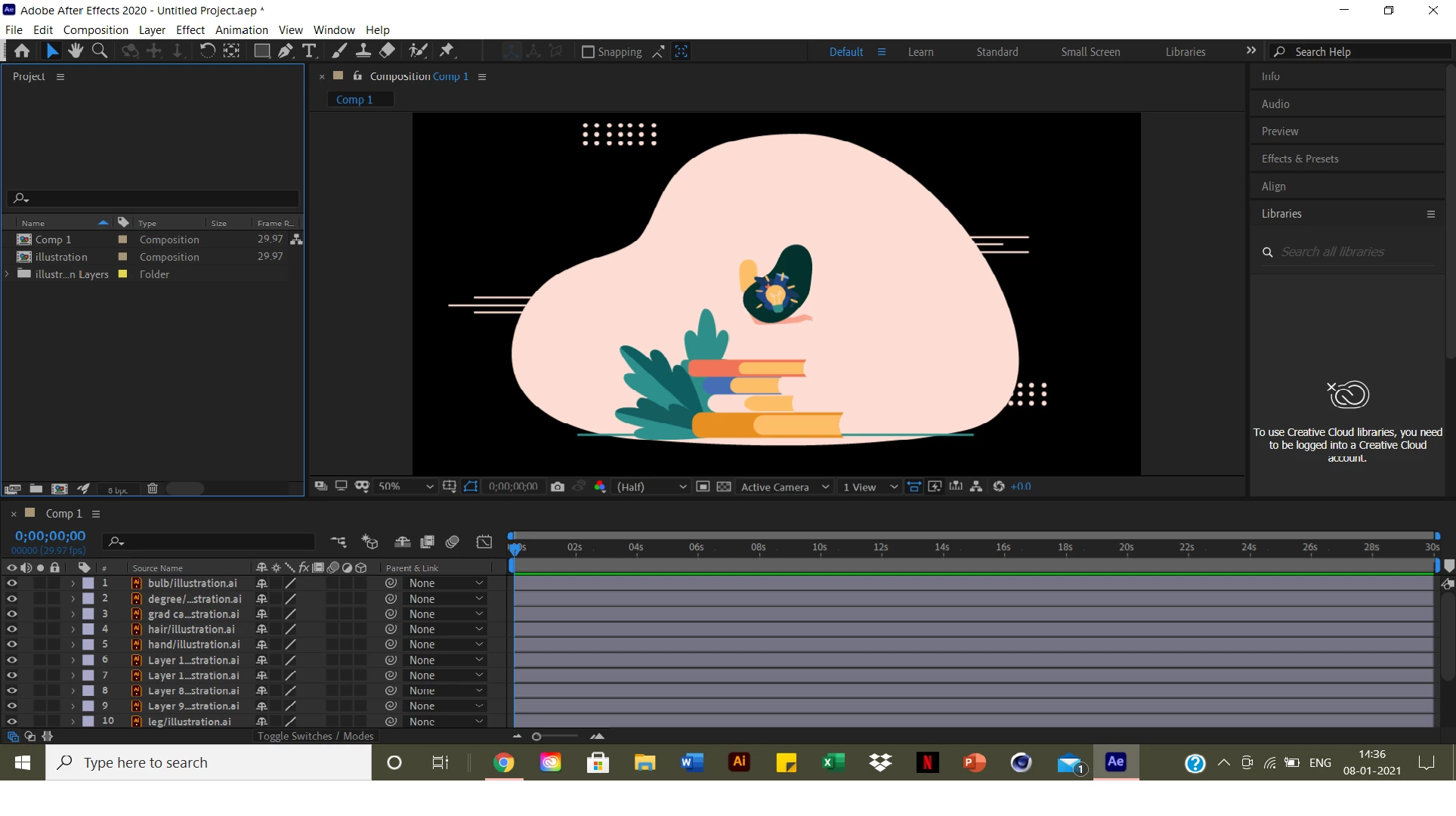 The layers in the timeline automatically rearranged in alphabetical order and all the elements comes in the centre instead of forming a composition. I have attached screenshots of Illustrator file and After Effects Please help! It's urgent
 AdChoices