Onkel_Manuel
Known Participant
November 19, 2017
Answered

Why does Ae CC 2018 crash with more than 20 seconds of AVCHD/XAVC-S footage?

  • November 19, 2017
  • 1 reply
  • 1330 views

Hi there!

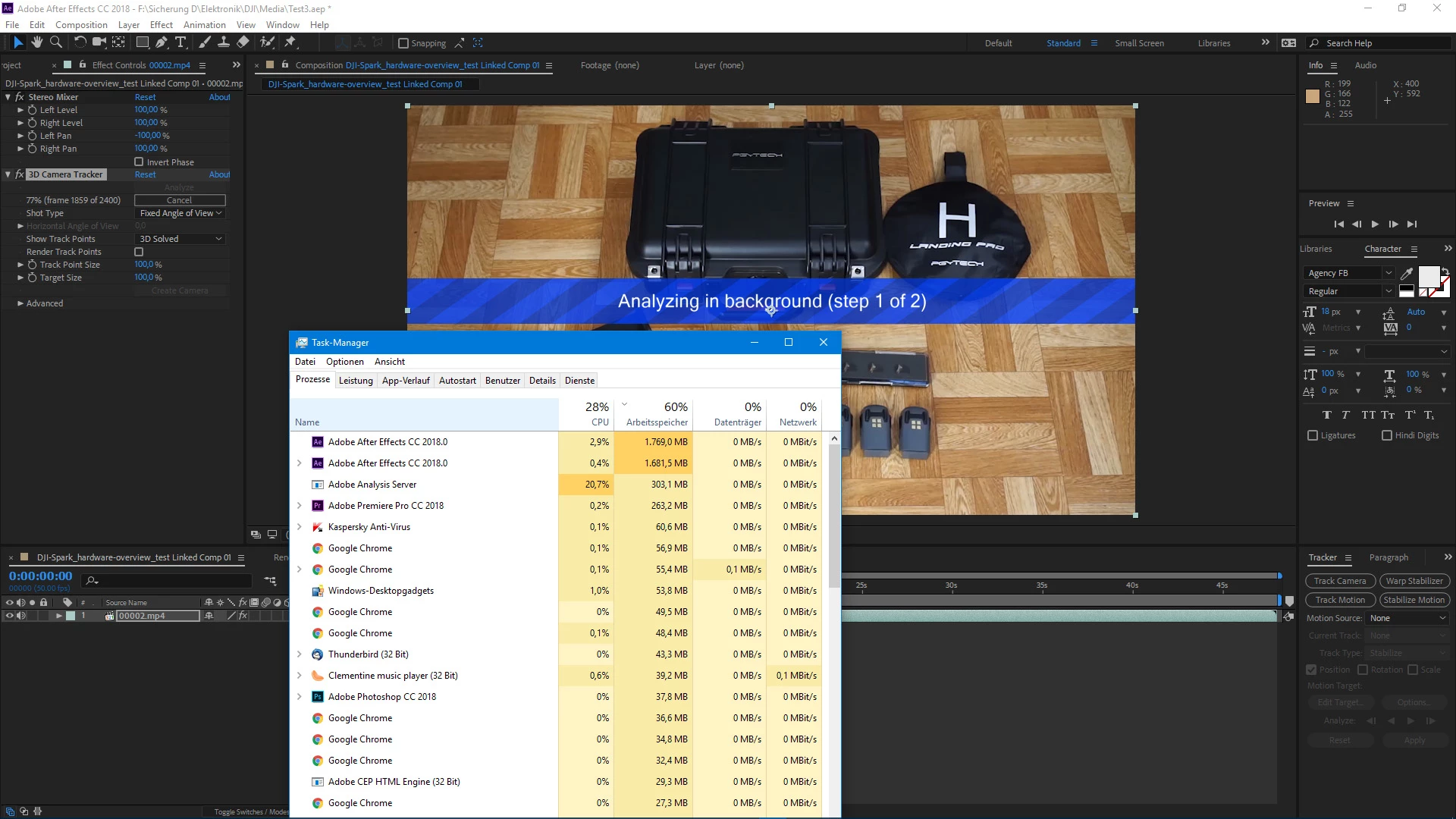
The built in camera tracker is giving me grey hairs! I've found out due testing that Ae CC 2018 does not crash in general with footage from my Sony A6000 but after a certain length. I have set my A6000 to XAVC-S 25 fps and I want to use the camera tracker because I want to pin text to the tracking points for this floating 3D effect...

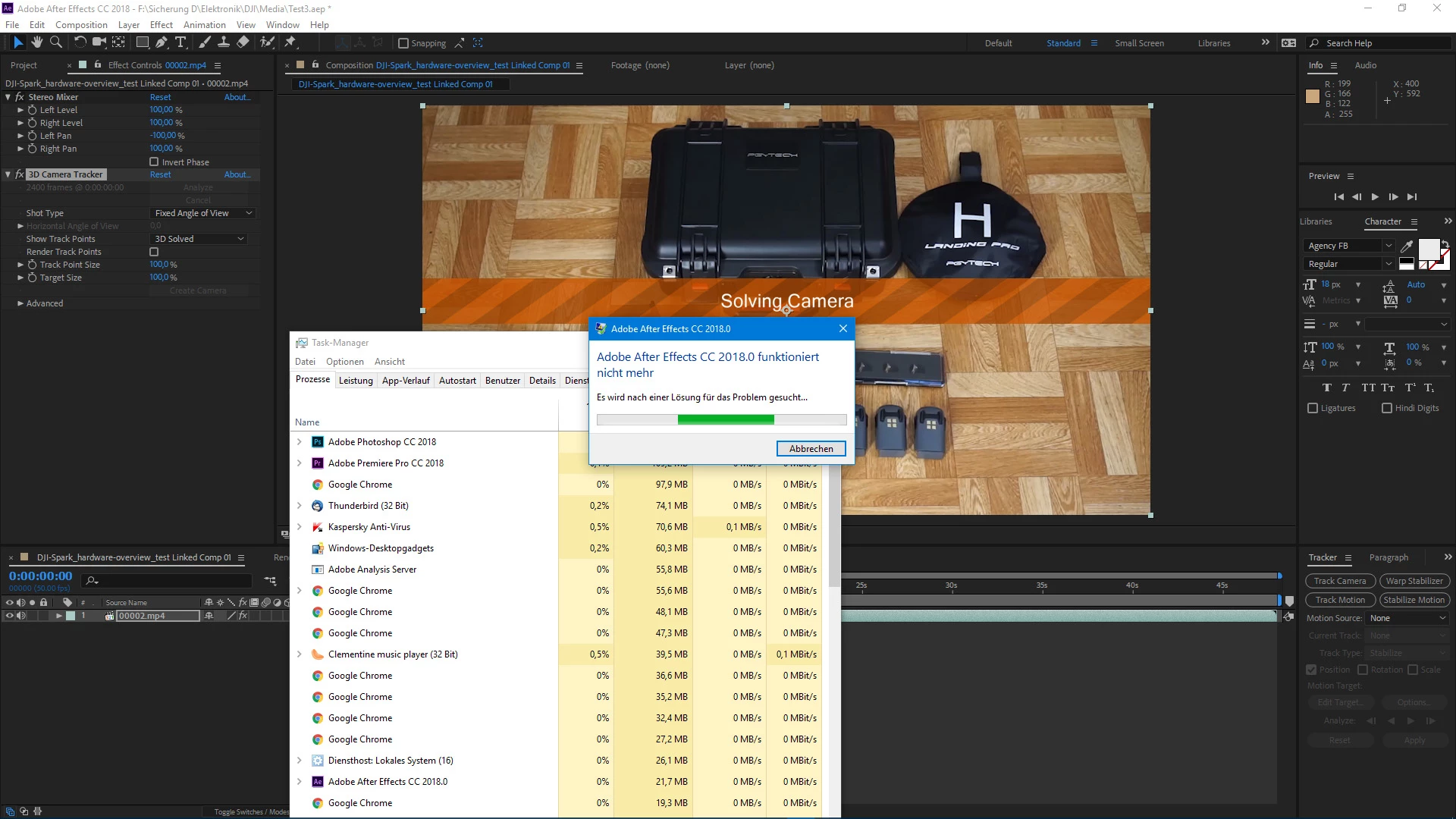
I observed this: a clip with 20 seconds will camera solve just fine. A clip with 25 seconds will crash Ae CC at the end of "Solving camera". Why does it do that?

And I have the feeling if I test the tracker with longer clips from my DJI Spark (H.264 AVC) Ae CC will crash, too...

Setup:

Win10, full Adobe CC suite, AMD FX-9370, Gigabyte GA-990FXA-UD5, 16GB RAM, FXF R9 Fury-X

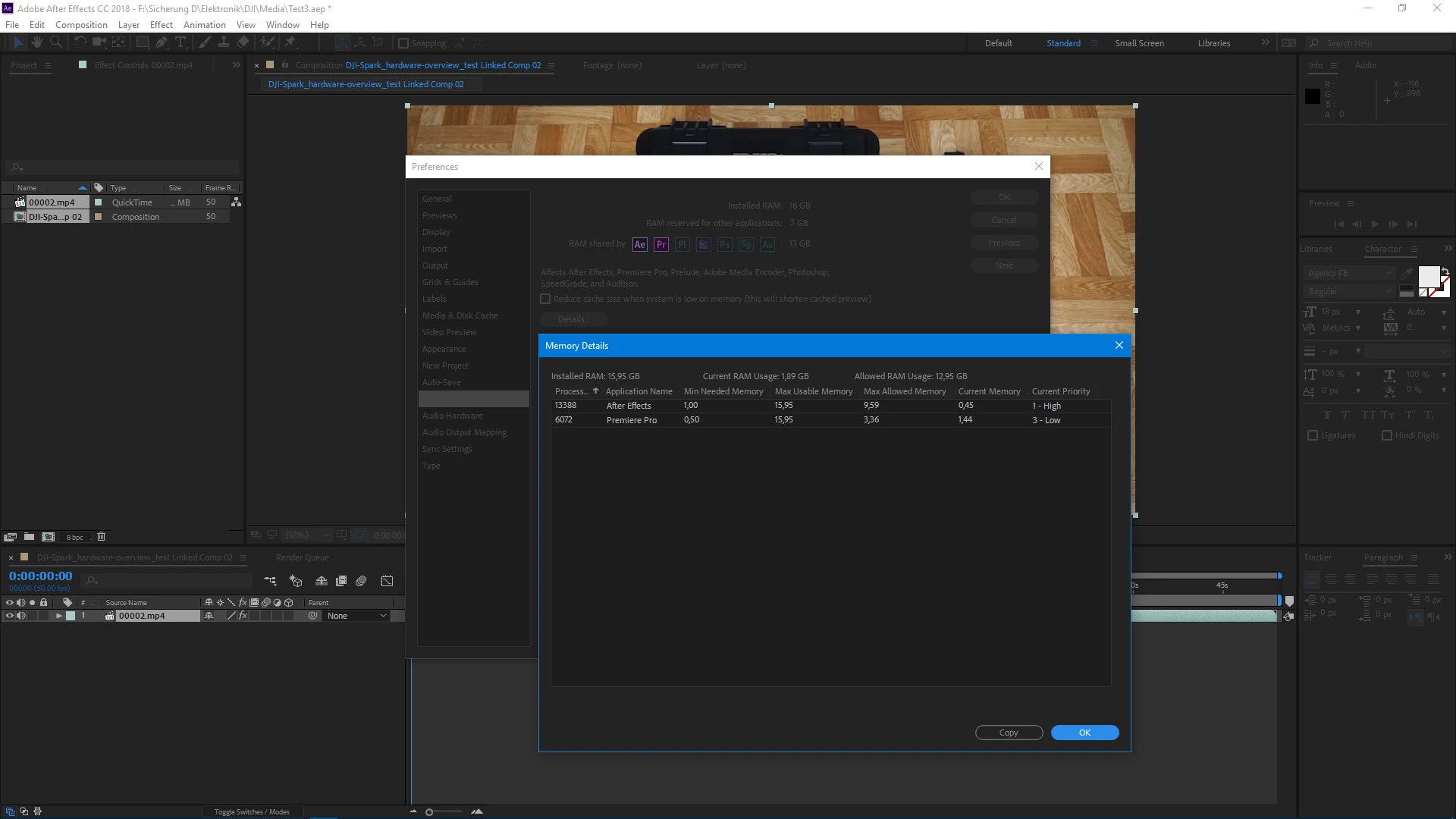
And I've already assigned lots of RAM to Ae and Pr...
    This topic has been closed for replies.
    Correct answer Rick Gerard

    Unable to solve is not necessarily an error. You should only be using camera tracking on the actual frames that will be used to cover the time the inserted 3D layer will appear in the shot. For example, I recently tracked an actor walking down the sidewalk and had to replace a bunch of things in the scene. Because the actor was moving not one of the replacement elements was in the shot for more than a few seconds. I broke the long shot of the actor up into several shots that were less than seven seconds and camera tracked each one, then the shot was cut back together to create the single long shot with the completed composites. I did this because it would be nearly impossible to get a good camera solution using the entire shot, each part of the shot had different problems that had to be dealt with like reflections in windows, and camera tracking was not necessary for every single composite, but it was the most efficient for a half dozen of them.

    I don't know what you shot looks like but it could be that there is just too much going on and not enough fixed geometry with sufficient parallax changes to get a good track. You can't get a camera track of a sidewalk full of people, and it can be extremely difficult to get a camera track just following a single person down a path with a camera. Camera tracking puts incredible demands on system resources. Anything you can do to lessen the burden, like trimming the shots, will help.

    You may have run into a bug but, if your AE version is up to date, you more likely are just trying to solve a camera move that is too long, or in the second example, you just have a shot that will not track with your current settings. It may not track at all.

    1 reply

    Onkel_Manuel
    Known Participant
    November 19, 2017

    Ok, this is a new one. Today I tested XAVC-S 50 fps, a 20 seconds clip (1001 frames) will still be camera solved - so the crashes are not frame count depended. But when I camera track a 30 seconds clip this error appears now:

    Rick GerardCommunity ExpertCorrect answer
    Community Expert
    November 19, 2017

    Unable to solve is not necessarily an error. You should only be using camera tracking on the actual frames that will be used to cover the time the inserted 3D layer will appear in the shot. For example, I recently tracked an actor walking down the sidewalk and had to replace a bunch of things in the scene. Because the actor was moving not one of the replacement elements was in the shot for more than a few seconds. I broke the long shot of the actor up into several shots that were less than seven seconds and camera tracked each one, then the shot was cut back together to create the single long shot with the completed composites. I did this because it would be nearly impossible to get a good camera solution using the entire shot, each part of the shot had different problems that had to be dealt with like reflections in windows, and camera tracking was not necessary for every single composite, but it was the most efficient for a half dozen of them.

    I don't know what you shot looks like but it could be that there is just too much going on and not enough fixed geometry with sufficient parallax changes to get a good track. You can't get a camera track of a sidewalk full of people, and it can be extremely difficult to get a camera track just following a single person down a path with a camera. Camera tracking puts incredible demands on system resources. Anything you can do to lessen the burden, like trimming the shots, will help.

    You may have run into a bug but, if your AE version is up to date, you more likely are just trying to solve a camera move that is too long, or in the second example, you just have a shot that will not track with your current settings. It may not track at all.

    Onkel_Manuel
    Known Participant
    November 19, 2017

    Okay. So you mean that Ae struggles with long & complex clips with lots of movement? Because that's what I tested: clips with lots of panning/moving around...

    Like this one, actually my first try with the camera tracker and that floating 3D text. It's 36 seconds long and the camera solving had no problem with the footage from my DJI Spark (H.264 AVC 30 fps): RANDOM STUFF: DJI Spark - a little fun with Adobe After Effects CC 2018 - YouTube

    And like in this video I'd like to motion track text to each component but 3D solved: Gear: DJI Spark - hardware overview November 2017 - YouTube

    So it would be better to segment a clip and apply the 3D text individually or at 5-10 seconds max each? And how do I get the 3D text to fade in & out? Is there a way to get that done in the Pr project with Dynamic Link?