
ninose11
Inspiring
August 30, 2024
Question

Why does "Always Rasterized" PDF Vector Map become pixelated when Pre-composed???

  • August 30, 2024
  • 1 reply
  • 771 views

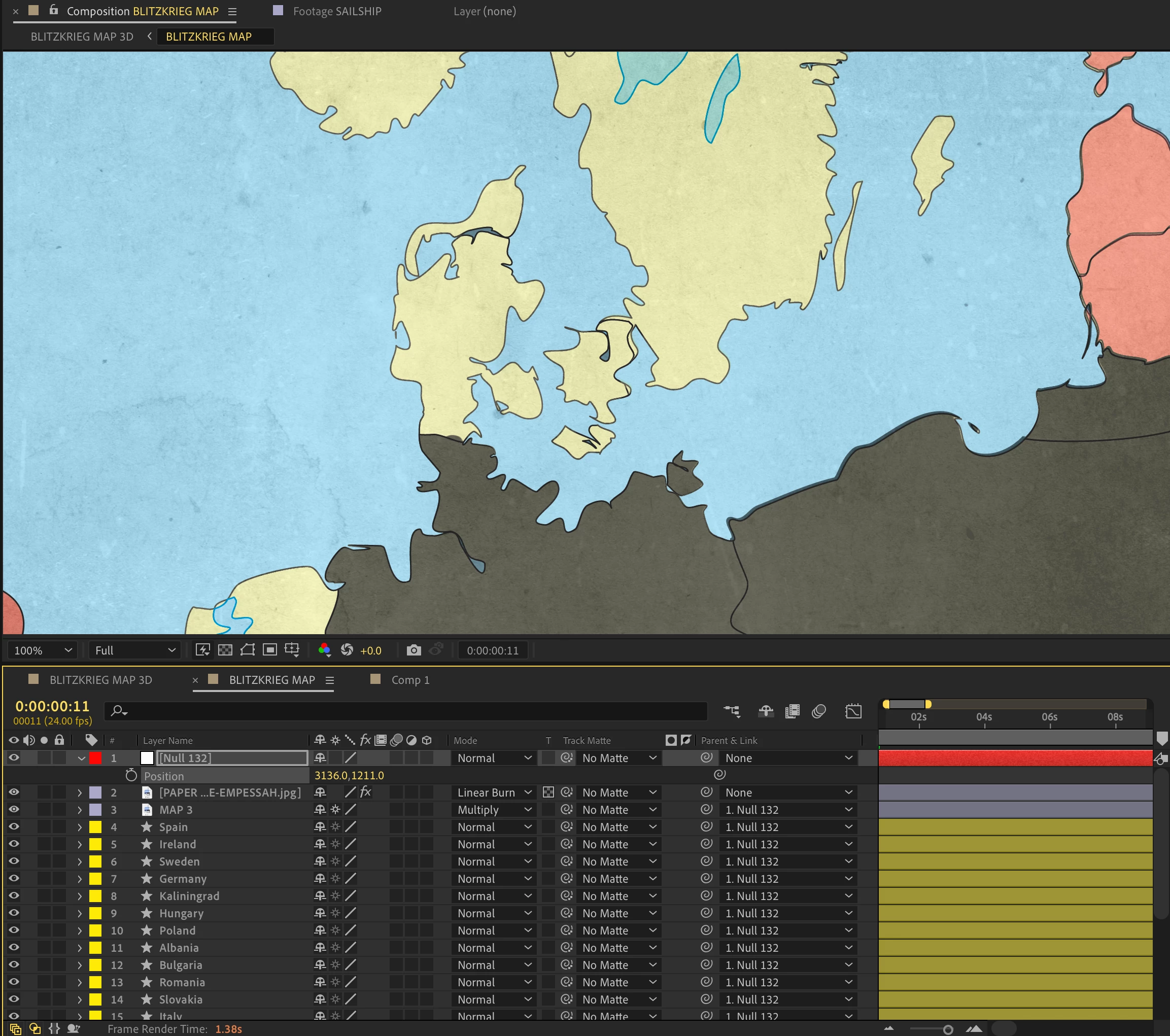
I just ran into a big problem after I pre-composed my vector PDF map even though all layers have "always rasterize" checked in the original comp.

I don't understand because my composition window is NOT more than 100% zoomed in . 

Here's the original comp:
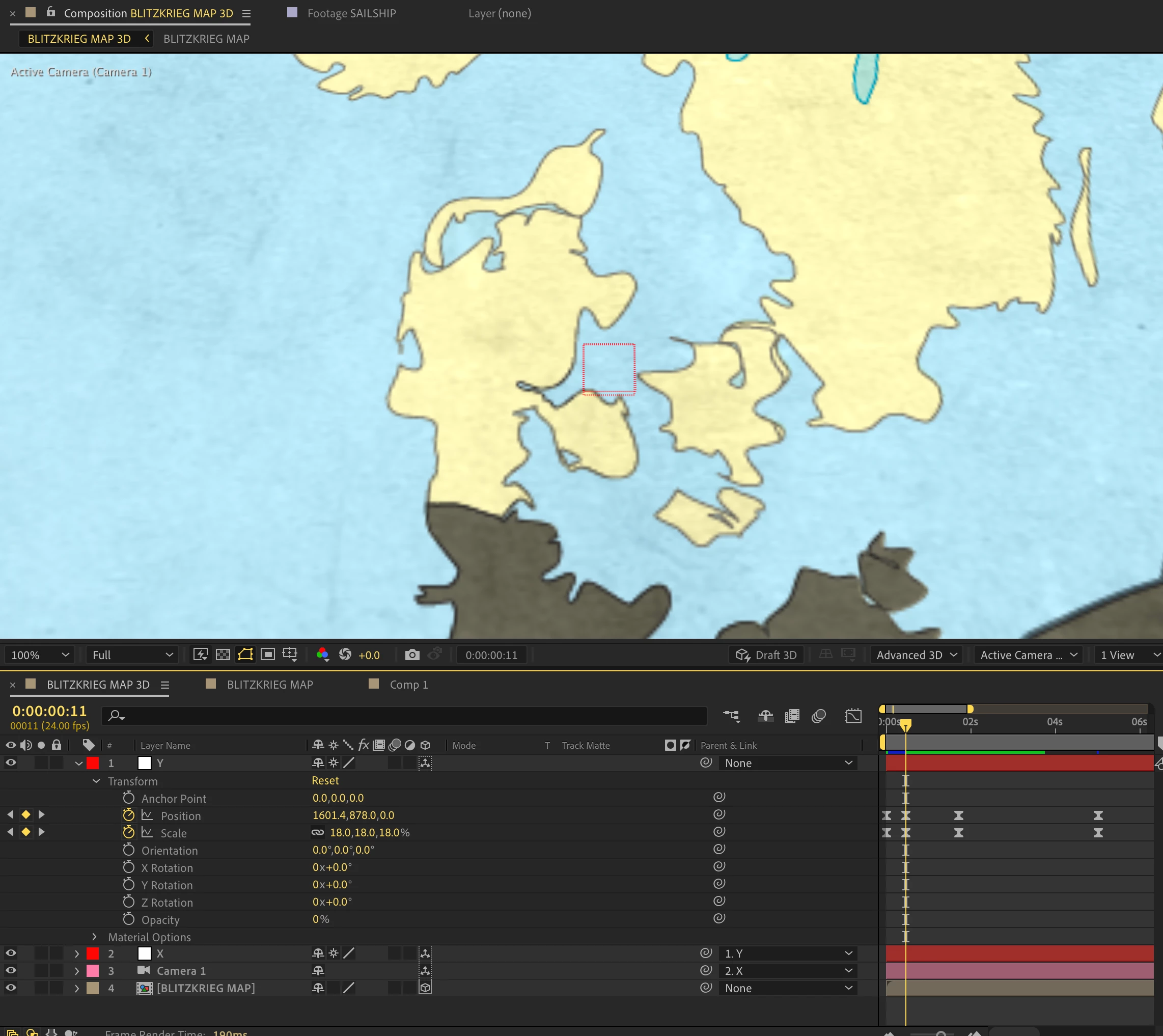
The problem is that when I pre-compose, my map becomes pixelated when I zoom in. If I click "always rasterize" for the pre-comp, it disables being able to zoom in on it in 3D. 


This topic has been closed for replies.

1 reply

Community Expert
August 30, 2024

You must also turn on Continuously Rasterize/Collapse Transformations in the Nested comp (pre-comp). In your second screenshot, the switch is just to the right of the Shy button on Layer 4.

ninose11
ninose11Author
Inspiring
August 30, 2024

Hi Rick, thank you very much for your help. The problem is that if I turn on "always rasterize" for the pre-comp on Layer 4, the pre-comp is then no longer 3D thereby disabling the cameras and nulls as well:
 

This is what happens when I do that: 

Community Expert
August 30, 2024

When you Continuously Rasterize a nested comp, the active camera of the main comp and any lights in the main comp are used. It does not look like any of the layers in the nested comp (layer 4) are 3D. Changing all of the layers to 3D should solve the problem.