
Participant
December 28, 2021
Answered

Why does my graph editor look different?

  • December 28, 2021
  • 1 reply
  • 1688 views

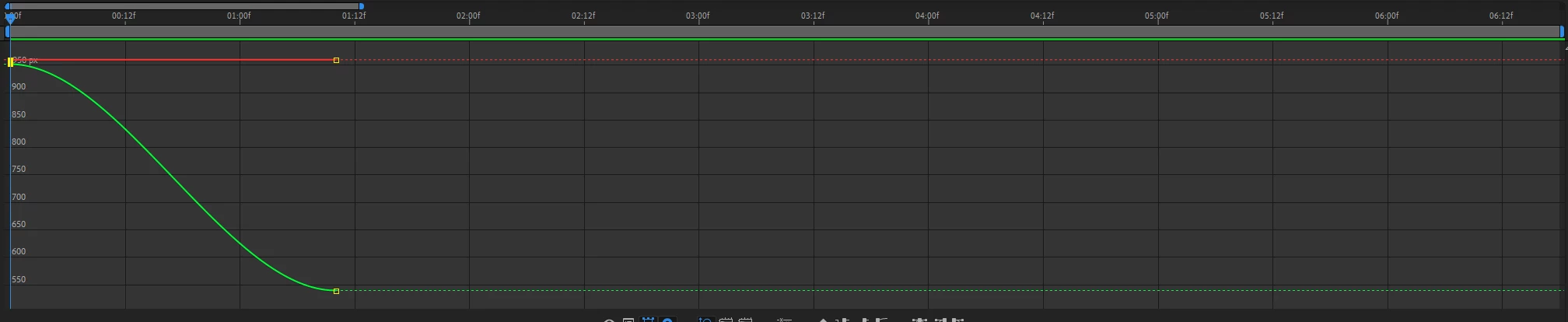
Hey! I've been struggling to understand why my Graph editor looks different from other peoples. Mine looks like this.
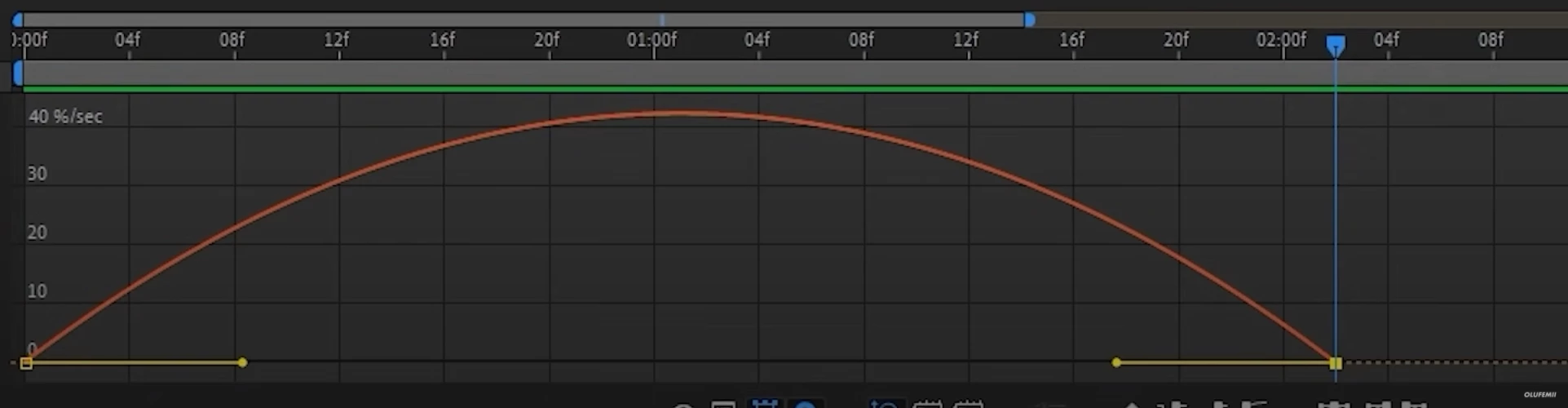
And on every tutorial that I am learning from it looks like this.
Why does mine look different?
This topic has been closed for replies.
Correct answer adrianszustakowski

Hi.
Your graph editor looks completely fine but you need to know that you can display keyframes in graph editor in two ways:

  1. by value (like on the first screen you attached)
  2. by speed (second screen)

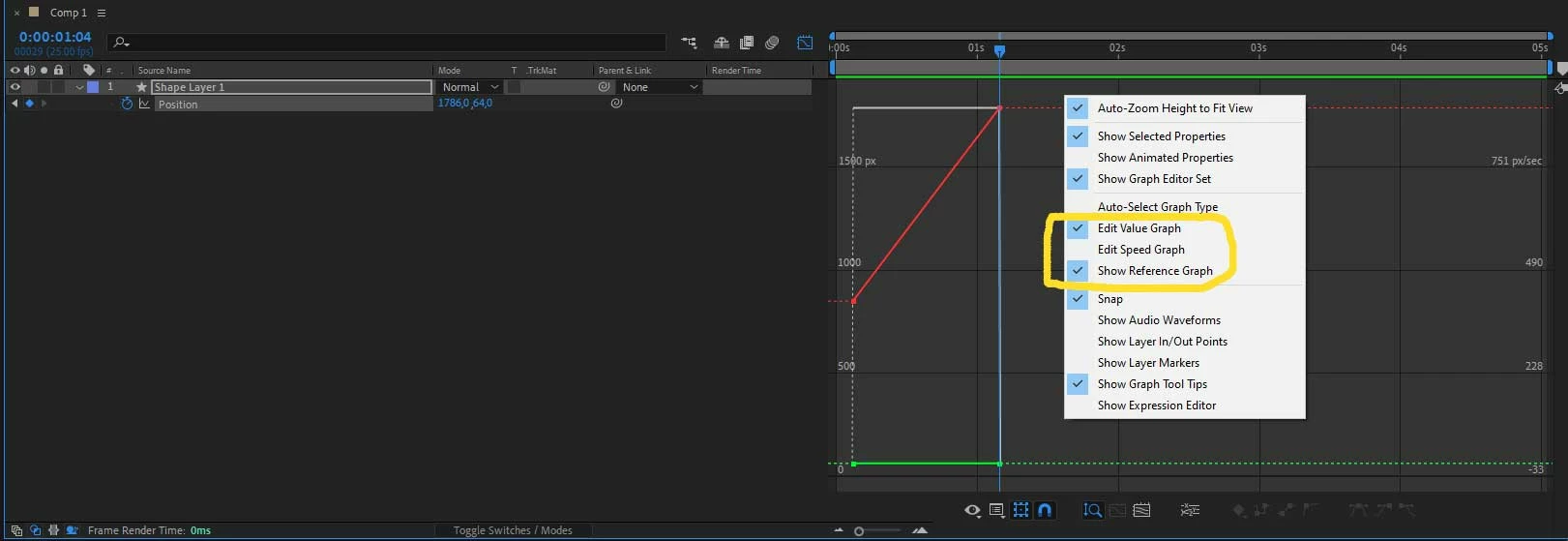
You can change how the graph editor shows keyframes by right click on the graph editor area and choose between "Edit Value Graph", "Edit Speed Graph", "Show Reference Graph".

If you tick "Show Reference Graph" it will additionally show you non selected method as a reference.
Cheers.

1 reply

adrianszustakowskiCorrect answer
Inspiring
December 28, 2021

Hi.
Your graph editor looks completely fine but you need to know that you can display keyframes in graph editor in two ways:

  1. by value (like on the first screen you attached)
  2. by speed (second screen)

You can change how the graph editor shows keyframes by right click on the graph editor area and choose between "Edit Value Graph", "Edit Speed Graph", "Show Reference Graph".

If you tick "Show Reference Graph" it will additionally show you non selected method as a reference.
Cheers.

Participant
December 28, 2021

Thanks, this worked great.