


April 26, 2017
Question

Why does my keylight effect disappear when I add another effect?

  • April 26, 2017
  • 4 replies
  • 2243 views

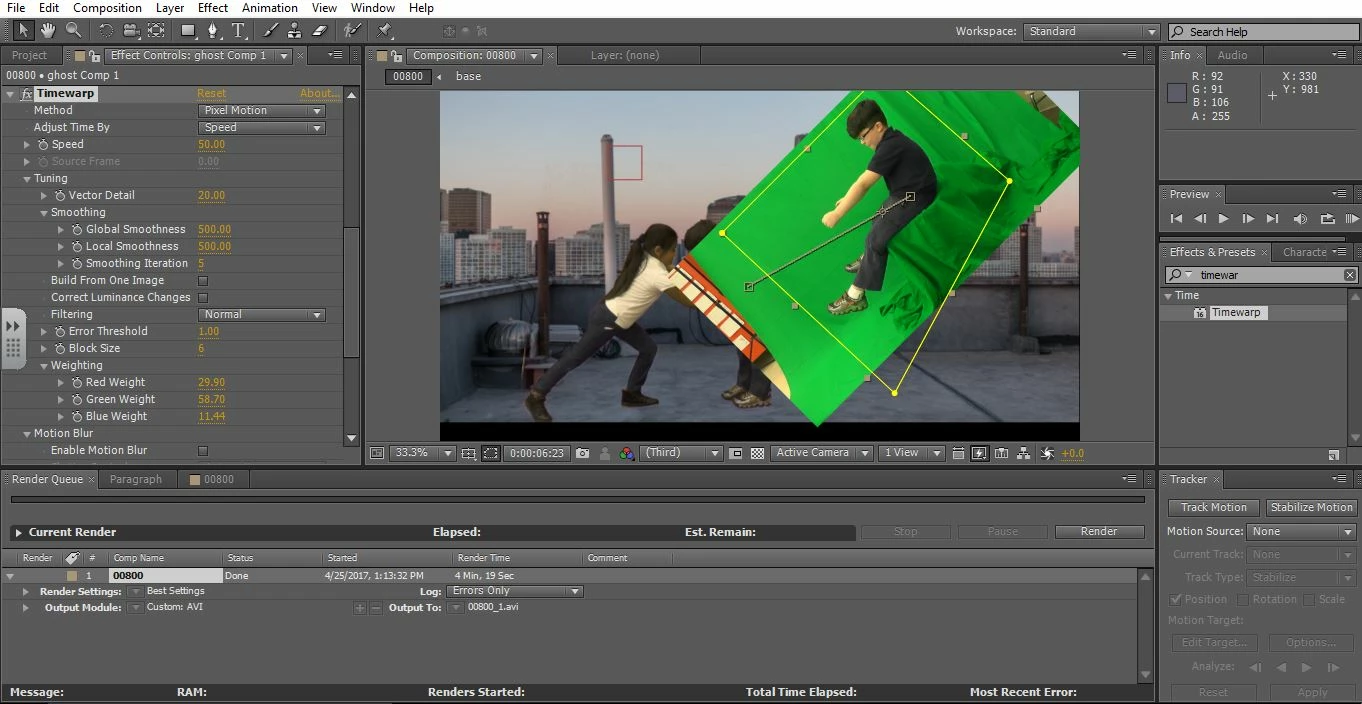
I an a newbie to Adobe After Effects.  I work with students in an elementary school.  I am using CC5.  I layered some green screen video over another video, then masked out an area and used keylight to remove the green screen.  I precomposed this green screen layer and tried to add timewarp effect to it.  You can see in the picture below the keylight effect seems to be undone and can't be redone.  I tried to render it out to see if it would be corrected and it was not.  I have played with every setting I could find; I am at a loss.  Help
    This topic has been closed for replies.

    4 replies

    Participant
    February 9, 2024

    The disappearance of your keylight effect when adding another effect may be attributed to the layer order or the interaction between the effects in your video editing software. Ensure that the keylight effect layer is positioned appropriately in the layer hierarchy, often above the layers of the added effects, to maintain its visibility. Core HR  activities involve organizational structure and communication, similarly emphasizing the importance of proper alignment and order. In the realm of HR, maintaining clear communication channels, hierarchy, and the appropriate sequence of activities is essential. Much like layers in video editing, HR processes need to be organized systematically to ensure that each activity is visible, effective, and contributes to the overall success of the organization's human resource management.

     
    Kevin J. Monahan Jr.
    Community Manager
    Community Manager
    May 31, 2017

    Hi walimu,

    Are you still facing this problem? If not, let us know how you solved it. If so, please let us know so we can assist you further.

    Thanks,

    Kevin

    Kevin Monahan - Sr. Community and Engagement Strategist – Adobe Pro Video and Audio
    Mylenium
    Legend
    April 26, 2017

    What Dave said. You have to read up on how AE processes stuff based on its rendering order and how specific effects work. If you were to re-time your stuff, you would have to do it before keying to avoid the issue.

    Mylenium

    Dave_LaRonde
    Inspiring
    April 26, 2017

    First question -- are you getting a good key?  Hope so.

    I recommend Prerendering the chroma key shot.  Just put the clip in its own comp, pull they key & render to a video container & codec that supports alpha channels.  For this task I like quicktime movies in JPEG 2000, PNG, Animation or ProRes 4444(if you have it).

    Use the AE RenderQueue.  In Render settings set to Best Quality.  In the Output Module set to one of the above codecs, RGB+Alpha, Millions of Colors + and Straight, i.e. NOT Premultiplied.

    Then import into AE, add to your master comp, and mess with Timewarp.