


Participant
November 3, 2023
Question

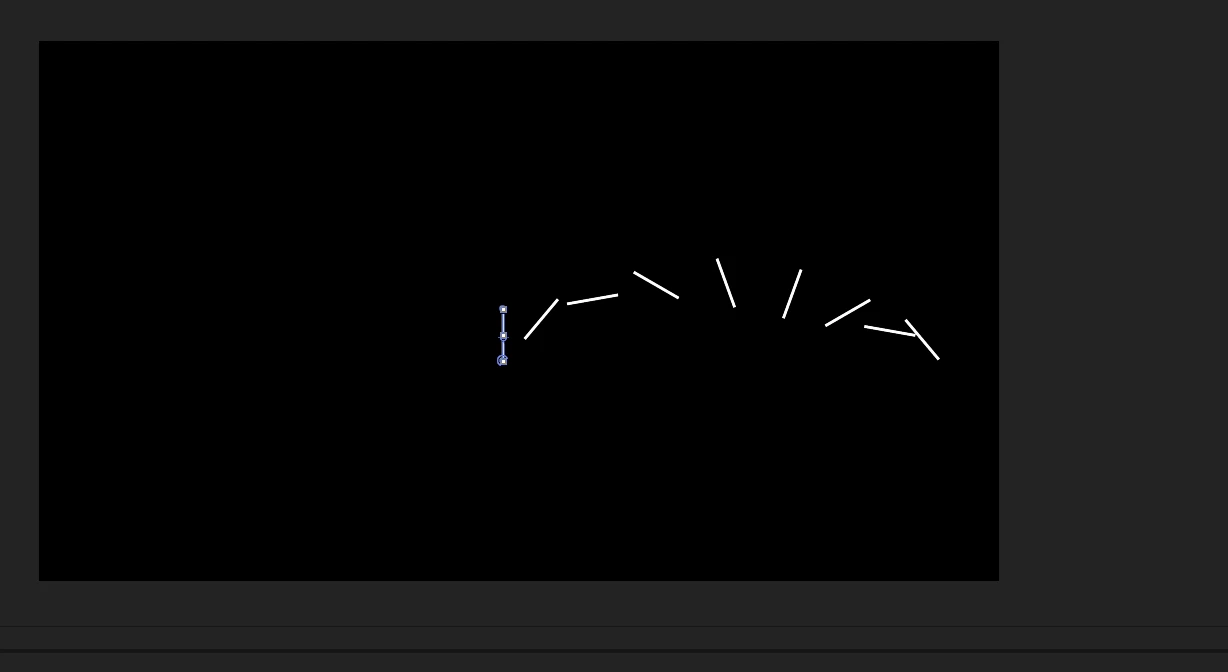
Why does Repeater give a different effect every time?
  • November 3, 2023
  • 1 reply
  • 163 views


I know that I can fix the above problem by playing with the anchor point of the shape, but I don't understand why I get different results every time... Sometimes even when I apply a repeater to a copy of a shape I animated, the result is different. Everything is the same but the result is different. Sometimes it is really tiring to deal with anchor points all the time. I may even have to redo the whole animation from the beginning. What to pay attention to when using the repeater or before using it.

This topic has been closed for replies.

1 reply

Community Expert
November 3, 2023

Start by pressing the 'u' key twice when you have created your shape layer, and make sure everything but the size is normalized. Another option would be to select the Center Anchor Point in New Shape Layers on the first page of Preferences (use Alt/Option + Ctrl/Cmnd + ; to open). That will only work for the first shape you create, so I almost always have it turned off. 


If you have the selection tool (v) active, select the shape in the timeline, then look closely at the Comp Panel; you can see a small Anchor Point icon on the shape. Sometimes, the shape color makes this small anchor point difficult to see.