Participating Frequently
August 28, 2023
Question

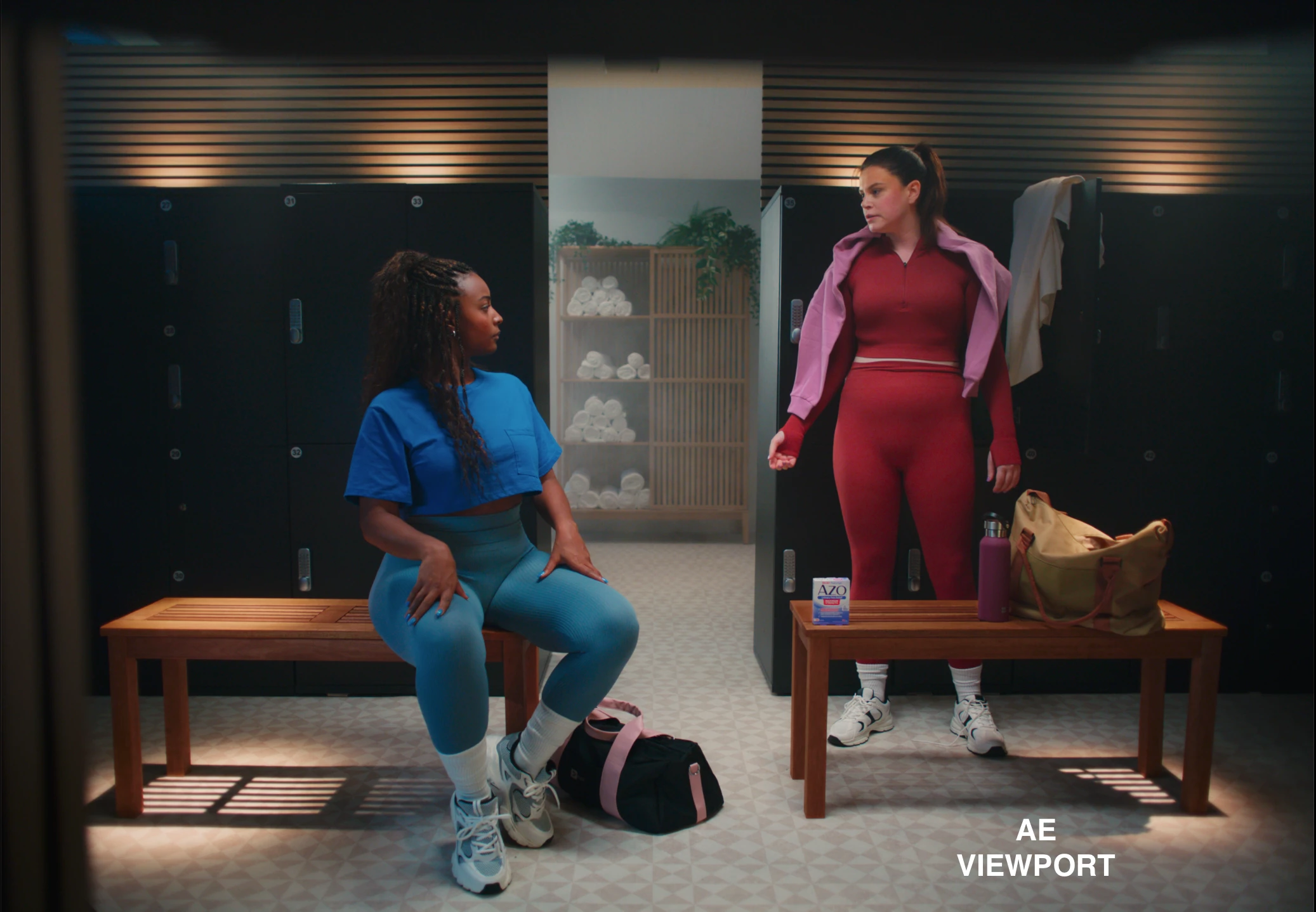
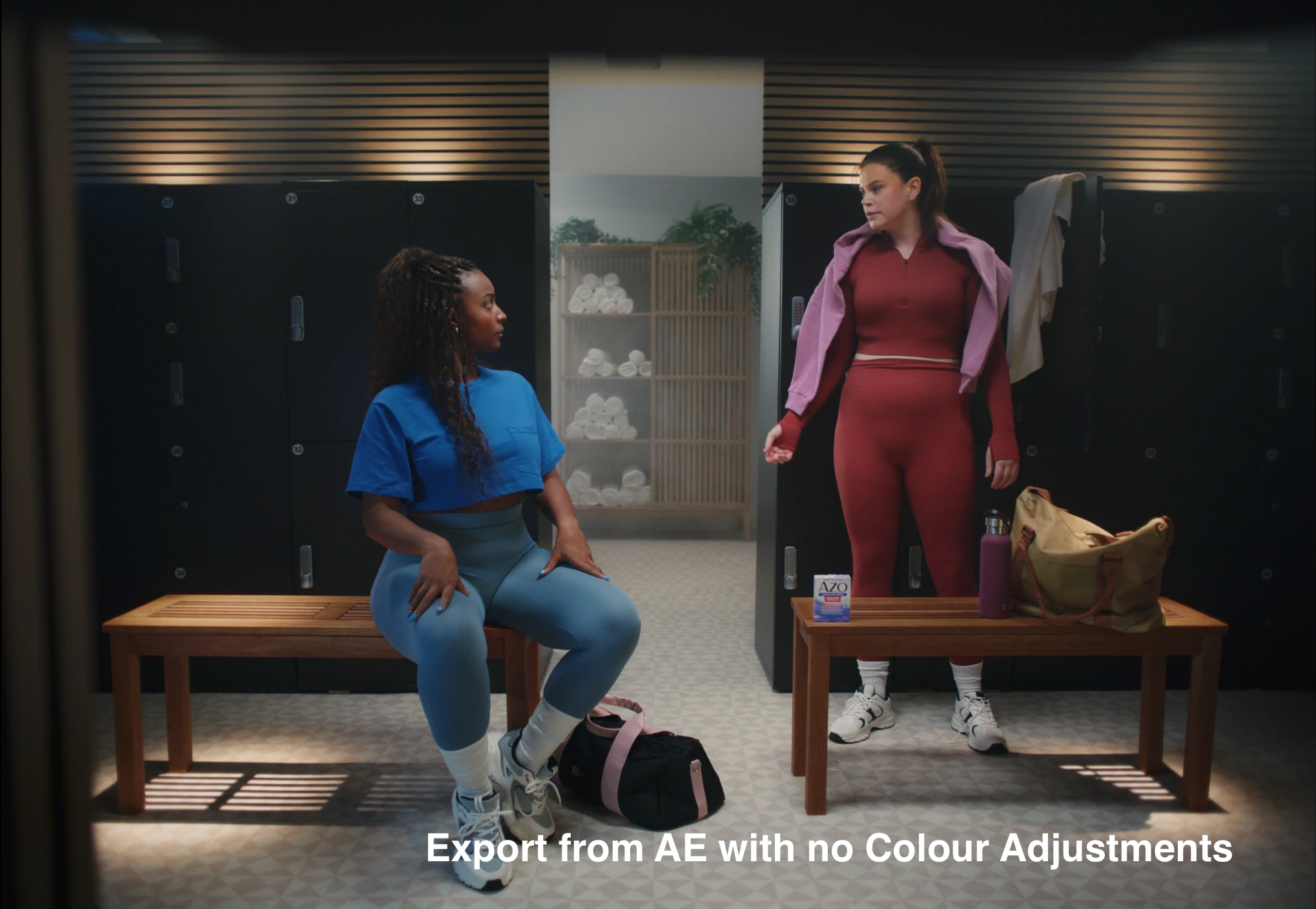
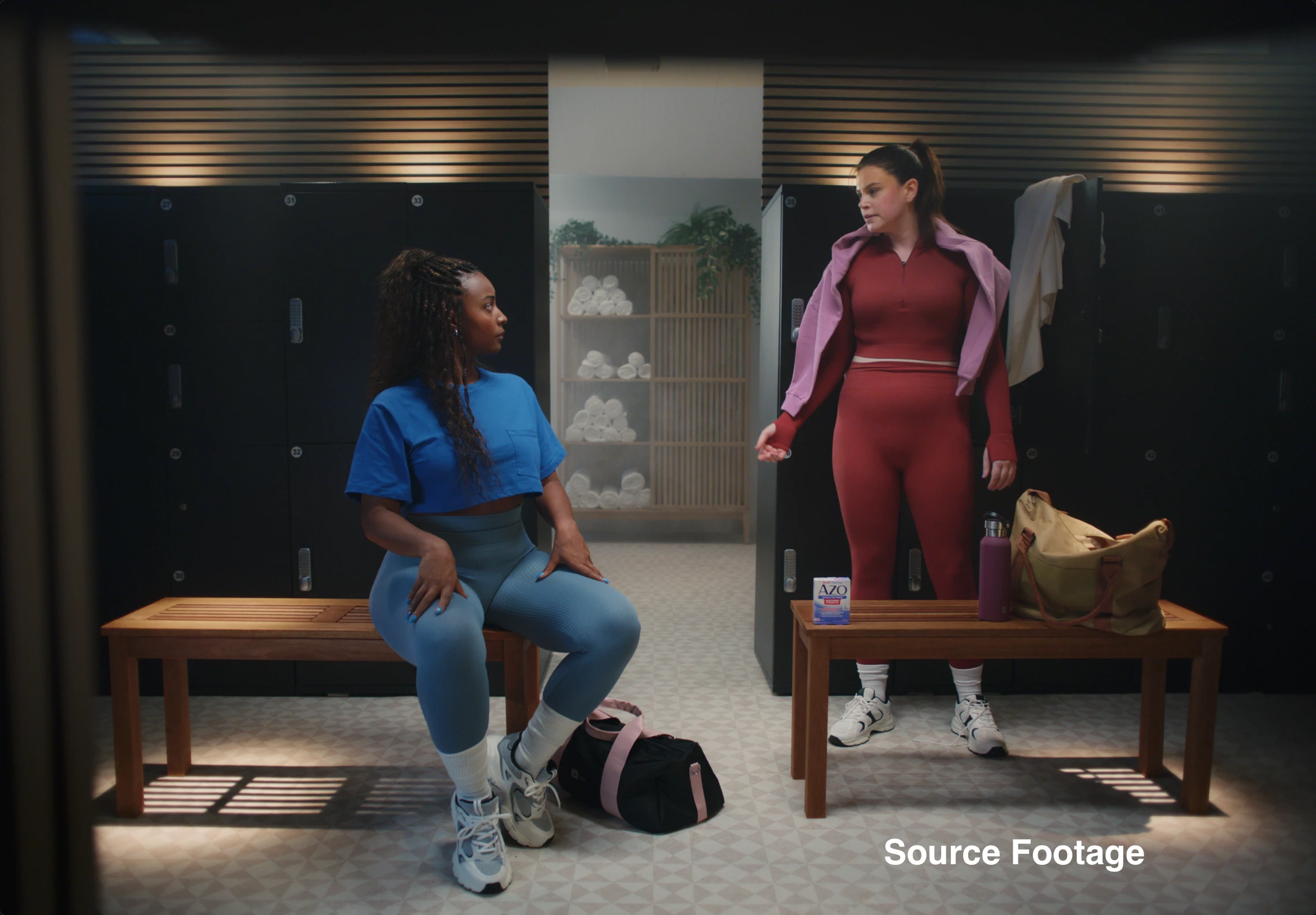
Why is AE viewport more saturated and punchier vs. input and output?

  • August 28, 2023
  • 1 reply
  • 1673 views

Why is the viewport in AE more saturated than the input and also output it exports on Mac M2?


I work in ACES and have my monitor set to Rec709 and the Color Profile of the Mac is set to Rec709 Gamma 2.4.

I get the same result if I change the color profile, change the monitor settings, or change the color workflow in AE... the viewport is consistently about 10% punchier and more saturated than it should be.

This is also regardless of the files I'm using. Arri, Red, PNG, Stock footage, etc... All the same.

When I preview the files in Finder they look normal. I drop them into AE, they look 10% punchier, I export and they look normal again...

What's happening in AE?
 

1 reply

Gabe Valente
Inspiring
September 18, 2023

YES! I've been trying to convert to an ACES workflow but I'm getting the same issue. 


My workflow is slightly different, since I'm working with 3D renders from C4D. AE matches 1:1 with C4D's viewport, but the outputs are  ~10% less saturated when viewed in macOS finder. If I re-import the output from AE, they look saturated again, but if I import them into an ICC-managed project, they look dull (i.e. they match 1:1 with what's visible in finder).


I've watched every tutorial, and tried every combination of Working Color Space, Display Color Space, OCIO Configurations (1.2, 1.3 CG, 1.3 Studio, and even custom OCIO), OCIO Color Space Transform Effect settings, and output color profile, but no matter what I try it seems like AE and C4D have a slightly more saturated viewport.

Gabe Valente
Inspiring
September 25, 2023

hey @jakobg95 try applying a color profile converter effect with an "Image P3" profile, before rendering. your colors should look right in the finder.

jakobg95Author
Participating Frequently
September 27, 2023

Hey Gabe! Thanks for checking this out. This is actually a great tip and thanks for the insight! - I just had a colour engineer over to colour calibrate my monitors so I'm looking at a near-perfect representation of what Rec709 Gamma 2.4 should look like. The Image P3 converter makes it look more similar but not identical to the output.  I found that I needed to add an Exposure effect with some adjustments to make it look like the output. I would obviously need to remove these effects / use guide layer when rendering, since the output looks okay without these adjustments. I also use C4D a lot, I use Octane and it seems like it's equally wrongly represented by AE like any footage etc. So the issue lies purely with Adobe and it's integration to Mac. If Adobe sees this.. It's 2023 and it's so unacceptable that I can't plug and play AE on a Mac M2 and not see a video correctly represented. Fix this!

TLDR: The problem is super simple.. Fix the viewport on Mac! Nothing is wrong with the input/output. This isn't an issue on Windows.