KWebb1147703
Participant
Jan 24, 2019 2:19 AM UTC
Answered

Why is my Texture not displaying on a Plane in Element 3D.

HI,

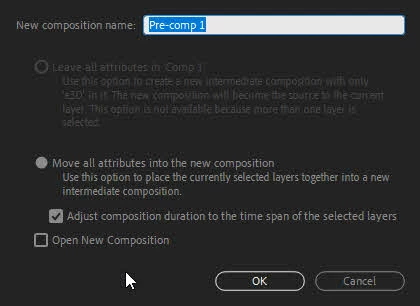
I recently tried to attach a texture to a Plane I created in Element 3D The texture was downloaded as a PNG file, precomposed and designated to the texture 1 slot properly and when I applied the texture to the Plane as a diffused texture I get nothing. I have tried to designate other textures as well and got the same results. I hope i am explaining this correctly and can get some assistance or suggestions to resolve this. I really want to work with this texture in this project.

Thanks in ADvanced.

    imeilfx
    imeilfxCorrect answer
    Inspiring
    Jan 24, 2019 6:26 AM UTC

    So you did prepare your texture and put it into precomp

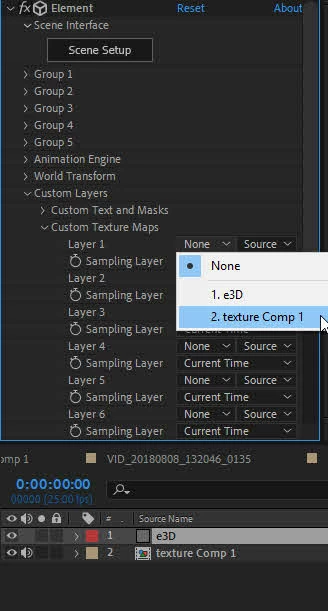
    then you put e3D layer and e3D on it and assign your texture in custom texture in e3d settings

    after that in e3D settings you assign your custom texture to your pane

    And nothing?
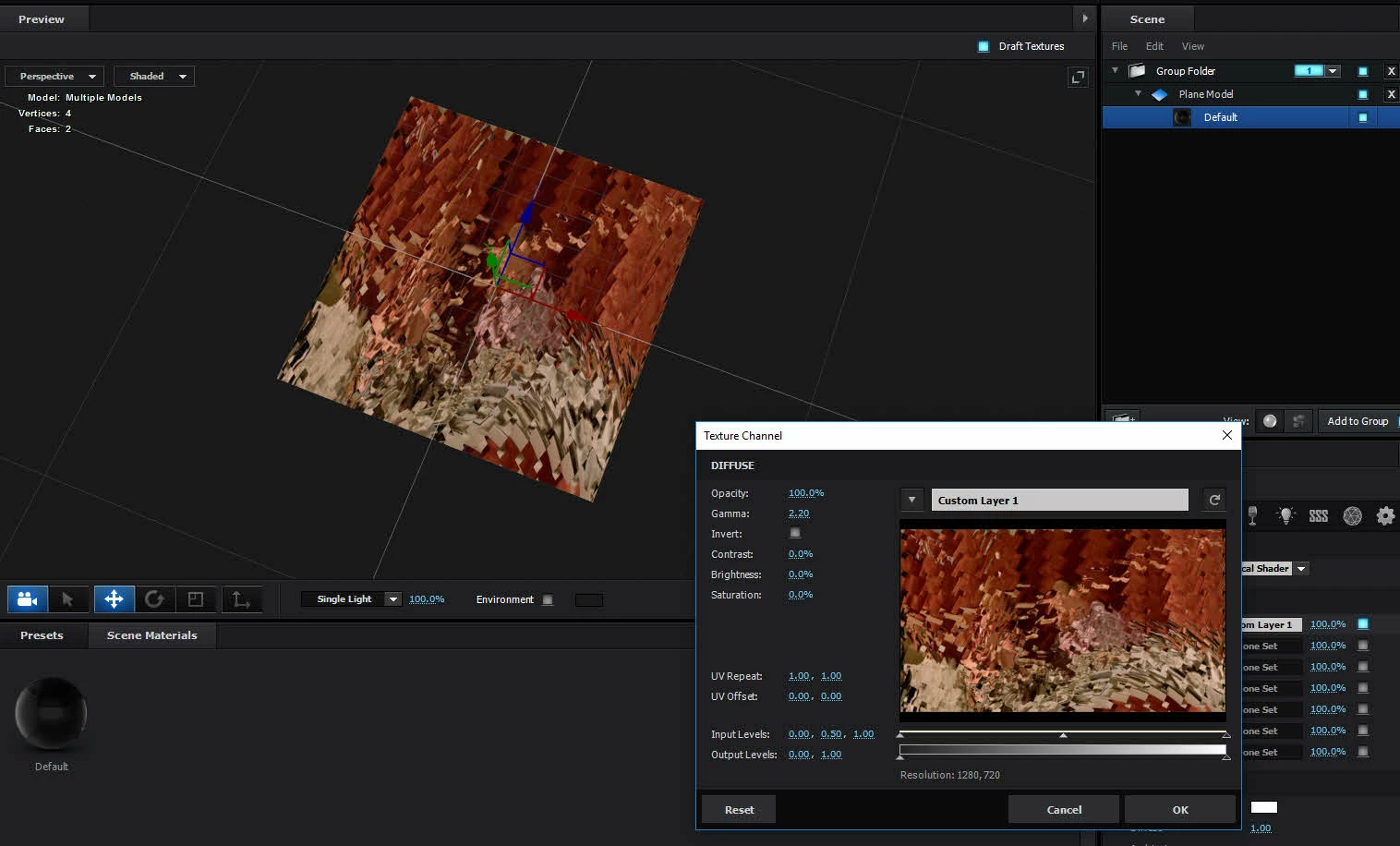
    Is that what happens? But when you try to apply your texture in diffuse window (last picture bottom right corner) you can see your texture but you can't see it on your plane or you can't see it in settings either?

    21 replies

    Participant
    Jun 10, 2023 1:42 AM UTC

    Everyone....!

    After Doing A Hardwork...I have now solved the issue

    all u need is ( element 3d V2.2.3 )....

    simplay everyone is using v 2.2 just update it

    worked for meeeeee

    Translate
    Participant
    Nov 9, 2021 4:39 PM UTC

    For me, the duration of my precomposed texture was the issue.  It was shorter than my main comp's.  Once I extended the amount of frames to match the main comp, my textures showed up again in the preview.

    Translate
    Participant
    Jan 17, 2022 11:27 AM UTC

    Holy cow I was going mad over this problem! Just made the main comp shorter and everything works now, THANK YOU SO MUCH!

    Translate
    Participant
    Feb 24, 2022 10:07 AM UTC

    what version of the plugin do you have? I have 2.2.0
    I set the texture parameters exactly as in the main composition, but this did not solve the problem, maybe it's the plugin version? or something else I'm missing

    Translate
    Participant
    Mar 10, 2021 2:01 AM UTC

    Any workaround on this ele3D issue, noticed that the precomp texture does not appear in extrusion (in scene). However, outside of scene, inside the main comp area texture will appear. 

    Translate
    Participant
    May 9, 2021 8:57 AM UTC

    i have same thing, did you manage to fix it?

    Translate
    Participant
    Sep 7, 2021 2:17 PM UTC

    did you fix it?


    Translate
    Participant
    Jan 2, 2021 2:53 AM UTC

    i was asking my friend and he said that the frame of custom layer has to same with frame of E3D and the texture resolution is 1:1

    Translate
    Participant
    Sep 7, 2021 2:18 PM UTC

    it didnt work for me

    Translate
    imeilfx
    imeilfxCorrect answer
    Inspiring
    Jan 24, 2019 6:26 AM UTC

    So you did prepare your texture and put it into precomp

    then you put e3D layer and e3D on it and assign your texture in custom texture in e3d settings

    after that in e3D settings you assign your custom texture to your pane

    And nothing?
    Is that what happens? But when you try to apply your texture in diffuse window (last picture bottom right corner) you can see your texture but you can't see it on your plane or you can't see it in settings either?

    Translate
    KWebb1147703
    Participant
    Jan 24, 2019 4:00 PM UTC

    Hi

    This is correct. What I see on the Plane model is the default (white) texture.

    Thanks

    Translate
    imeilfx
    Inspiring
    Jan 24, 2019 5:23 PM UTC

    Ok. So maby try to import any jpg file (does not matter what) and try to use as a texture and check if it showes. If it works - that meat that Element can see custom textures but for some reason can't see that exact precomposed texture of yours. Then we will look for that reason.

    Translate