Participant
July 21, 2025
Answered

Why is the mask showing when exporting on Media Encoder?!!

  • July 21, 2025
  • 3 replies
  • 202 views

Hi

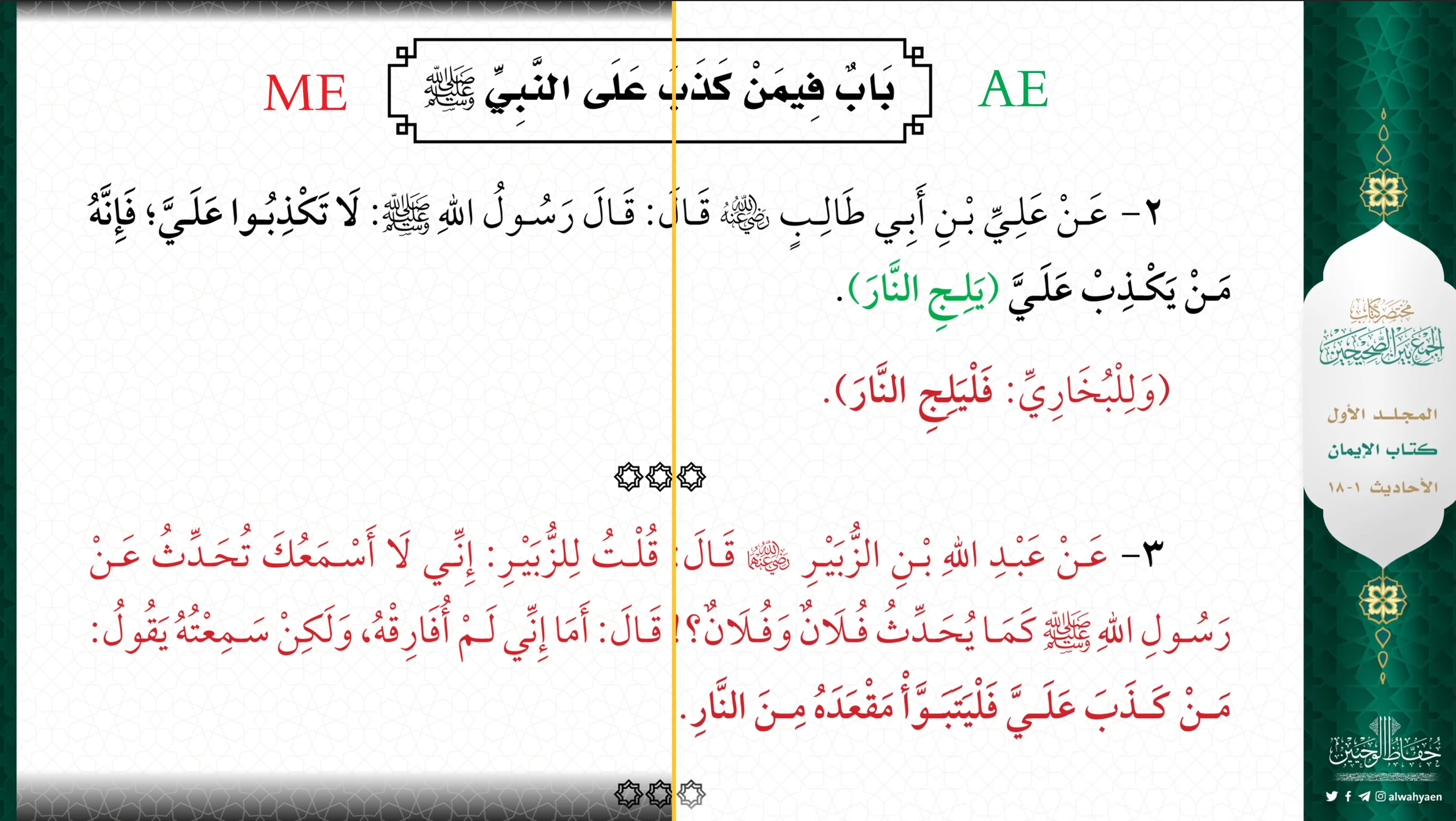
I'm tring to Export a file with Media Encoder and for whatever reason it shows the mask!!
here's a screeshots to compare between AE and ME:

 

Correct answer Mo7 Knight

OK, I found the problem, all I nedded is a stupid white solid layer! 😒🤦‍♂

3 replies

Participant
July 22, 2025

The mask shows to the because its  likely still enabled in your sequence. Turn off mask visibility and  disable mask effects before exporting to fix it.

Mo7 KnightAuthorCorrect answer
Participant
July 22, 2025

OK, I found the problem, all I nedded is a stupid white solid layer! 😒🤦‍♂

Ishan Y
Inspiring
July 22, 2025

Thanks for letting us know! I'm glad you found a solution. 

Ishan Y
Inspiring
July 21, 2025

Hi,

Sorry for the issue. Which version of After Effects and Media Encoder are you using? Please check your Media Encoder settings and see if any checkboxes under the "Effects" tab are enabled. Please also import the exported video back to After Effects and let us know if you still see the difference.


Thanks,

Ishan

Please tag me (@) in your replies so that it notifies me and helps me respond promptly.
Participant
July 22, 2025

Latest Version fo AE an ME, nothing is checked under Effects.
If I exported the file dircetly from AE there's no issues with the masks, it appears only on ME.
I tried diffrent way to mask and diffren setting for ME and they all show masks! the wierd thing is there's an old file I made ~year ago and when I tried to export it the masks are fine! altought it's exactly the same way and the same project setting for both files.