Participant
January 26, 2023
Answered

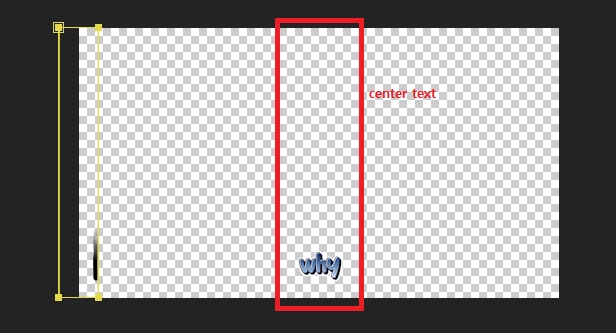
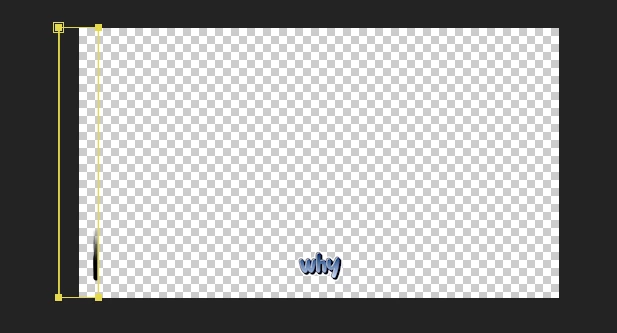
Why path not centered in the text?
  • January 26, 2023
  • 2 replies
  • 274 views

(what i want)

why the path is located on the left, not the center..

This topic has been closed for replies.
Correct answer Dan Ebberts

I think this will work:

L = thisComp.layer("why");
rect = L.sourceRectAtTime(time,false);
left = L.toComp([rect.left,0])[0];
right = L.toComp([rect.left+rect.width,0])[0];
h = thisComp.height;
p = [fromComp([left,0]),fromComp([right,0]),fromComp([right,h]),fromComp([left,h])];
createPath(p,[],[],true)

2 replies

Dan Ebberts
Community Expert
Dan EbbertsCommunity ExpertCorrect answer
Community Expert
January 26, 2023

I think this will work:

L = thisComp.layer("why");
rect = L.sourceRectAtTime(time,false);
left = L.toComp([rect.left,0])[0];
right = L.toComp([rect.left+rect.width,0])[0];
h = thisComp.height;
p = [fromComp([left,0]),fromComp([right,0]),fromComp([right,h]),fromComp([left,h])];
createPath(p,[],[],true)
Community Expert
January 26, 2023

Select all layers, press the 'u' key twice, and check for modified Position, Scale, and Rotation values on your layers. Also, check the Paragraph Justification and Baseline Shift on your text layer.


If you want a sourceRectAtTime() expression to compensate for Position, Rotation, and Scale, as well as Baseline Shift and Paragraph justification, you have to add modifiers like srcRectAtTime().top, srcRectAtTime().left, and your reference layer's (thisComp.layer("your layer") transform properties.