
Answered
Why Text Character changing the look of them?
Why Text Character changing the look of them, while converting text layer as 3D?
as below
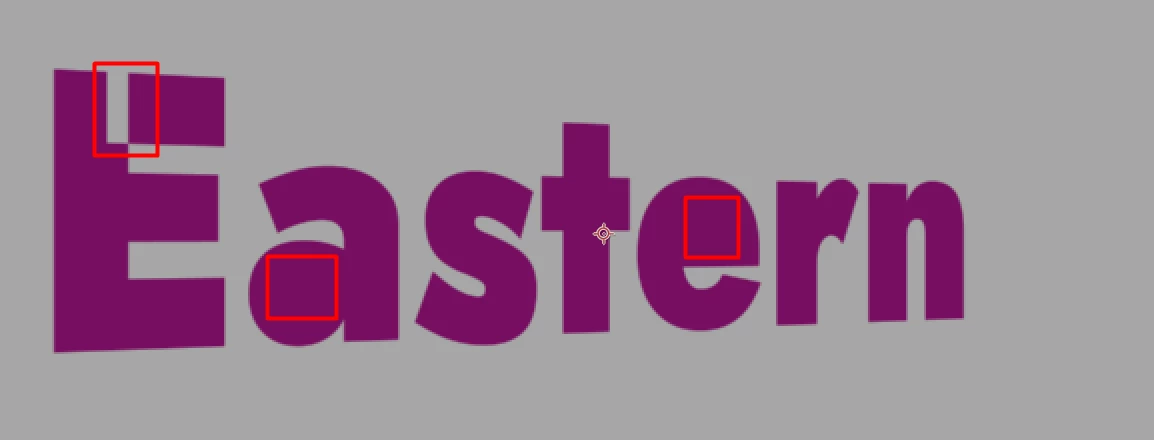
Why Text Character changing the look of them, while converting text layer as 3D?
as below
Such issues are typical signs of a "bad" font with open paths, too many overlapping anchor points and illogical grouping in the glyphs. The only real solution would be to indeed find a better font or rework and clean up the existing one.
Mylenium
Already have an account? Login
Enter your E-mail address. We'll send you an e-mail with instructions to reset your password.
 AdChoices