Answered
why toggle key frame not work with checkbox ?
I try to switch between two comps with opacity by using expression but some do not work
Can make a group for slider control in the effects panel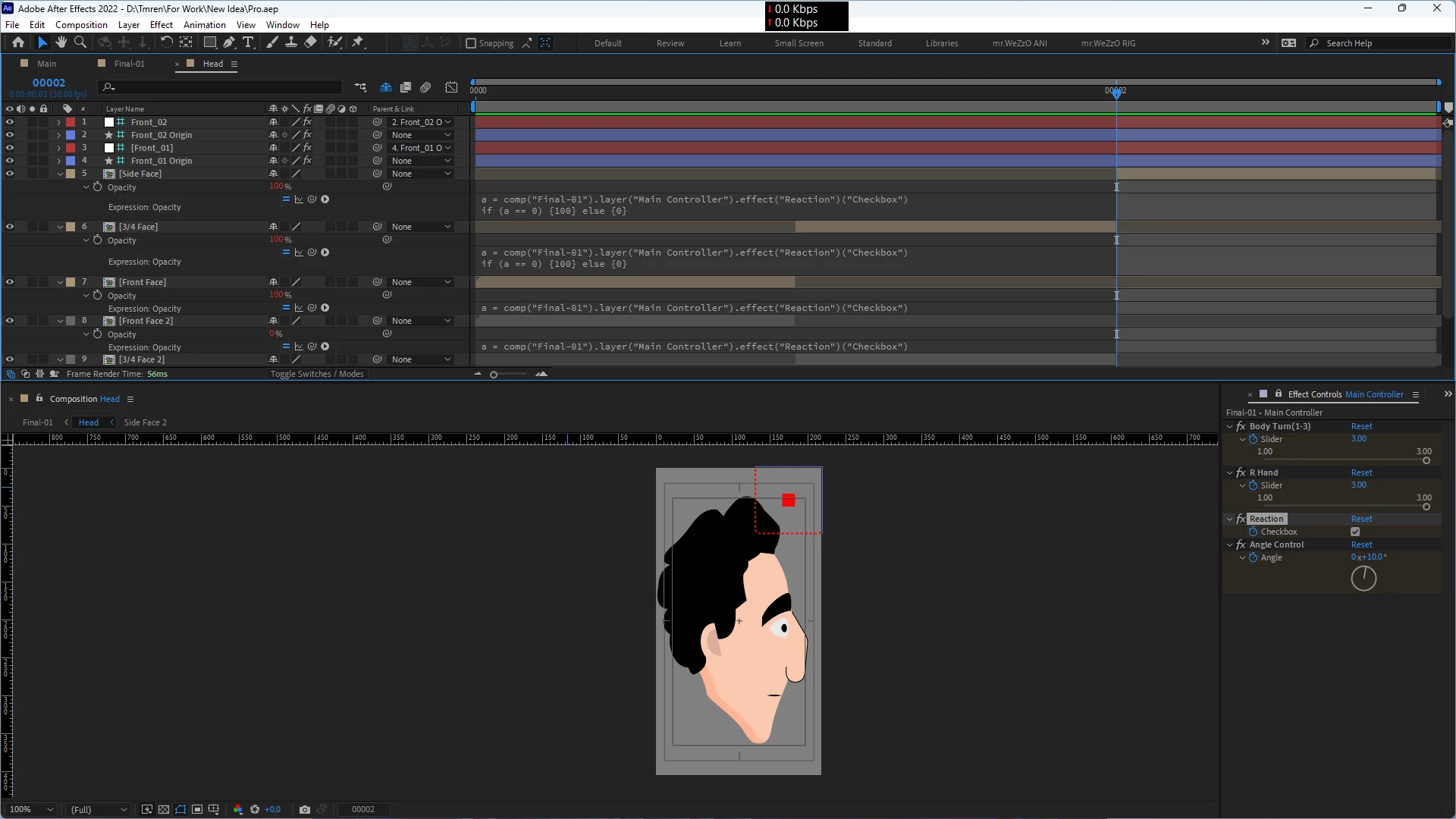
I try to switch between two comps with opacity by using expression but some do not work
Can make a group for slider control in the effects panel
I add expression and work well but when add the keyframe to switch not work again.
It looks like you're also using time remapping to get the alternate poses. I'm not sure how that affects things, but I suspect it's part of the issue.
Already have an account? Login
Enter your E-mail address. We'll send you an e-mail with instructions to reset your password.
 AdChoices