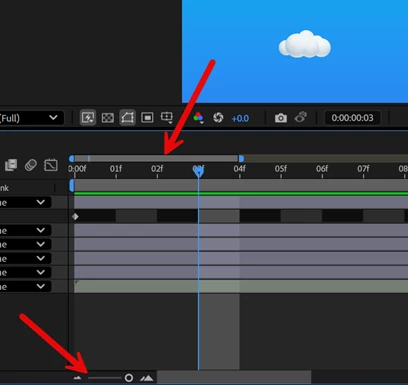
The controls serve slightly different purposes. The bottom slider gives you control to zoom in and out of the Timeline from 0% to 100%, while the top range shows where you're zoomed into the Timeline. It also helps to navigate.
The controls serve slightly different purposes. The bottom slider gives you control to zoom in and out of the Timeline from 0% to 100%, while the top range shows where you're zoomed into the Timeline. It also helps to navigate.





 AdChoices