dmiraie
Inspiring
November 26, 2019
Answered

wiggle and reflected edges ..?

  • November 26, 2019
  • 1 reply
  • 2481 views

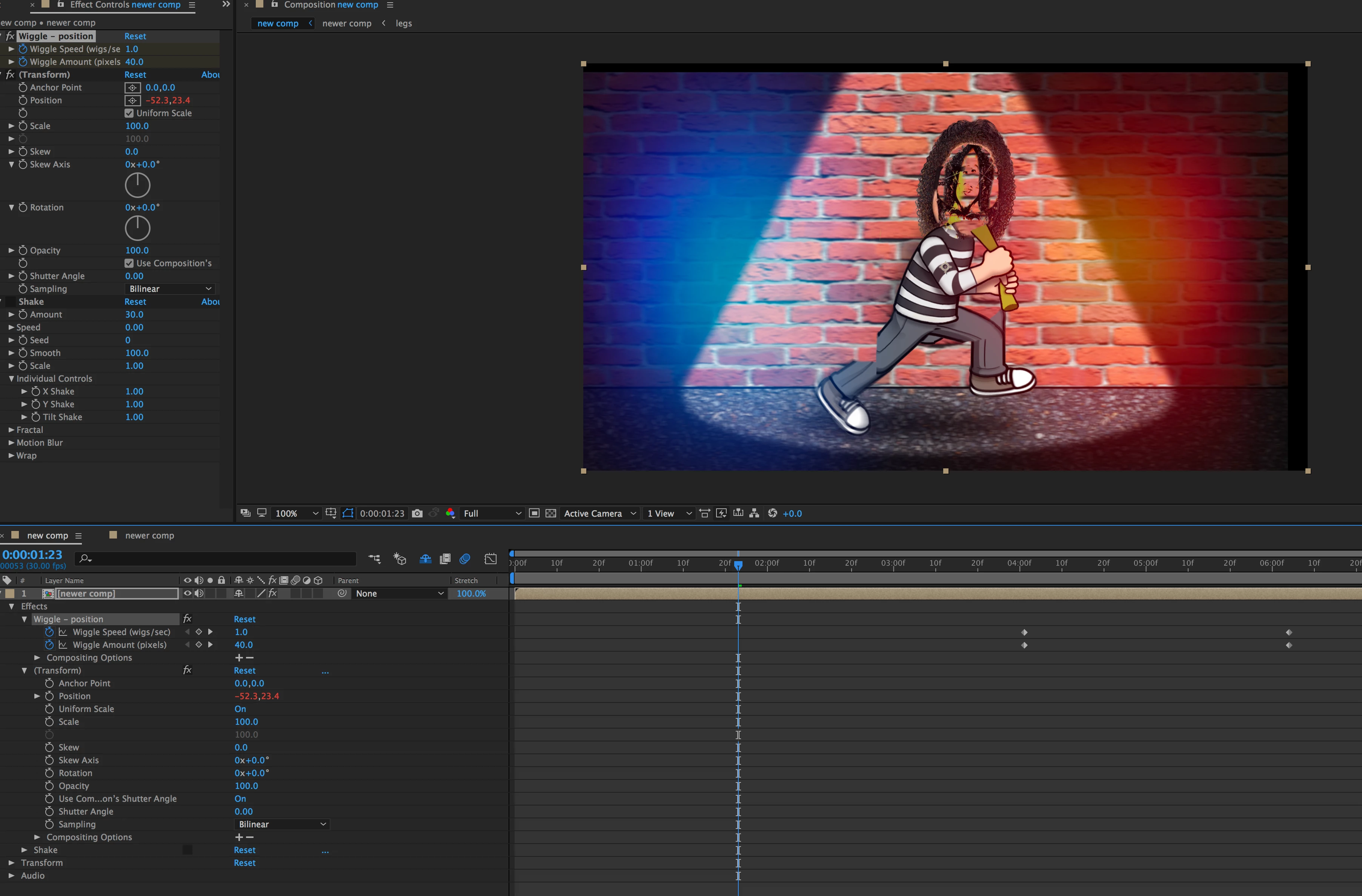
Hi there, I really like the natural motion of this Wiggle effect, but as you can see it doesn't seem to allow for  reflected edges, causing the black border.  Does anybody know what is the best workaround for this? thnx

This topic has been closed for replies.
Correct answer Andrew Yoole

I'm not entirely clear on what's in your comp, so it's a bit hard to diagnose.  I assume you are referring to the blck edges around your comp frame?  There's a bunch of other weird looking stuff going on with your character, but I assume that's not what this post is about.


The wiggle effect you've applied is a very simple position wiggle tool.  You could apply it easily just writing an expression into the position parameter of the layer, if you're comfortable with that.  It's not sophisticated enough to extend the edges of your comp.


Some simple solutions:


Increase the scale of your layer so that the black edges are never visible.  (This may soften your overall image a bit.)

or

Duplicate your layer, and remove the wiggle effect from the lower layer so that it fills the black space. This may look a little obvious depending on the content on the edges.



1 reply

Andrew Yoole
Andrew YooleCorrect answer
Inspiring
November 27, 2019

I'm not entirely clear on what's in your comp, so it's a bit hard to diagnose.  I assume you are referring to the blck edges around your comp frame?  There's a bunch of other weird looking stuff going on with your character, but I assume that's not what this post is about.


The wiggle effect you've applied is a very simple position wiggle tool.  You could apply it easily just writing an expression into the position parameter of the layer, if you're comfortable with that.  It's not sophisticated enough to extend the edges of your comp.


Some simple solutions:


Increase the scale of your layer so that the black edges are never visible.  (This may soften your overall image a bit.)

or

Duplicate your layer, and remove the wiggle effect from the lower layer so that it fills the black space. This may look a little obvious depending on the content on the edges.


dmiraie
dmiraieAuthor
Inspiring
November 27, 2019

The duplication method looks pretty good, thanks!  One other question if u don't mind.. I've noticed that the Wiggle effect changes the layer 'Position' by fractions of pixels instead of whole pixels, and this causes a tiny bit of blurring if you pause the video and look closely..  Assuming it wouldn't make things look really jittery, is there a way to restrict movement to whole pixels? thnx