
Write On Brush Cursor missing
I am using AE for the first time. I am creating a white board animation of simple text.
I am using the Write On effect. I have been using this effect the same way, spread over the course of 4 days. It's been working well.
Nearing the end of the project I shut AE down Friday. When I returned today (Monday) I opened the program to resume and now I do not have the write on brush cursor visible. My procedure has been to use page down to advance to the next keyfram, grab and drag the brush cursor to where I want it to be positioned, then page down again for the next key frame. Lather, rinse, repeat. This morning the cursor is not there so I cannot move the cursor around.
I cannot find any setting to effect this.
I'm working on a windows 10 machine and AE 2022. I would appreciate any help. At this point, the project is lost if I can't set more keyframes. 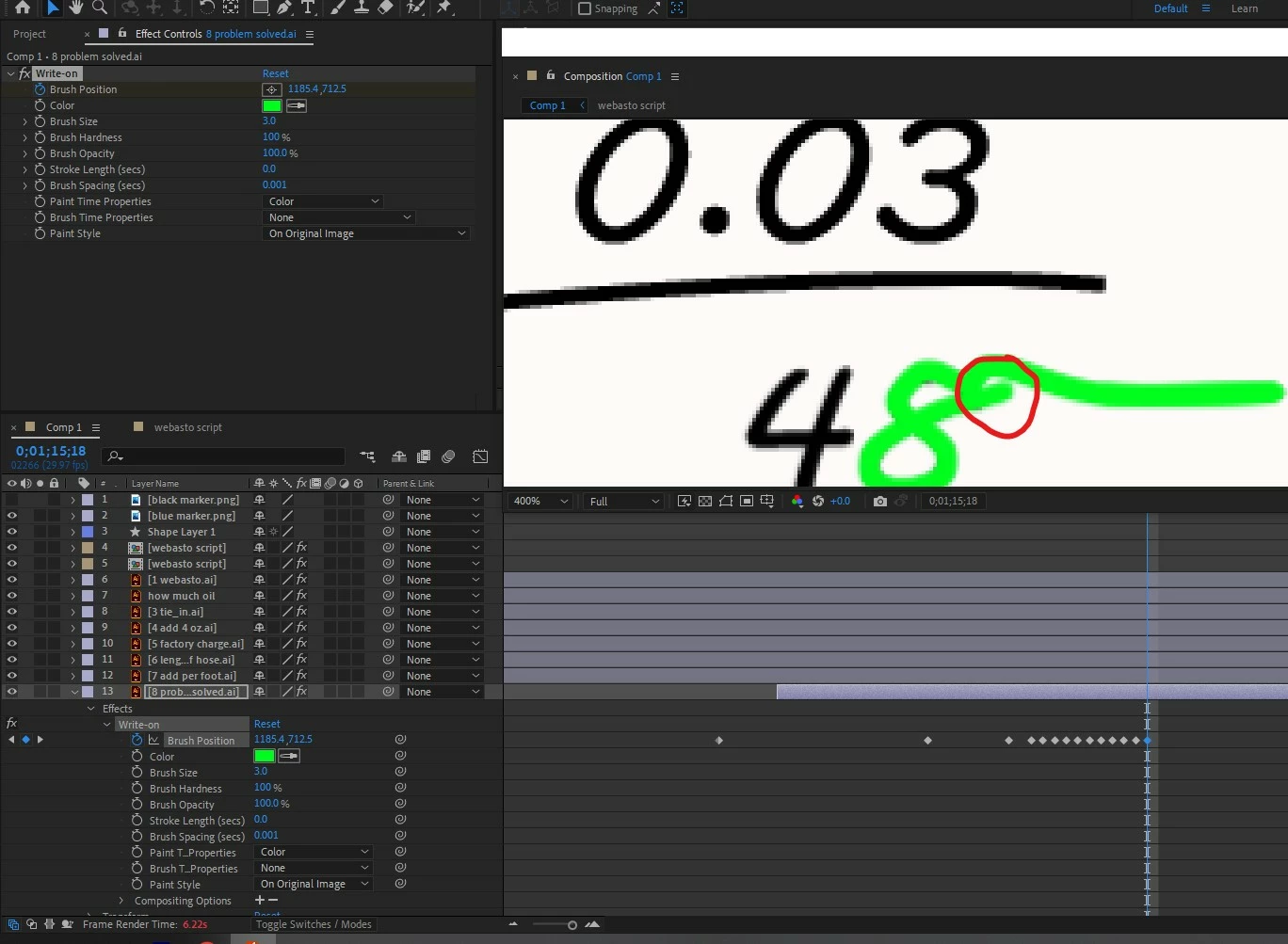
 AdChoices