
Inspiring
July 19, 2021
Question

write-on expression needs dimension 2, not 1.

  • July 19, 2021
  • 1 reply
  • 188 views

Hi


I am new to AE and am trying to get an effect where a ball follows a sin curve across a comp leaving a drawn sine wave behind it. I found a helpful tutorial that said use the expression write-on

I add the effect to a new shape layer, alt+click the timer to open the expression space. Then I try to set a variable like 'amp=50' and get - 'expression result must be of dimension 2,  not 1'
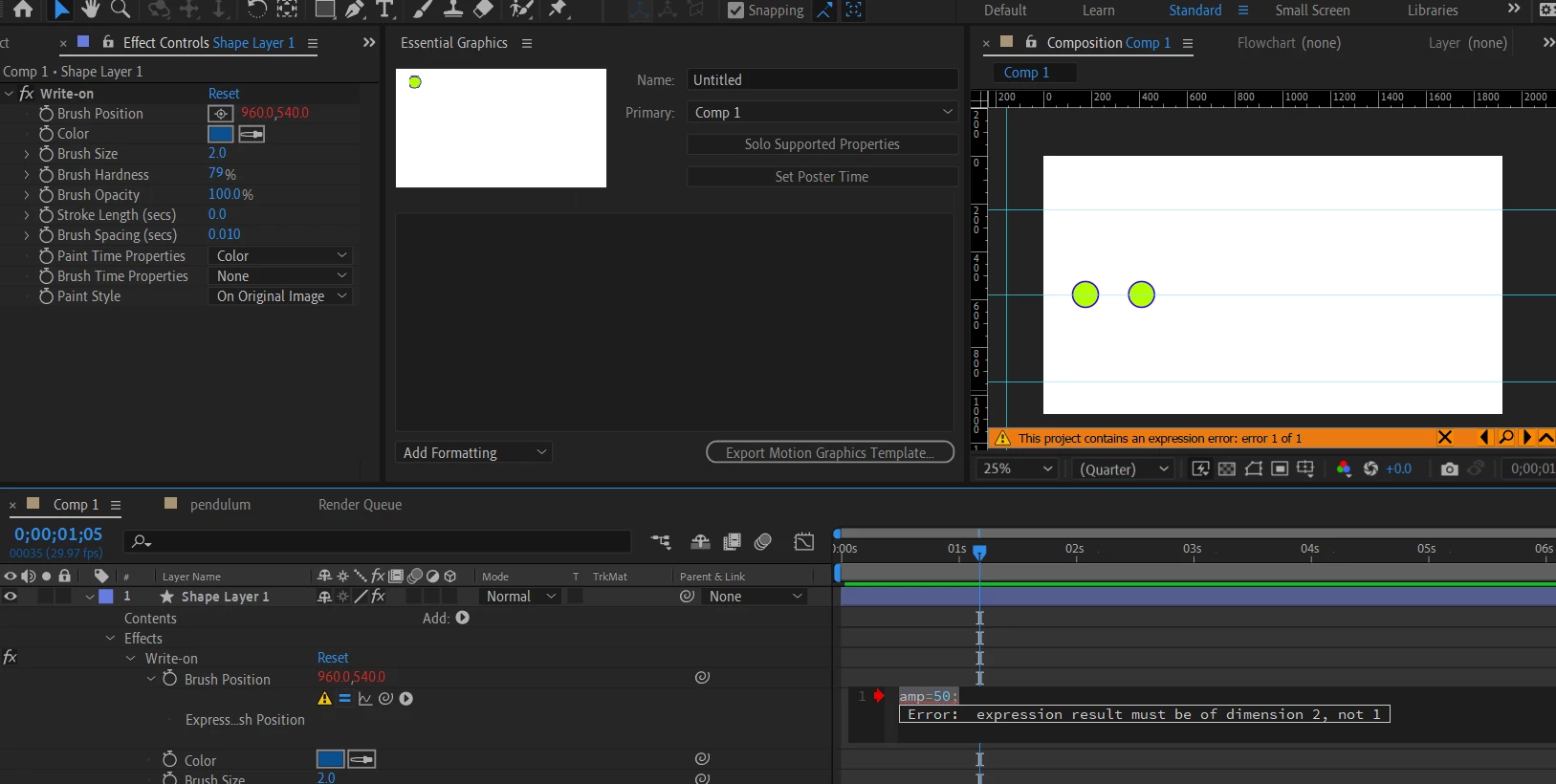


On the video the guy just typed variables like the one I want above and it was fine. I can't seem to find out what I am doing wrong.


Thanks


E


This topic has been closed for replies.

1 reply

Mylenium
Legend
July 19, 2021

Since you haven't offered any link to the tutorial it is impossible to know, but the simple truth likely is that you haven't followed it to the T and need to rewatch it. The warning is pretty clear and of course just typing in a variable won't do much, anyway. I would suggest you actually watch the tutorial in full before prematurely messing around with incomplete code. Other than that the immediate fix would of course be something like  


amp=50;

[value[1],amp]


but I doubt that's what you actually want, given that all it would do is produce a static value, not the full animation.


Mylenium