
Inspiring
July 27, 2022
Answered

Wrong expression for splitting layertext into multiple lines

  • July 27, 2022
  • 1 reply
  • 2625 views

Hi, 


How can I combine the two expressions below into one? So whenever I write "_" in the text layers name, the text splits into a new line and when I don't enter "_" it just shows the layers name?  


Expression 1 (splits my layer in new lines)

a = thisLayer.name.split("_")[0].replace("_", "\n");
b = thisLayer.name.split("_")[1].replace(" ", "\n");
c = thisLayer.name.split("_")[2].replace(" ", "\n");

a+" "+b+" "+c


Expression 2 (for the layers that only have one line) 

thisLayer.name.split("_");


Problem

When I don't enter "_" in expression 1 it gives me an error message + it forces me to change the expression every time I want more/fewer lines than 3.


Thanks
This topic has been closed for replies.
Correct answer ShiveringCactus

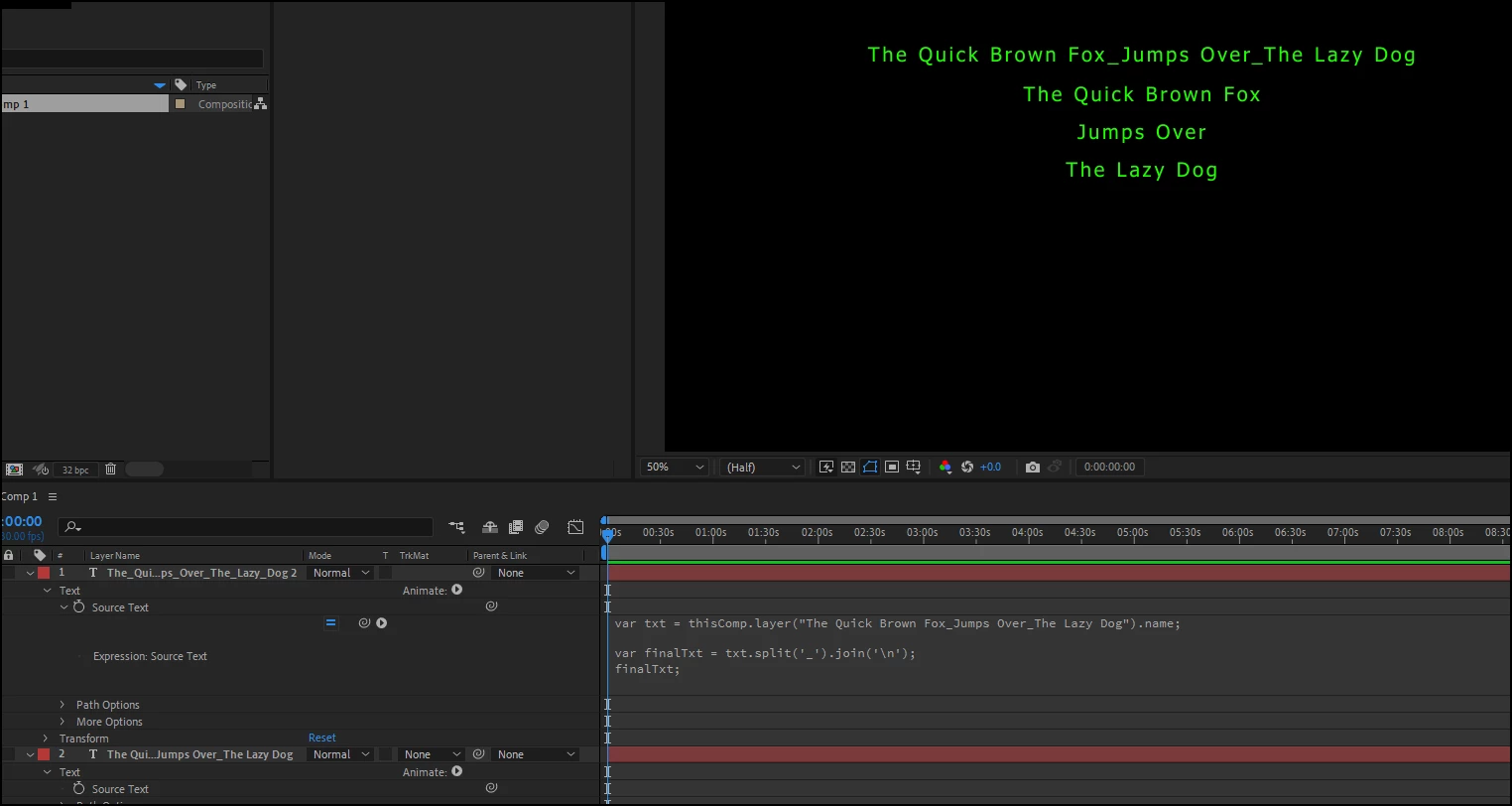
This is all Javascript's fault unfortunately.  .replace only works on the first element it comes across.  Split turns a string of characters into an Array, which we can stitch back together using .join:

var txt = thisComp.layer("The_Quick_Brown_Fox_Jumps_Over_The_Lazy_Dog").name;

var finalTxt = txt.split('_').join('\n');
finalTxt;

1 reply

Mylenium
Legend
July 27, 2022

Using both expressions doesn't make much sense to begin with since the .split() is redundant and if there are variable numbers of text you put it in a for() loop and also add an additional if()else() or try()catch() as a safeguard. In fact if all you want to to is just wrap the text to new lines you'd only need the .replace() part, anyway, as string functions automatically iterate through all occurances of a substring. So more or less all you would likely ever need is a plain


thisLayer.name.replace("_", "\n");


Mylenium

Inspiring
July 27, 2022

Thanks for your quick reply Mylenium! You are always so on spot and clear with your responses throughout the forum - something that I both appriciated and get inspiration from.


I tried your expression but after the second "_" a new line is not added. Instead it shows the _ in the output. Example:

Line 1

Line 2_Line3

ShiveringCactus
Community Expert
ShiveringCactusCommunity ExpertCorrect answer
Community Expert
July 27, 2022

This is all Javascript's fault unfortunately.  .replace only works on the first element it comes across.  Split turns a string of characters into an Array, which we can stitch back together using .join:

var txt = thisComp.layer("The_Quick_Brown_Fox_Jumps_Over_The_Lazy_Dog").name;

var finalTxt = txt.split('_').join('\n');
finalTxt;