Inspiring
July 20, 2022
Answered

X & Y Locations don't match from AE to PS

  • July 20, 2022
  • 1 reply
  • 216 views

Hi community.


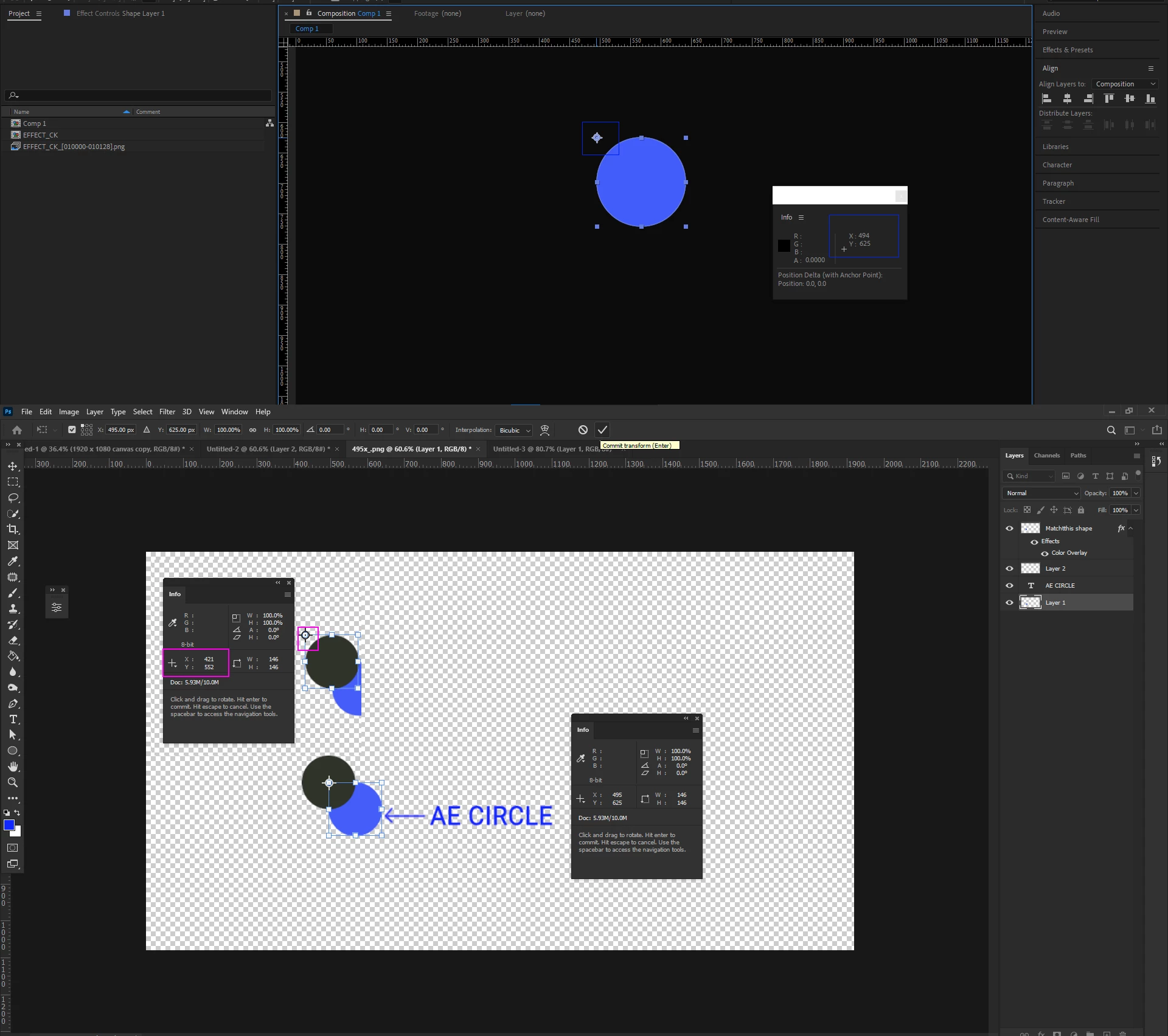
I have made  shape in AE (canvas size 1920 x 1080), and in the info pallet its displaying the X & Y location of the anchor registration point.  I save the file as a PNG image (Save frame as).  Then I import it into PS, and its sitting in the same location. I then duplicate the shape, and type in the same X & Y values, but its not sitting in the same location in PS. As seen the grey ellipse shape has different X and & Locations using the same anchor point registration. 


This topic has been closed for replies.
Correct answer Mylenium

I've tried hard, but I'm not clear what you are trying to say here. the val.ues are perfectly plausible and correct as far as I can tell. So what is the problem?


Mylenium

1 reply

Mylenium
MyleniumCorrect answer
Legend
July 20, 2022

I've tried hard, but I'm not clear what you are trying to say here. the val.ues are perfectly plausible and correct as far as I can tell. So what is the problem?


Mylenium

Inspiring
July 20, 2022

Yes, you are correct I forot to set the registration point in PS to get the same X&Y location. 


Kind regards.