



Advanced 3D renderer notes: Clamped whites and Curved solids
Brighter than white values seem to be clipped to 1.0, which is a shame - means we can't do HDR stuff without weird workarounds. And if you want to add a glow to just the hilights on an object, catch just the light glinting off the edges, you can't use >1.0 values to isolate the brightest bits any more. Have to be a bit more conservative with your lighting/exposure.
Behind the scenes, what colour depth is the Advanced 3D renderer using? Seems to be 32bpc (at least I haven't noticed any banding) and displays as floating point, but .. is it? Why the clamping?
Also - that new (? [edit: no, apparently it's been around for a while. Hey ho. Leaving this up for posterity] ) Curvature option for 3D Solids is a weirdly specific feature to add. Not saying it won't be useful, but it's a weird feature. Turning it up to 100% is still a fairly shallow curve - but you can scale up the Z-axis of your solid to increase it. First time there's been a practical use for Z-scaling a solid (unless it's a parent to other stuff of course). Interesting that if you apply a curve to a solid, it does correctly intersect with other 3D objects in the comp:
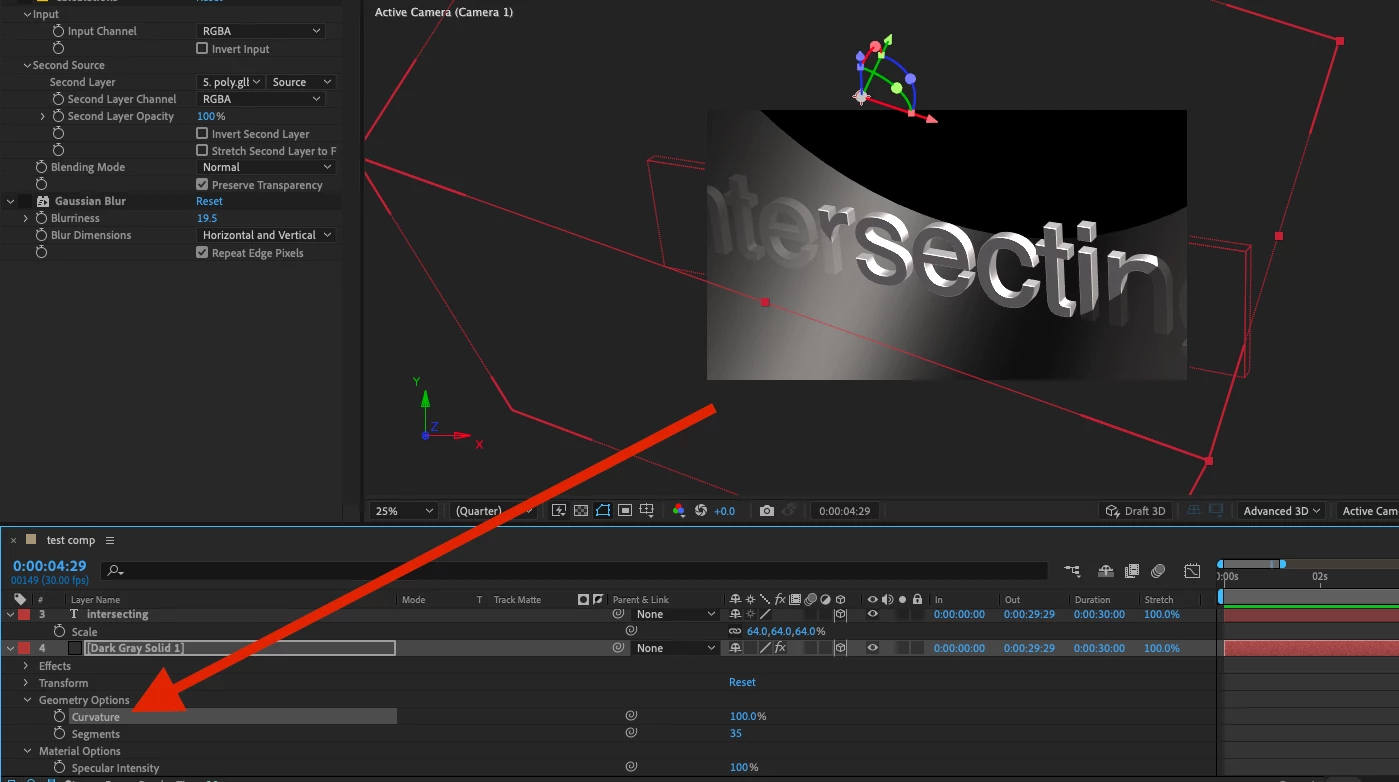
... very intriguing
 AdChoices