ninose11
Inspiring
January 27, 2025
Answered

After Effects Beta 2025.2.0 - Eased keyframes in Speed Graph Editor won't follow desired speed curve

  • January 27, 2025
  • 4 replies
  • 684 views

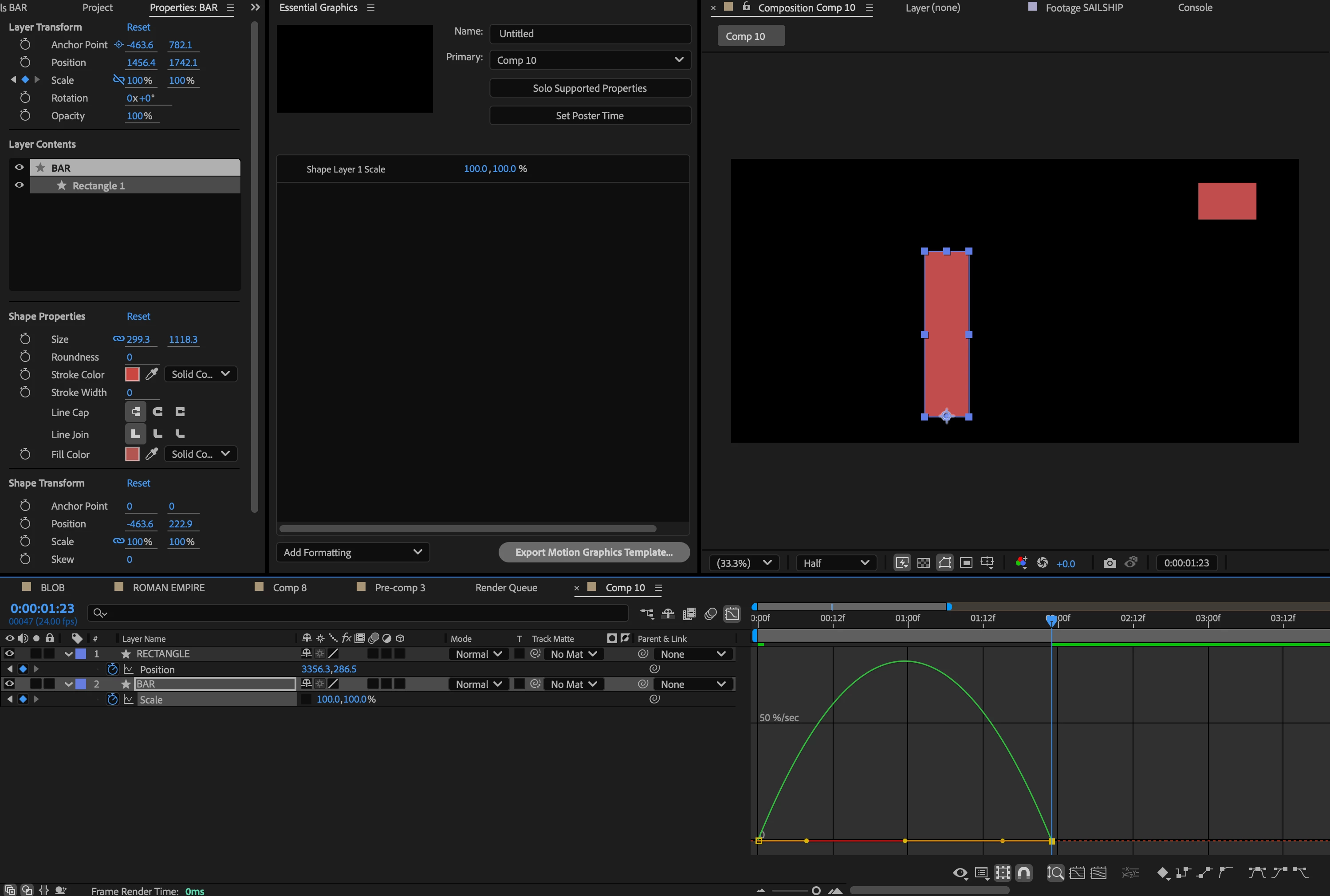
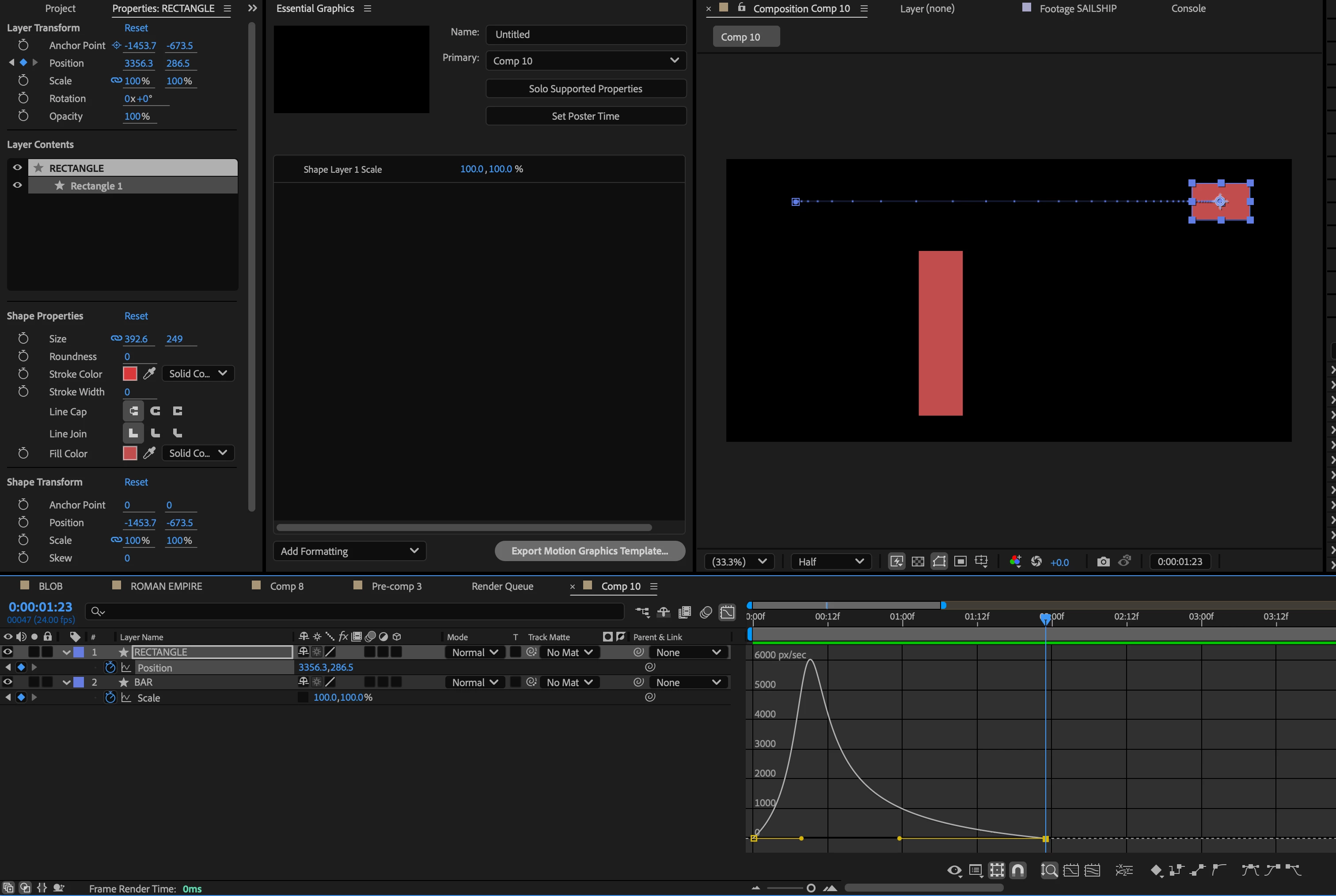
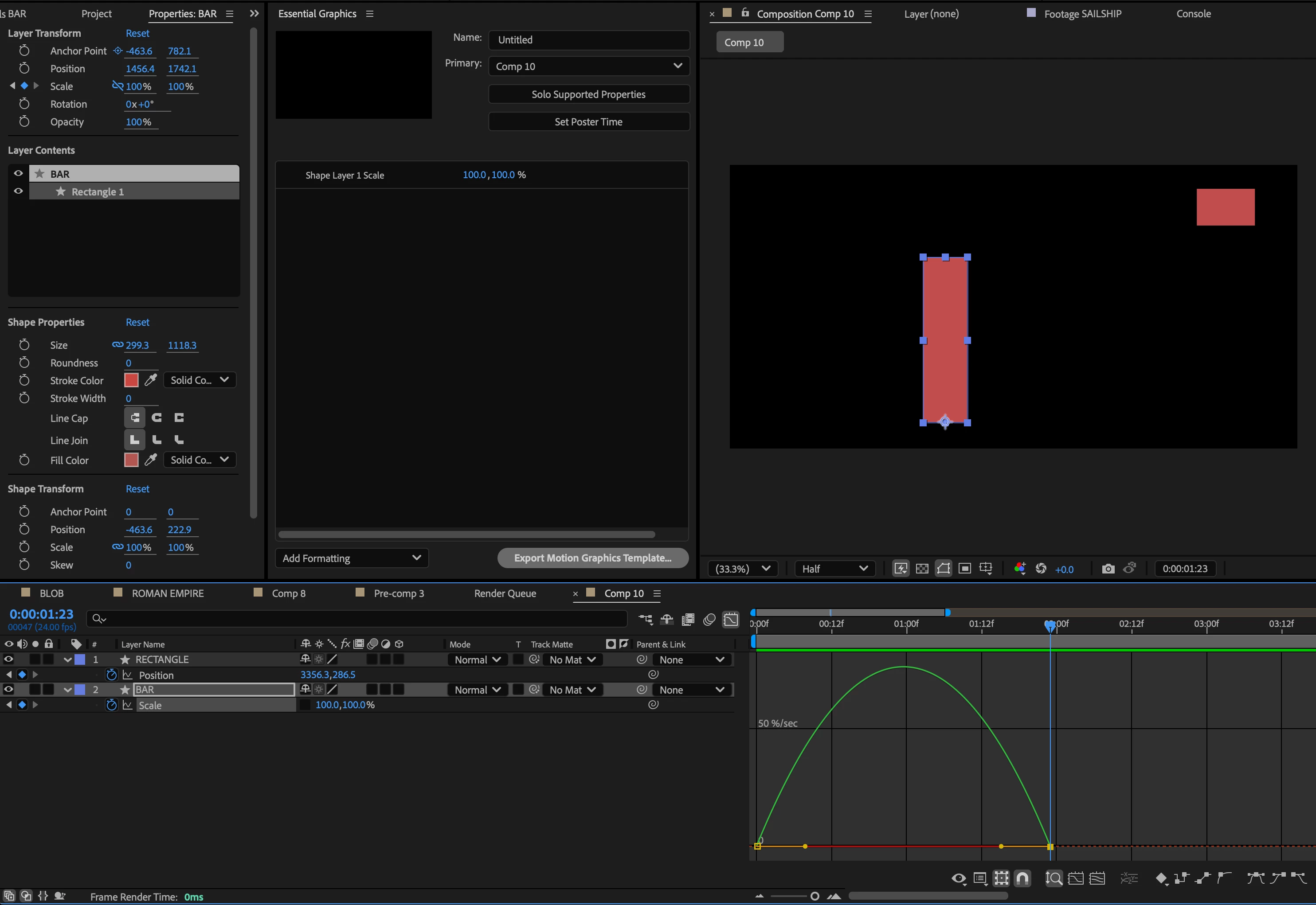
I'm trying to give a speed acceleration (Vox style) to a vertical bar for a bar graph. The problem is that when I try to do that it has no effect in the speed graph editor. I'm able to achieve the speed curve I want when I apply it to the position property of the moving rectangle, but not the height scale property of the bar. Notice that I pulled the handle of my second keyframe for the vertical bar all the way to the left to have the bar begin scaling up fast and then slow down to a stop (like I did for the rectangle position). But the speed scale curve of the vertical bar hasn't changed. That's my issue.  


Correct answer David.Arbor

Hi @ninose11 


The issue appears to be that you're grabbing your Rectangle's xScale's bezier handle. The tricky part is that the X and Y values are overlapping each other since they have the same value. Two ways to workaround this now that you have your keyframes set are:

  1. Take that handle that you've been pulling and lift it up out of the way to reveal your yScale's handle.
  2. Relink your Scale property and drag the handle again. This will allow both curves to be adjusted when you grab that xScale handle, but since the xScale value doesn't change, you will only be affecting the yScale's speed.


Let me know if this does the trick for you!


Cheers,
- David, After Effects Engineering Team

4 replies

David.Arbor
Community Manager
Community Manager
January 28, 2025

You're welcome! And separating Scale dimensions is a great feature request. You can head over to the Feature Request  section of the forums to search for one (I suspect at least one already exist) and to add your vote to it. 

In the meantime, if separating scale is something that you want for more control in animation, a common rigging method is to add a couple Expression Control sliders to a Null Object and to link xScale to one slider and yScale ot the other. 


Cheers!
- David, After Effects Engineering Team

ninose11
ninose11Author
Inspiring
January 28, 2025

Thank you Kevin and thank you David. Wow David, I had no idea it was that simple. 😀 

Instead of having to drag one set of keyframes out of the way though, it would be great if the X and Y scale parameters could be separated the way you can separate X & Y Position dimensions. But this definitely solved my issue, thanks again! 😀  

David.Arbor
Community Manager
David.ArborCommunity ManagerCorrect answer
Community Manager
January 27, 2025

Hi @ninose11 


The issue appears to be that you're grabbing your Rectangle's xScale's bezier handle. The tricky part is that the X and Y values are overlapping each other since they have the same value. Two ways to workaround this now that you have your keyframes set are:

  1. Take that handle that you've been pulling and lift it up out of the way to reveal your yScale's handle.
  2. Relink your Scale property and drag the handle again. This will allow both curves to be adjusted when you grab that xScale handle, but since the xScale value doesn't change, you will only be affecting the yScale's speed.


Let me know if this does the trick for you!


Cheers,
- David, After Effects Engineering Team

Kevin-Monahan
Community Manager
Community Manager
January 27, 2025

Hi @ninose11,
Thanks for the post. I’m Kevin from support, a moderator here. May we have more information about your system and media? I hope the team will respond shortly. Sorry for the frustration.
 
Thanks,


Kevin


Kevin Monahan - Sr. Community & Engagement Strategist – Pro Video and Audio