



Question
Are Keyframe Color Labels ready to ship?
As announced back in May, we’ve added Keyframe Color Labels to After Effects. Right-click on any keyframe(s), select ‘Label’, and choose the color you want assigned. Choose ‘Edit Label Colors…’ at the bottom of the Label list if you want to change those default colors. Use ‘Select Keyframe Label Group’, to have that color label be the basis for a selection (also available via scripting hooks).
From the feedback we have gotten so far, we’ve been adding updates and fixes along the way. Now we want to know from you, our beta members, whether you think Keyframe Color Labels are ready for primetime.
- In your AE Beta build, click on the flask with the blue dot in the upper right:

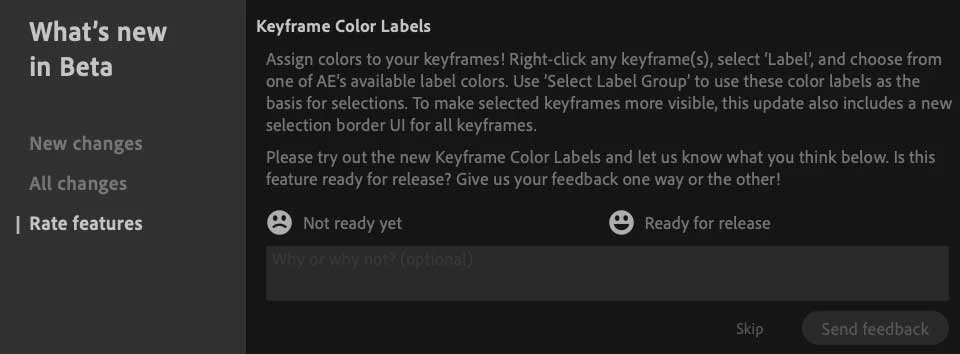
- In the What’s New in Beta panel that comes up, select ‘Rate features’ on the left. This gives you an option to say whether you think Keyframe Color Labels are either ‘Not ready yet’, or ‘Ready for release’. There is also space to leave any comments you may want to add:
As always, thank you for your time and feedback, and for helping us build a better After Effects!
 AdChoices