Participating Frequently
August 26, 2025
Question

Beta 25.6 Launch error

  • August 26, 2025
  • 6 replies
  • 245 views

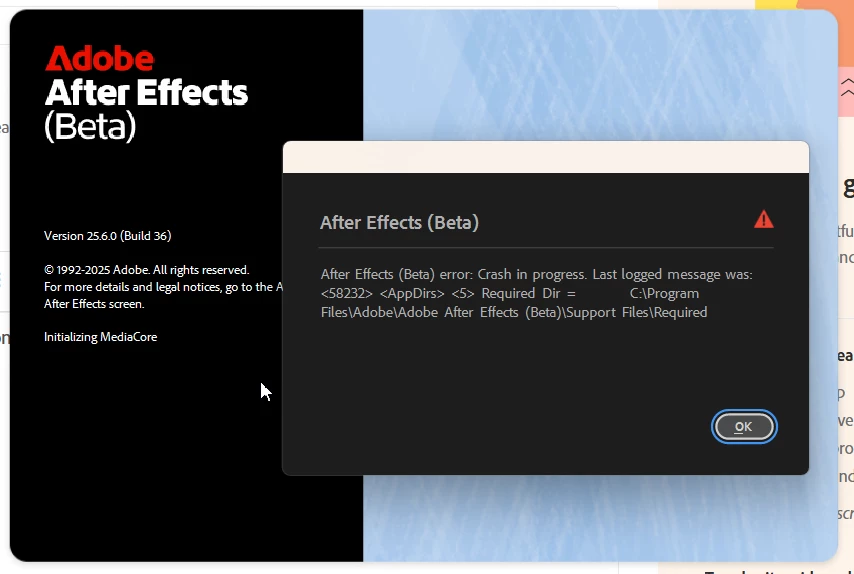
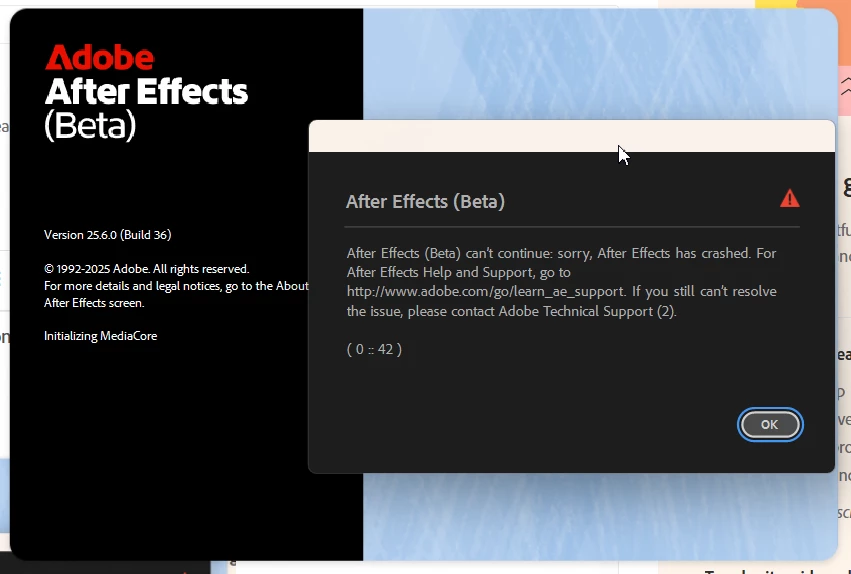
Hello, I had installed beta version of AE 25.6.0 Build 36 via Creative Cloud, however not even able to launch it.


Attaching images here


6 replies

Participating Frequently
August 28, 2025

Thanks David it helped, now working fine!

That file is part of MJPEG codec that I needed to render in that format


Cheers!

David.Arbor
Community Manager
Community Manager
August 28, 2025

Glad that did the trick! I totally get that you need MotionJPEG for your workflow, so I'd check around to see if there's an updated version of your third-party tools.


Thanks,
- David, After Effects Engineering Team

David.Arbor
Community Manager
Community Manager
August 27, 2025

Thank you for the crash report! It looks like you're crashing loading some specific codecs that a third-party tool likely installed. Can you try removing 

m3jpeg64.dll from C:\Windows\SYSTEM32\


Thanks,
- David, After Effects Engineering Team

Participating Frequently
August 27, 2025

Thanks for following up

- I have 3rd party plugins for my stable 2025 version

- There were no Crash Reporter dialog upon the errors

- Sending DM to you now

David.Arbor
Community Manager
Community Manager
August 26, 2025

Did this start happening recently? Have you installed any third-party plug-ins either with installers or manually by placing them in your MediaCore folder (or other locations)?


I'm not seeing a report from the email tied to your user account in our system. Are you ever getting the Crash Reporter dialog? If so, are you sending it in with your email?


Also, can you check your cache folder for a folder called "SentryIO-db"?

If you go to Preferences > Media & Disk Cache you'll see the location of your disk cache. Then, if you dig in a little more you'll find "Adobe/After Effects (Beta)/25.0/SentryIO-db'


For example, on my Mac it's located at:"'/Users/darbor/Library/Caches/Adobe/After Effects (Beta)/25.0/SentryIO-db'

It should be a similar location on Windows based on your Cache folder.


Can you zip that up and DM it to me?


Thanks,
- David, After Effects Engineering Team

Participating Frequently
August 26, 2025

Thanks David for reply, result in safe mode is the same, though error code changed


David.Arbor
Community Manager
Community Manager
August 26, 2025

Hey @thatboyfromukraine , sorry about that. Can you try launching in Safe Mode to see if your preferences might be causing a problem?


To run in Safe Mode, hold Ctrl + Alt + Shift (Win) or Cmd + Opt + Shift (macOS) while starting AE.


Thanks,
- David, After Effects Engineering Team