



Composition Profiler now available in AE 22.0x56
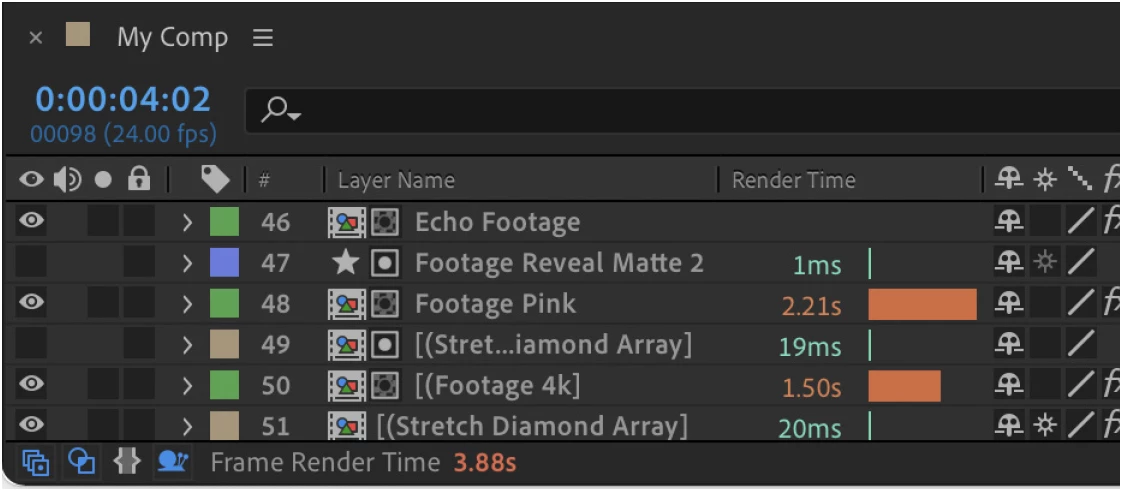
Today, we are excited to announce a new feature in After Effects called the Composition Profiler. The Composition Profiler is visible through a new timeline column, Render Time, that allows you to see how long each layer, mask, layer style, expression and effect took to render for your current frame.
You can enable the Composition Profiler by clicking the snail in the lower left section of the timeline to show the Render Time column. You'll also notice the time taken to render the whole frame is now shown in the footer. You can also right click on the Timeline window column headings and choose Render Time.
To help you get started with the Composition Profiler we've put together the attached PDF documentation. Please check it out!
We'd love to hear your feedback and what you learn about your compositions!
Thanks,
Sean
 AdChoices