

christrevallion
Participant
November 16, 2021
Question

Content Aware Fill Reference frame not launch PSD

  • November 16, 2021
  • 1 reply
  • 1472 views

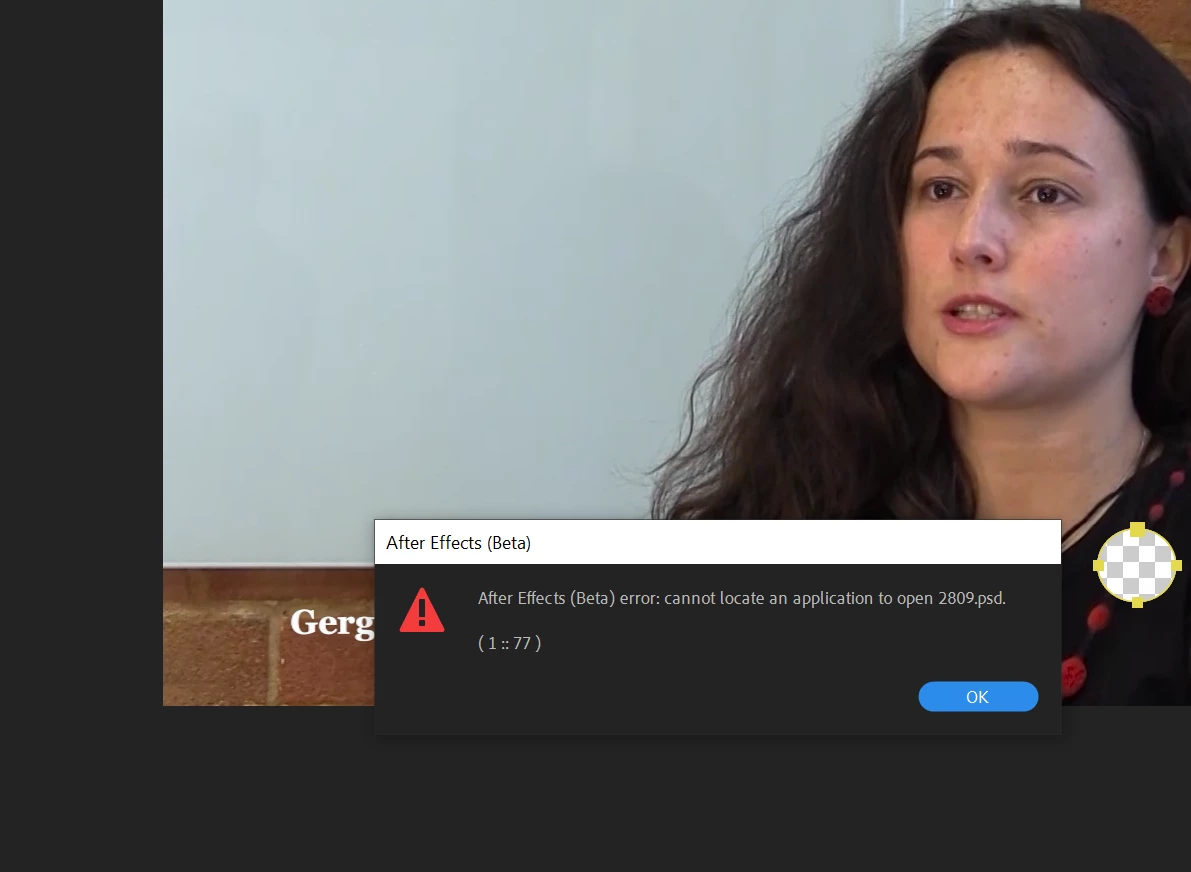
Hi in Ae Beta when I try and create a refernce frame, this happens... Any ideas? I'm running a windows version 
 

This topic has been closed for replies.

1 reply

JohnColombo17100380
Community Manager
Community Manager
November 16, 2021

Hi @christrevallion,

Thank you for reporting this issue. The error you're seeing is shown if you don't have Photoshop installed while the "Create Photoshop Reference Frame" option is enabled in the settings for Content-Aware Fill. Click on the three-bar "hamburger" menu in the Content-Aware Fill panel and select "Content-Aware Fill Settings..." to disable this option.


With "Create Photoshop Reference Frames" disabled, reference frames will be created as .png or .exr files ( depending on your project color depth ) and you can edit them with any image editor.


Cheers,

- John, After Effects Engineering Team 

christrevallion
Participant
November 17, 2021
Hi, I do have Photoshop installed, but it's still not working. I have tried de-installing Ae and restarting but neither work
[cid:image001.png@01D7DBDC.69EE6C40]


[cid:20190205-SavantaGlobalLimited20x50_1f9f184c-dfa9-46a9-824c-740753d0eaf2.png]

....................................................................................

Chris Trevallion
Associate Director, Creative Services

+44 (0)7415 068 514

....................................................................................

[cid:aura_c_100_5a5ce9ad-74b8-4aed-b17b-3f8605007211.png][cid:netzero_private_2e3948f2-02e4-483d-b192-ff256f776e26.jpg]


Savanta.com | LinkedIn

Savanta Group Limited. Registered in Scotland. Company No: SC281352. Registered Office: 3 Melville Street, Edinburgh, EH3 7PE.

This message is confidential. If you have received it by mistake, please let us know by e-mail reply and delete it from your system; you may not copy this message or disclose its contents to anyone. Although Savanta has taken reasonable precautions to ensure no viruses are present in this email, we cannot accept responsibility for any loss or damage arising from the use of this email or its attachments. Any views or opinions expressed are solely those of the author and do not necessarily represent those of Savanta.

Please consider the environment - do you really need to print this email?
JohnColombo17100380
Community Manager
Community Manager
November 17, 2021

Hi @christrevallion,

The images in your last message didn't come through, I think maybe due to replying to the thread via email?


Knowing that Photoshop is installed, it could be one of the following:

  1. Is Photoshop installed in a location other than C:\Program Files\Adobe?
  2. Are .psd files associated with Photoshop in the Windows settings? An easy way to tell is to double-click a .psd file in the File Explorer and see what application is used to open it by default. This can be changed in the Settings app > Apps > Default Apps > Choose default apps by file type.


My apologies if either of these questions were answered by the missing imagees in your last message.


Thanks,

- John, After Effects Engineering Team
