



hellopaul4
Inspiring
Mar 20, 2026 7:29 AM UTC
Question

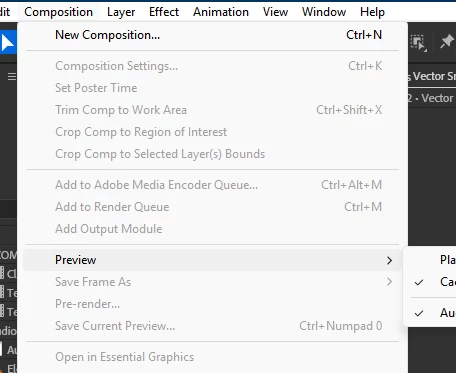
Did the menu highlighting just get really pale?

I’ve just updated AE Beta to 26.3.0x16, and noticed that the highlighting of moused-over items in the main menus is so pale that it’s almost non-existent. Here, I’ve moused-over “Preview”, not that you can really tell:
 

Here’s a nice, clear menu in Photoshop:
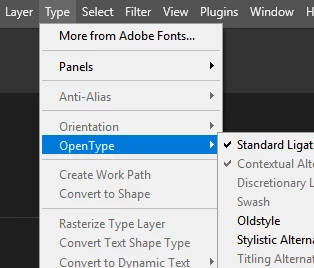
 

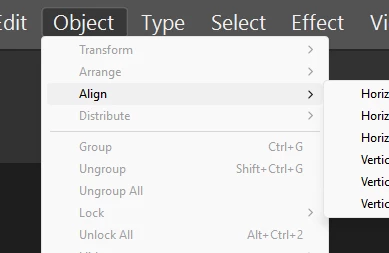
What’s going on with AE’s menus? Interestingly, Illustrator suffers from the same rubbish pale-menu problem too:
 

    2 replies

    hellopaul4
    Inspiring
    Mar 27, 2026 4:47 PM UTC

    Just wondering if anyone at Adobe has any thoughts on this? Why the inconsistency across apps? Can we all agree to get rid of the horrid pale grey AE/Illustrator menu design and adopt the superior Photoshop blue one?

    Translate
    Shebbe
    Community Expert
    Community Expert
    Mar 26, 2026 2:51 PM UTC

    I don’t think it's related to the Beta, I see it in 25.5.0 as well. FWIW I don't think any of these are that elegant. It looks like Windows light even if you have the OS to dark and it’s appearance in the case of PS/AI conflicts with the menu bar itself.

    I hope that in the future the whole UI is their own rather than hybrid ugliness.

    Translate