


Feature Focus: Exporting H.264 from the After Effects Render Queue (Now Available in AE 2023!)
Starting with Beta build, AE 23.0x11, H.264 is now available as an option in the Output Module Settings dialog allowing you to encode to H.264 directly from the AE Render Queue.
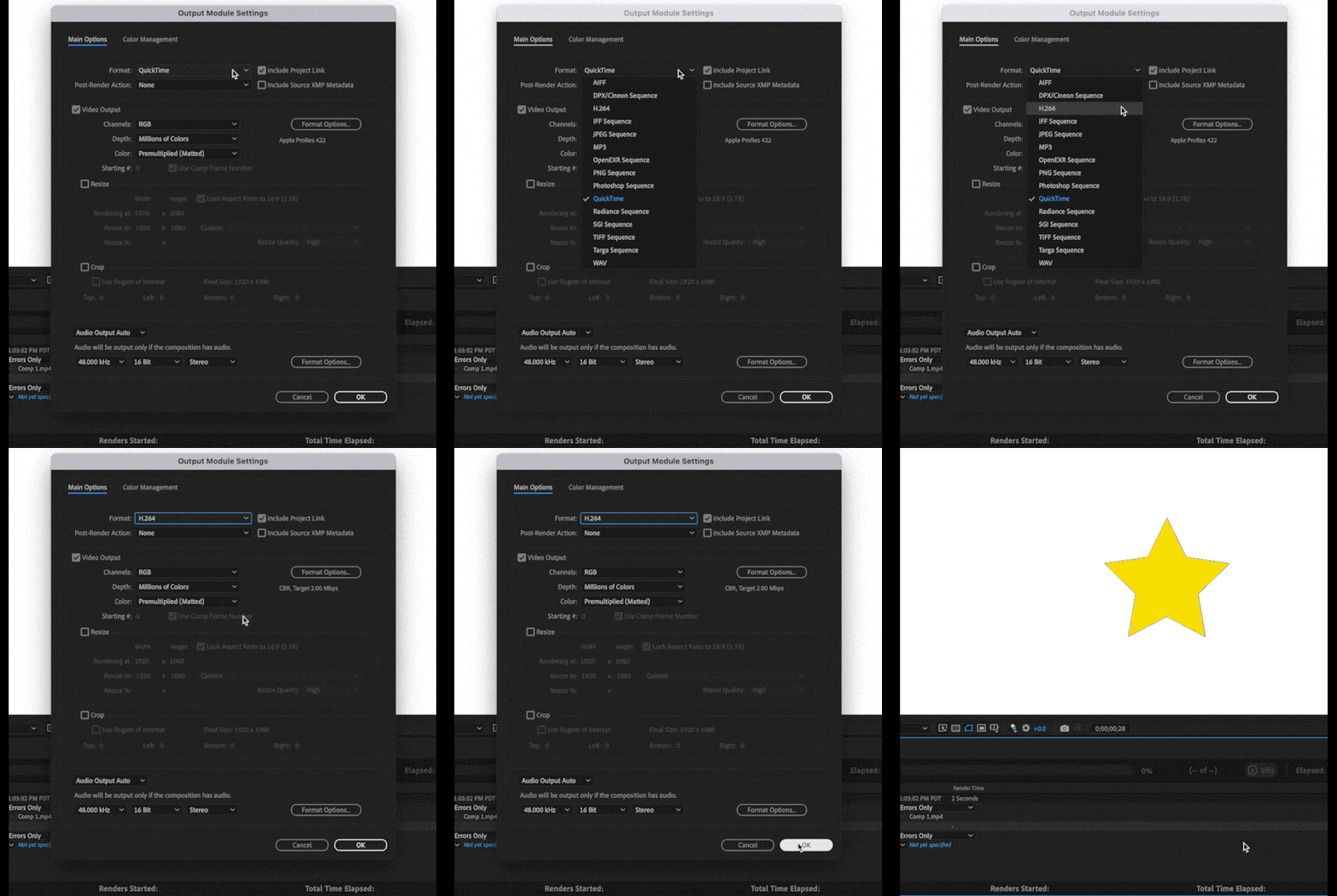
This integration utilizes the Adobe Media Encoder (AME) UI along with AME’s backend encoding system all without leaving After Effects. We have also included 3 H.264 presets to get you started.
If you need more control, you can customize the H.264 settings by clicking on a Format Options button in the Output Module Settings dialog. Not every option that is available in AME is exposed inside AE, and some settings such as resolution, frame rate, color management, are still set from AE’s Render Settings or Output Module Settings, but there should be enough to tweak for most users.
H.264 export also supports both Hardware and Software Encoding modes. The same accelerated export you have in AME and Premiere Pro is now available for H.264 export in AE.
If you need more control or specific settings, you can still use Adobe Media Encoder, via Dynamic Link or transcoding an existing video file.
Selecting the H.264 Exporter and Related Settings
1. Add a composition to be exported to the Render Queue
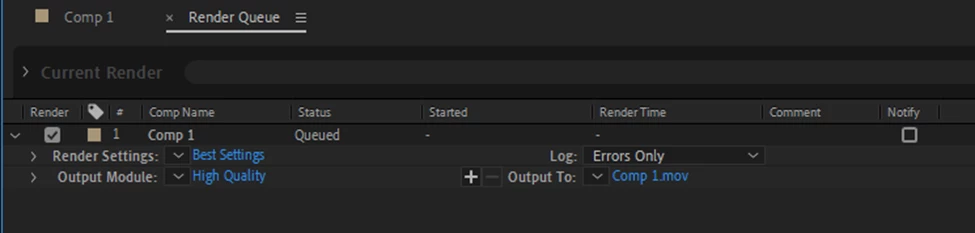
2. Click on the Blue Text (High Quality in the example image) in the Output Module section. This will bring up the Output Module Settings dialog where you can select H.264 from the Format drop-down.
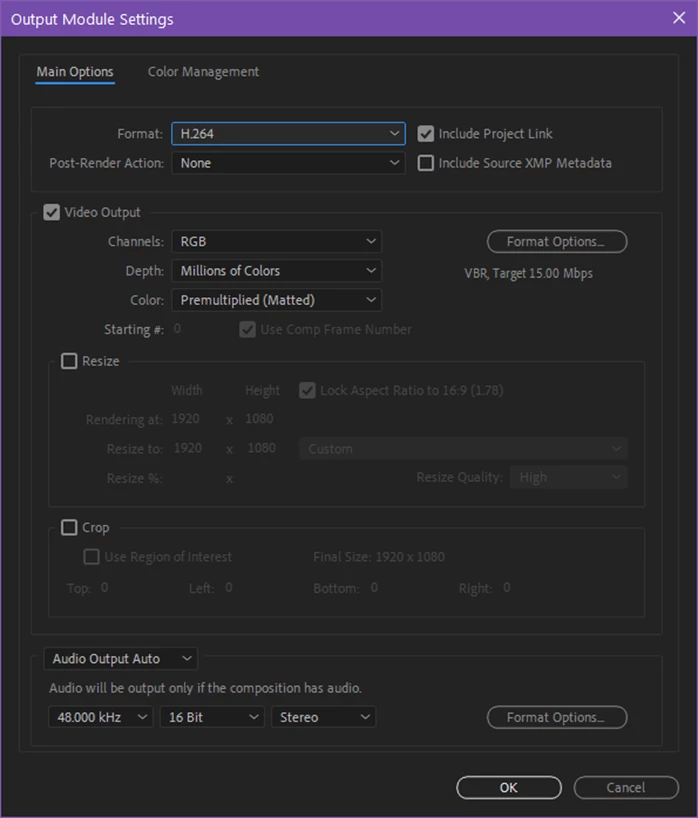
3. Clicking on Format Options in the Video Output section will take you to the available H.264 Options dialog box:
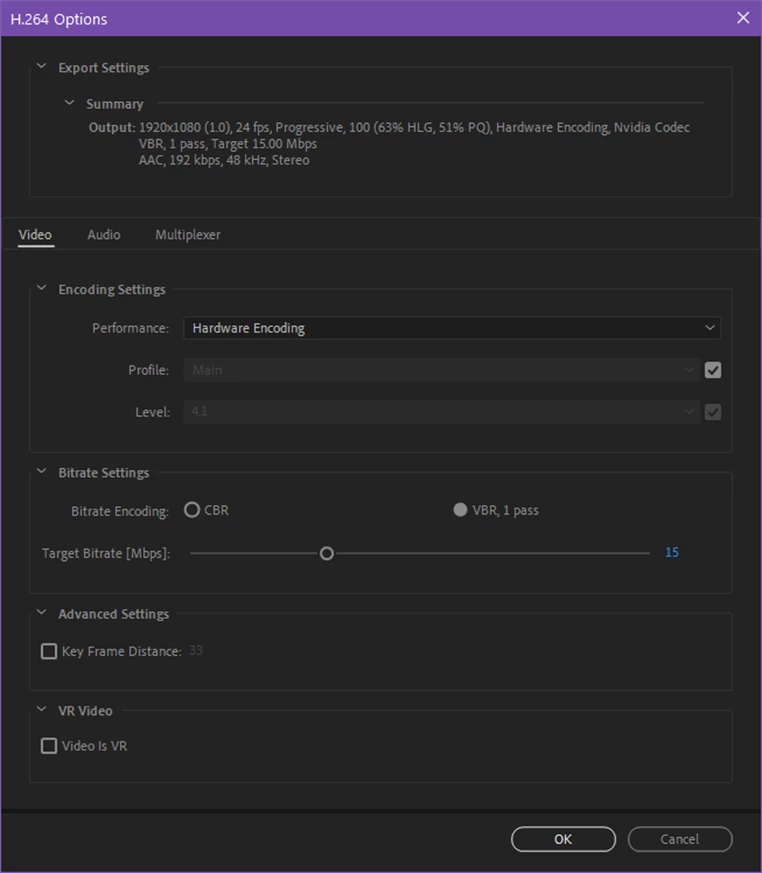
4. Adjust the encoding performance, profile and level of encoding, bitrate and any other settings that are shown as desired.
5. The Audio and Multiplexer tabs are also available for configuring those settings:
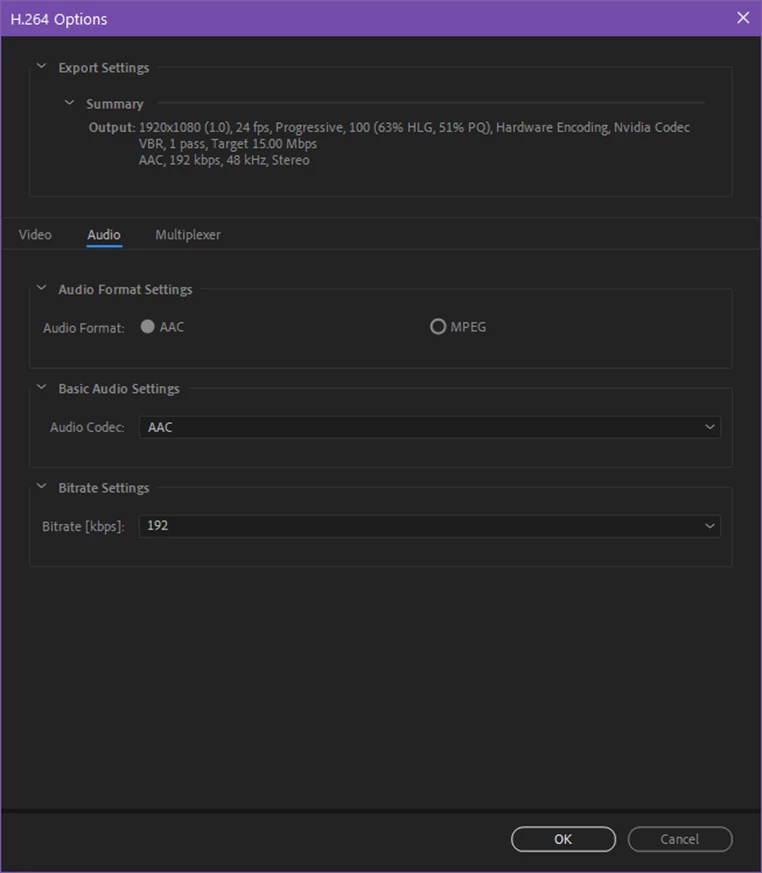
6. Click OK when you are happy with the settings.
Settings Mismatch Warning
Sometimes there will be a mismatch between AEs render / output settings and what is supported by the H.264 format. In that case, clicking OK after editing the H.264 settings will result in a warning dialog:
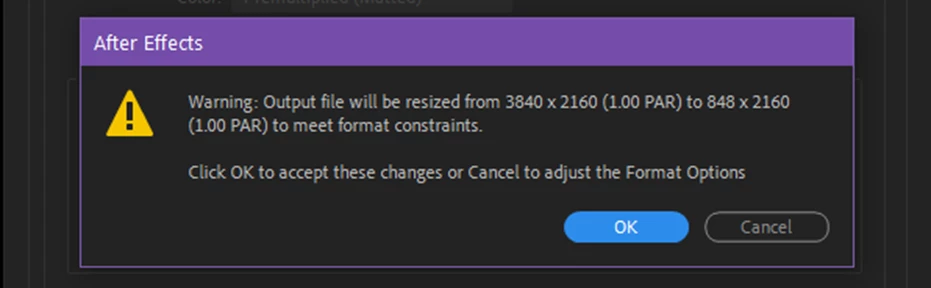
The warning dialog contains the issue and what adjustment will take place. You can click OK to accept the changes or return to the H.264 Options dialog to make any changes.
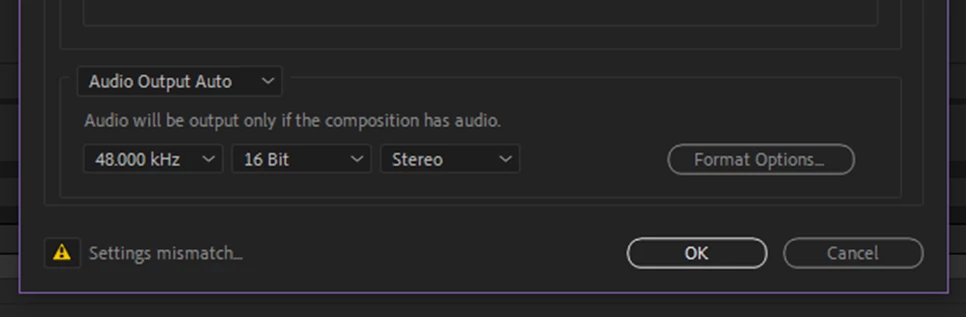
A settings warning will also be visible in the Output Module Setting dialog when a mismatch in settings is configured. Click on the icon to get more information:
H.264 Output Module Presets
For those not familiar with configuring H.264 exports, we have also included 3 presets that you can pick from based on your desired target bit rate. These will automatically set the Profile and Level based on the output resolution of the composition. Depending upon your resolution or render quality required, choose the appropriate bit rate preset from 5, 15 or 40 Mbps.
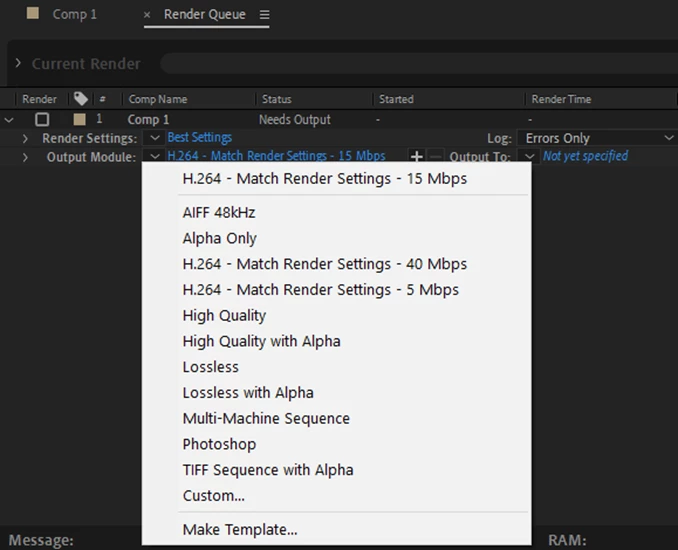
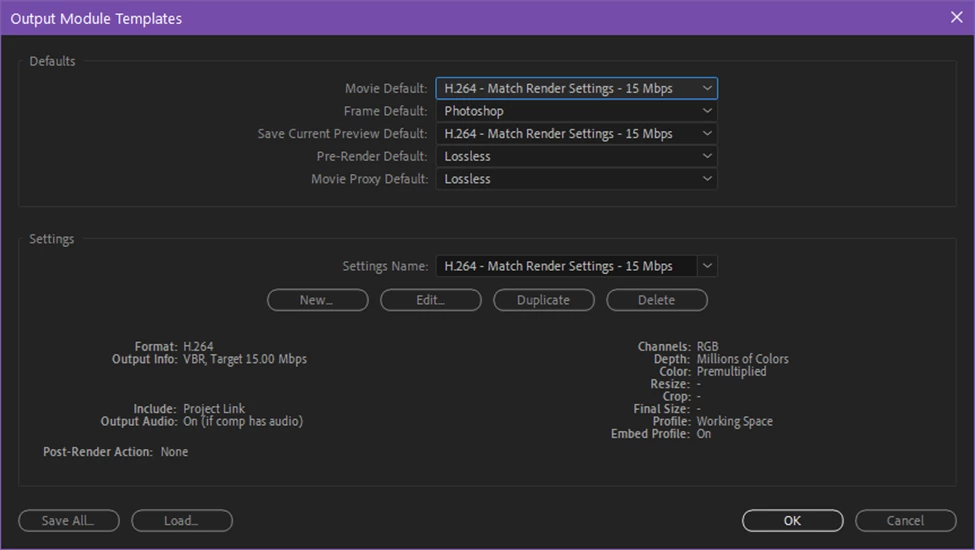
Finally, if you install a fresh copy of AE or clear your output module preferences, the H.264 – Match Render Settings – 15 Mbps preset will be configured as the Movie Default Output Module Template. The next time you add a composition to the render queue, it will be configured for H.264 output automatically. You can adjust the defaults in the Output Module Templates editor (Edit Menu -> Templates -> Output Module…):
Please try it out and let us know how it works for you. Feedback on the preset settings and names is also welcome.
Thanks,
Sean


 AdChoices