




Feature focus: Extract cameras and lights from 3D models
Howdy to everybody in AE Land! In today's build of After Effects Beta, v23.4 build 18, you can now extract cameras and lights from GLB and GLTF models in a comp.
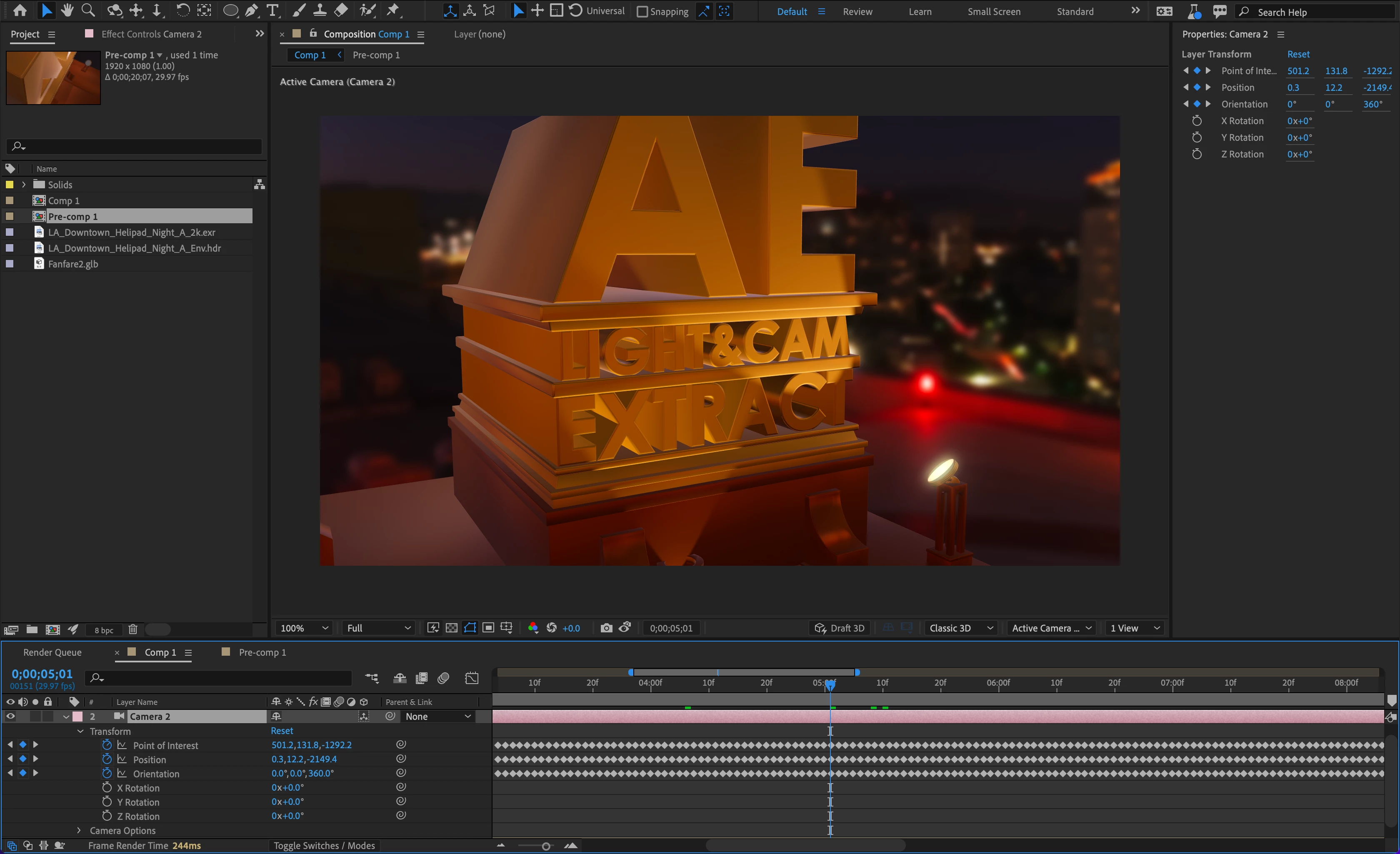
To extract cameras and lights, select the 3D model layer in the comp and then choose:
- Layer > Camera > Create Cameras from 3D Model
- Layer > Light > Create Lights from 3D Model
After Effects Beta will create new camera and light layers based on the camera and light data in the 3D scene. If the cameras or lights are animated, After Effects Beta will create keyframes.
The goal with extracting cameras and lights is so that if you have spent the time to set up a scene in your 3D modeling app, you can quickly recreate the same scene in After Effects.
We want to hear your feedback on this, so please give a try and add a comment below with your reaction. Tell us if you encounter any problems or unexpected results, or if you just love it!
Some things to keep in mind:
- Support varies between 3D modeling apps for saving cameras and lights into GLB/GLTF files. You may need to change how the file is saved, and some features may not be supported. (Cinema 4D, for example, does not currently have an option to save lights into GLB/GLTF files.)
- Similarly, there are differences in how 3D scene data is represented between different 3D apps and the 3D file formats themselves. After Effects Beta does its best to translate the scene data available in the file into its own camera and light layers. Light power, for example, can be expressed in several different ways by a 3D app. If you see a case where something seems obviously wrong, let us know so we can investigate.
- Keyframes will be created for every frame of animation. This is the best extraction model of the animation data in GLB/GLTF.
- OBJ format does not support camera and light scene data.
- Extraction is a one-way process. If you update the scene in your 3D modeling app and re-save the file, After Effects Beta will not automatically update cameras or lights that have already been extracted. You will need to re-extract the updated cameras or lights.
Known Issues:
- Focal length of extracted cameras may be slightly wider than in Blender.
- An unneeded keyframe is added to the first frame of an animated property, if the animation does not start on the first frame of the layer.
- Some properties like focal length, focus distance, f-stop, are missing when extracting cameras, if those properties have animation.
 AdChoices