




Motion paths in layer panel are not visible, but you can edit them.
Steps to reproduce:
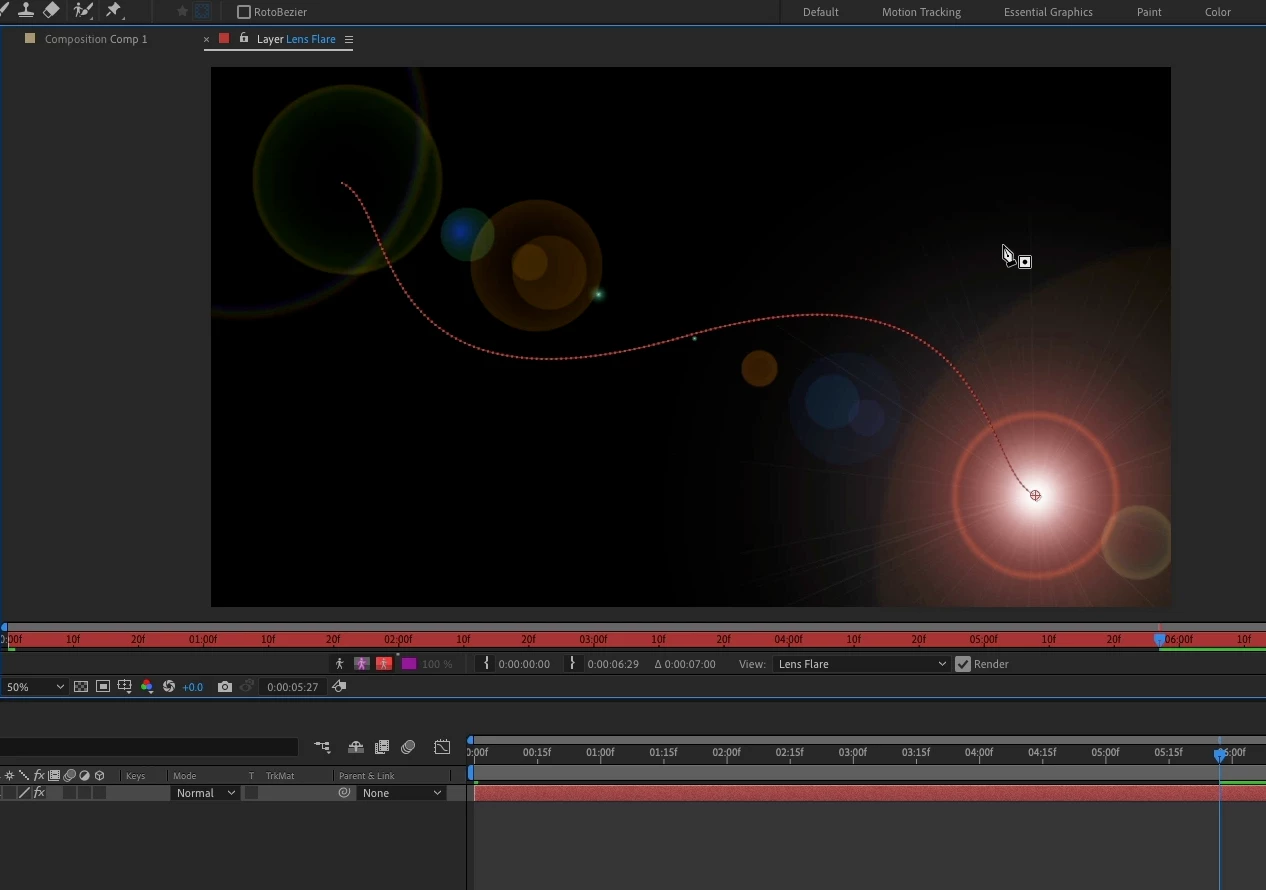
1. Create a solid, add Lens flare, open Layer Panel, set a keyframe for Flare Center, move down the timeline, set another keyframe, make sure Lens Flare is selected to render.
Result: In previous versions of After Effects you get a nice bezier path that can be edited with the pen tool. In the latest two versions of AE (beta and release) you get a dot for every frame, no path points, no bezier handles.
Expected: You should be able to see the motion path. This does not work for any effect that has the option to create a motion path like Lens Flare, CC Radial Blur, or Anchor Point path. The display is 100% broken.
The strange thing is that you can enable the pen tool, roll over the path and have the pen tool change to add point, then click and drag to curve the motion path. Everything works except the ability to see a motion path.
System info
Application: After Effects (Beta) v22.0.0.81 / After Effects 18.4.1
OS: macOS v11.5.2, RAM: 8.00 GB GB, CPUs (logical): 8
Attaching a screen capture video.
 AdChoices