



New Feature: Reveal Project in File System
Version 25.3.0.030 of After Effects Beta introduces support for revealing the location of your project file on your computer’s file system.
We're excited to introduce a new feature that simplifies file management and saves you time. Now, you can instantly reveal the location of your project file directly within the application.
No more hunting through folders or trying to remember where you saved your work. With a single click, After Effects will open your computer's file system (Finder on Mac or File Explorer on Windows) and highlight the exact location of your current project file.
Getting Started
The feature will be available by default on After Effects Beta from version 25.3.0.030 onward.
- Right-click your mouse on the empty space in the Project Panel
- Click on “Reveal Project in Finder” on Mac, or on “Reveal Project in Explorer” on Windows
- After Effects opens your file system location where the project is located
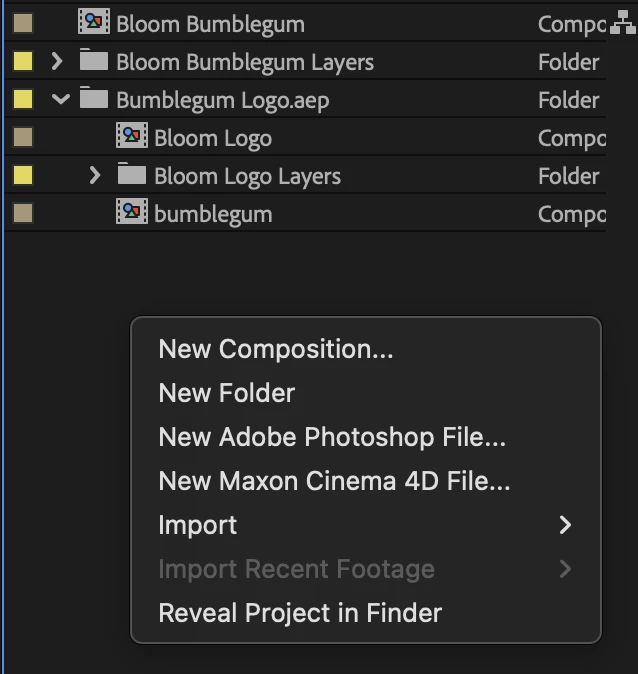
Feature Limitation: The option to “Reveal Project” is enabled only for saved projects. The option is greyed out for unsaved projects.
Please give this new functionality a try and let us know how it is working for you. We are excited to hear feedback on accessibility of the feature, the accuracy of the file location, and anything else about the feature that impacts your experience.
 AdChoices