



Now in Beta: New Default Workspace
Hi All,
We've made some changes to the Default Workspace in Beta, and we'd like to hear your thoughts!
These changes will not impact any custom workspace settings you have. To see the new Default Workspace, click the hamburger menu next to "Default" in the workspace toolbar, then select "Reset to Saved Layout". Please note that if you have previously changed and saved over the Default Workspace, you will have to reset your preferences to see the new Default Workspace.
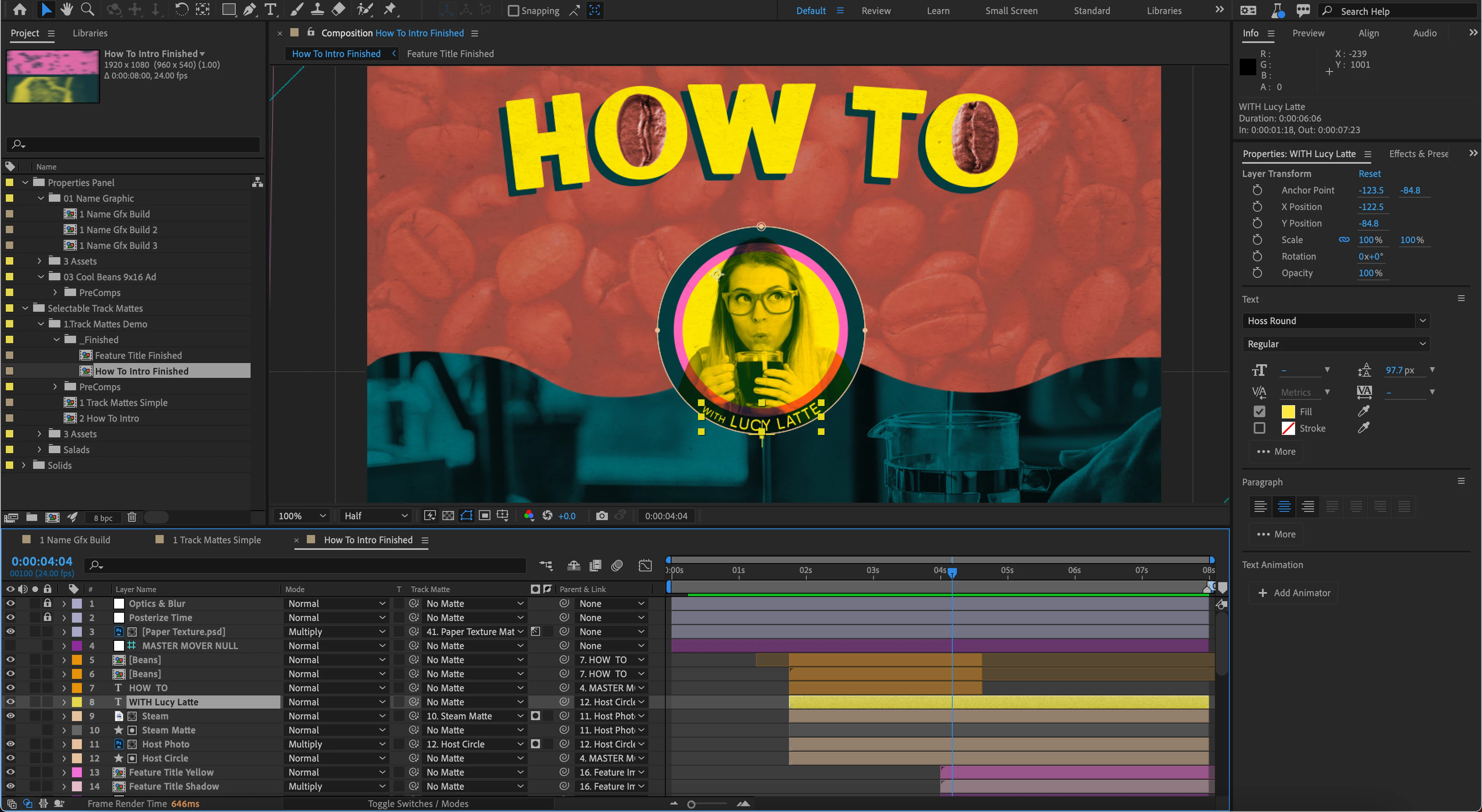
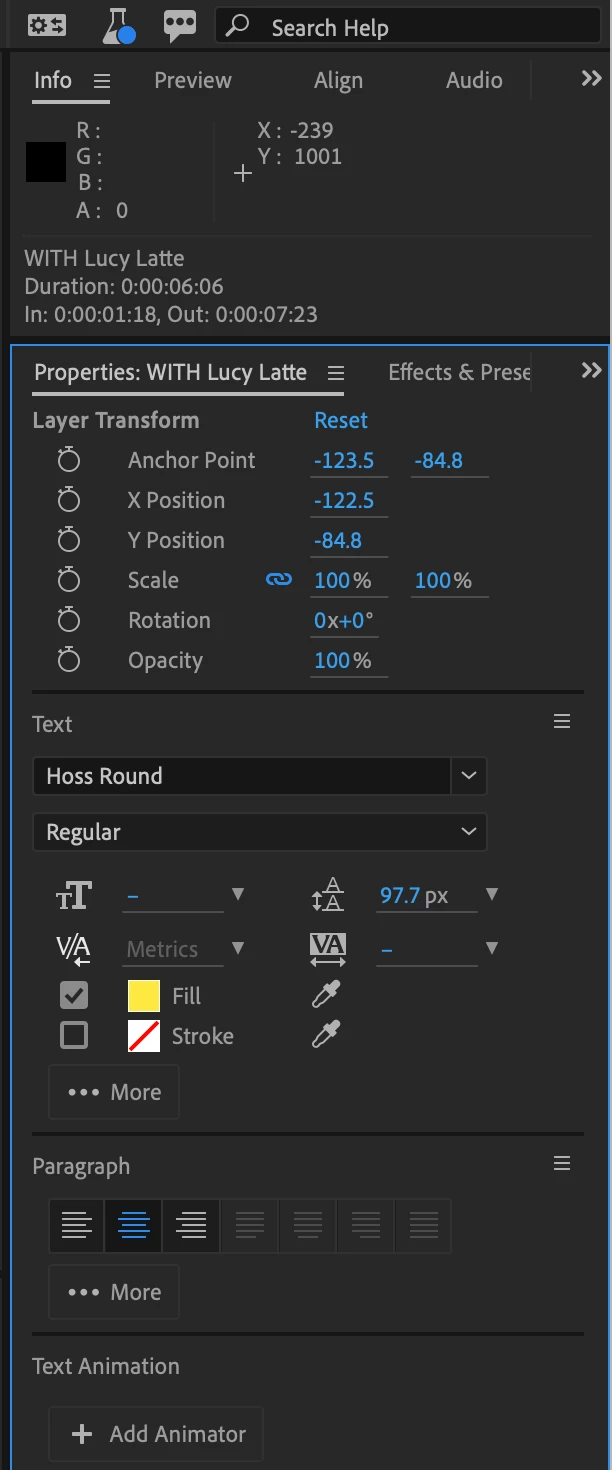
In the new Default Workspace, the Libraries Panel is nested horizontally with the Project Panel on the left-hand side of the workspace. The Info Panel is stacked on top of the right-hand side, with Preview, Align, and Audio Panels nested horizontally. The Properties Panel is stacked directly below the Info Panel, with the Effects and Presets Panel nested horizontally.
Tell us what you think! Do you like the new Default Workspace? Do you hate it? Other thoughts? Your feedback is critical and much appreciated.
 AdChoices