


Participant
March 20, 2026
Answered

object matte not available

  • March 20, 2026
  • 1 reply
  • 114 views

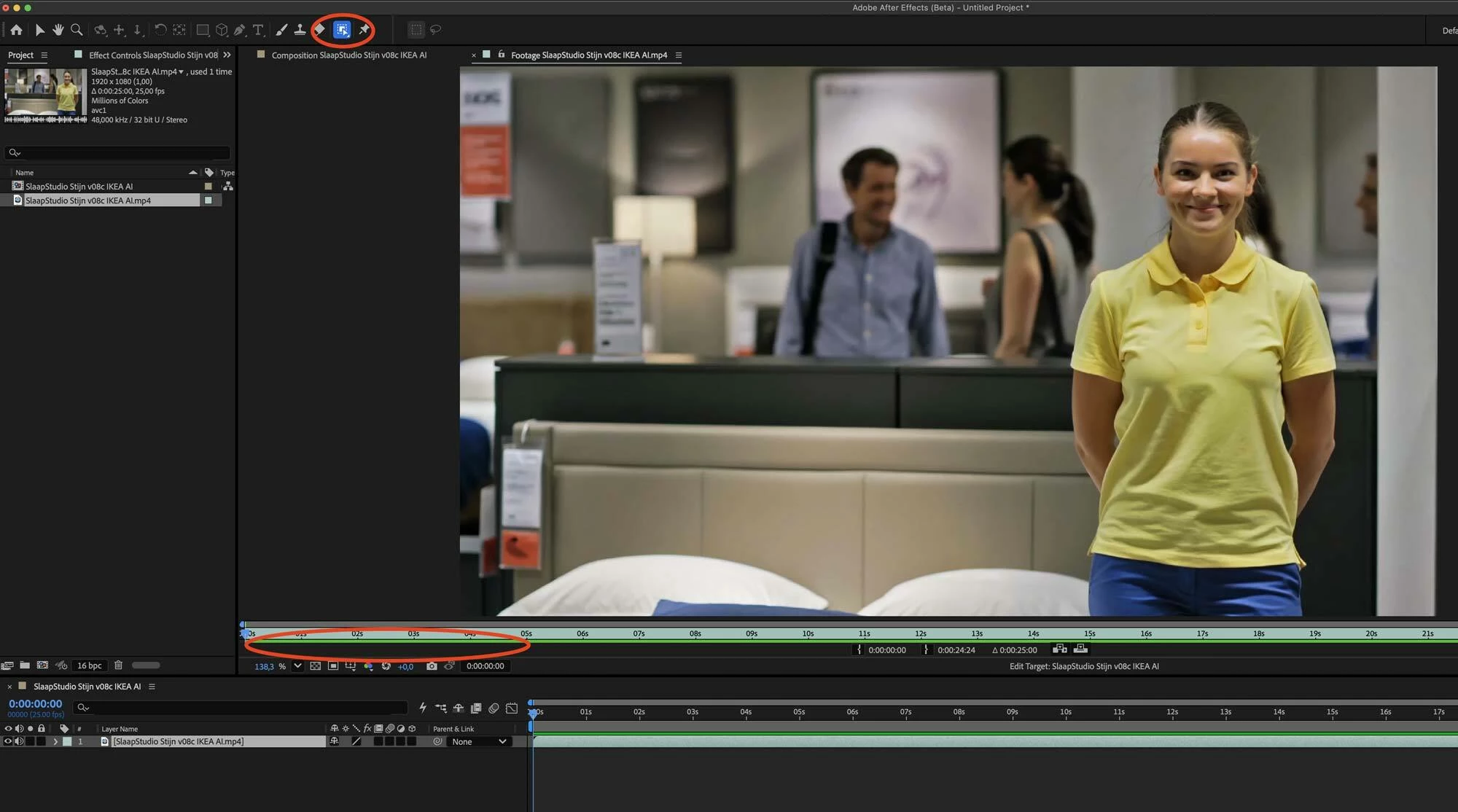
The object matte tool is not working in the latest version of After Effects Beta (on Mac OS 15.7.4 (24G517) with a late 2017 iMac Pro. I tried everything, but the option doesn’t show up. I double clicked the footage so I’m in the right footage window but even the icons do not appear. Is my system or OS too old maybe?
 

    Correct answer kes_akalaonu

    You’re in the footage panel not the layer panel which is where Object Matte and Rotobrush function. You might have your preferences set to open the footage panel instead of the layer panel on double click.

    1 reply

    kes_akalaonuCorrect answer
    Adobe Employee
    March 20, 2026

    You’re in the footage panel not the layer panel which is where Object Matte and Rotobrush function. You might have your preferences set to open the footage panel instead of the layer panel on double click.

    Participant
    March 20, 2026

    You’re absolutely right! it works now! my preferences opened the footage panel. A bit strange that the settings are like this by default then...

    Every tutorial and even the Adobe instructions only says “Double-click the footage in the Timeline panel to open it in the Layer panel.”

    It is bold, I see that now, but maybe a small addition to the instructions would be helpful: “note: be sure to open the layer panel instead of of the footage panel. These settings can be changed in the settings under ‘composition’.”

    But besides that, thanks for the quick response!!