


OCIO - ACES - Add scroll bars to the list and a swap button in OCIO Color Space Transform effect
For the longest time now, scrolling through a lengthy list of color spaces has annoyed me from Color Profile Converter to the new OCIO Color Space Transform effect. Now that we have this brand new OCIO effect, let's do it right and finally add a scroll bar! And while we're at it, let's get it added to Color Profile Converter, too.
Notice there's no scroll bar to the right. Instead, you have to hover at the bottom or top of the list to slowly scroll up or down. Ever pick the wrong items and need to swap the input and output? Well, hope you enjoy scrolling some more.
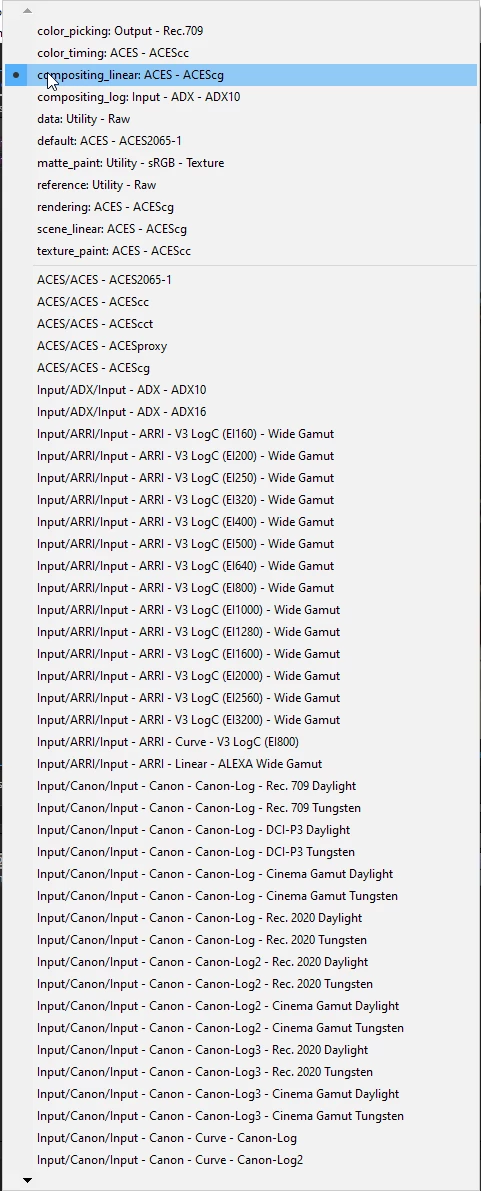
However, the scrollbar appears when interpreting the image.
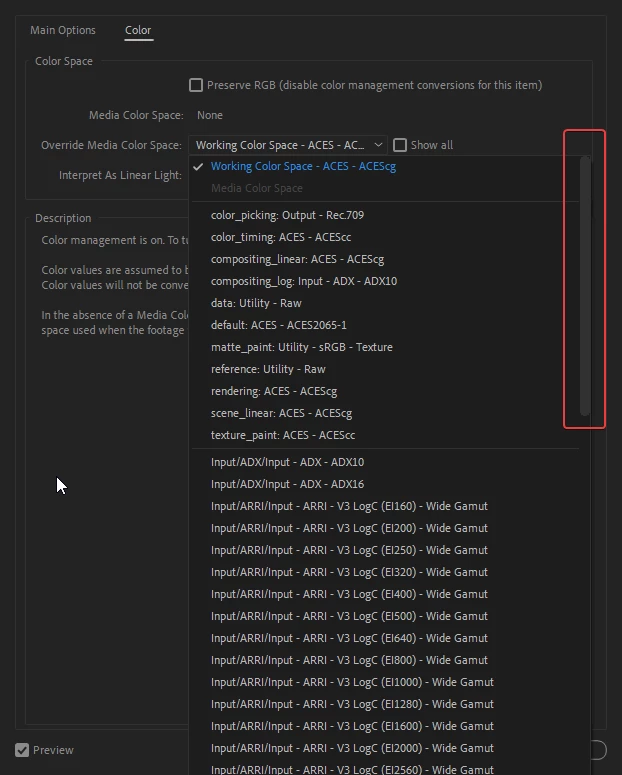
I know these are two different UIs, but they display the same content. One is easy to quickly scroll through while the other is really annoying. Let's come up with a solution.
And while we're on this topic, let's also add a Swap button to flip the input and outputs around for both OCIO Color Space Transform and Color Profile Converter.
 AdChoices