Participant
August 31, 2020
Answered

Rotobrush not working

  • August 31, 2020
  • 2 replies
  • 1201 views

I have a clip, and select the rotobrush tool. I can draw where I need, but nothing shows up and nothing changes. Why is nothing changing?

Correct answer James Landy

A couple possiblities. 
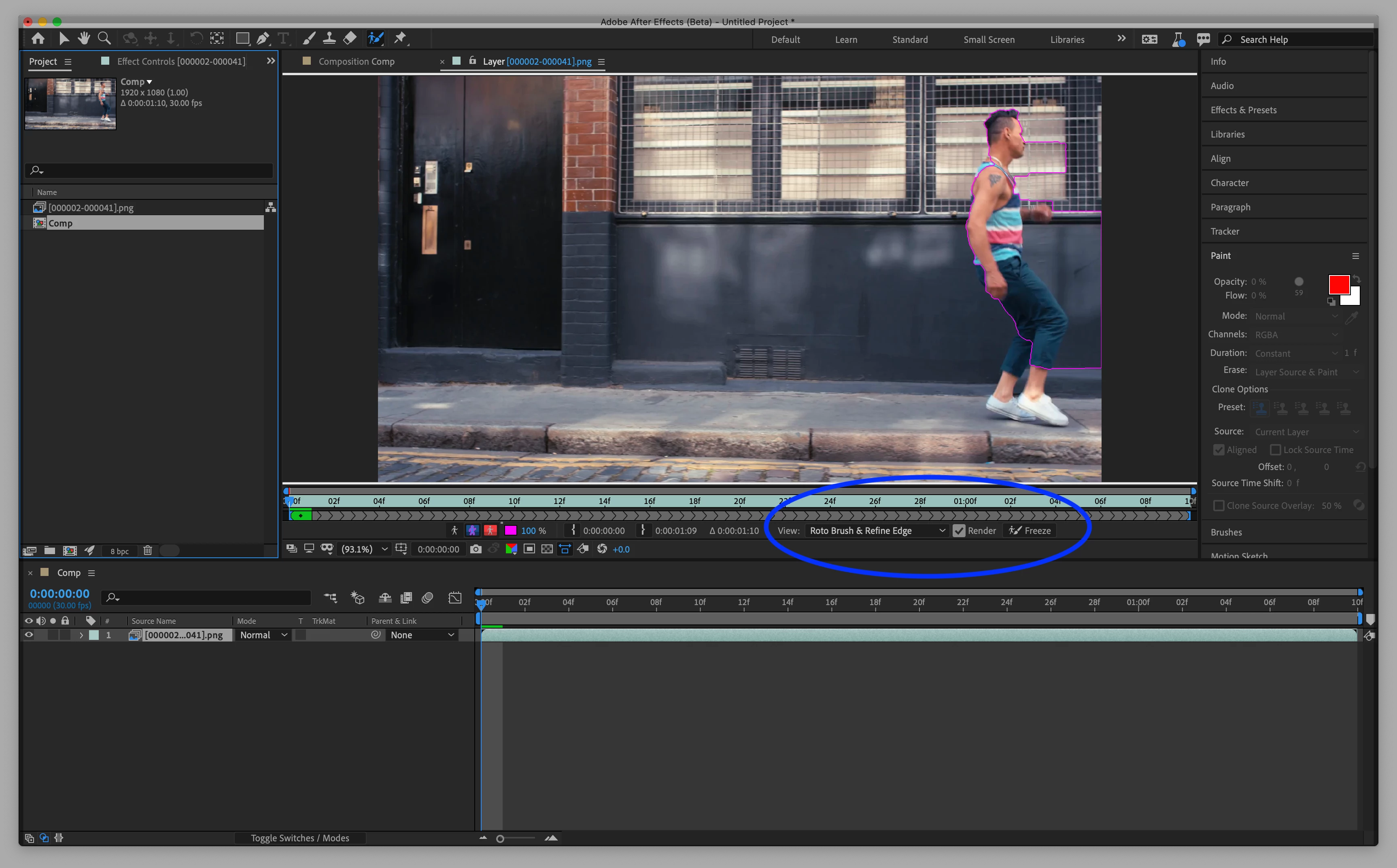
1. Check to see if you have "Roto Brush and Refine Edge" selected in the Layer panel view pop-up menu.
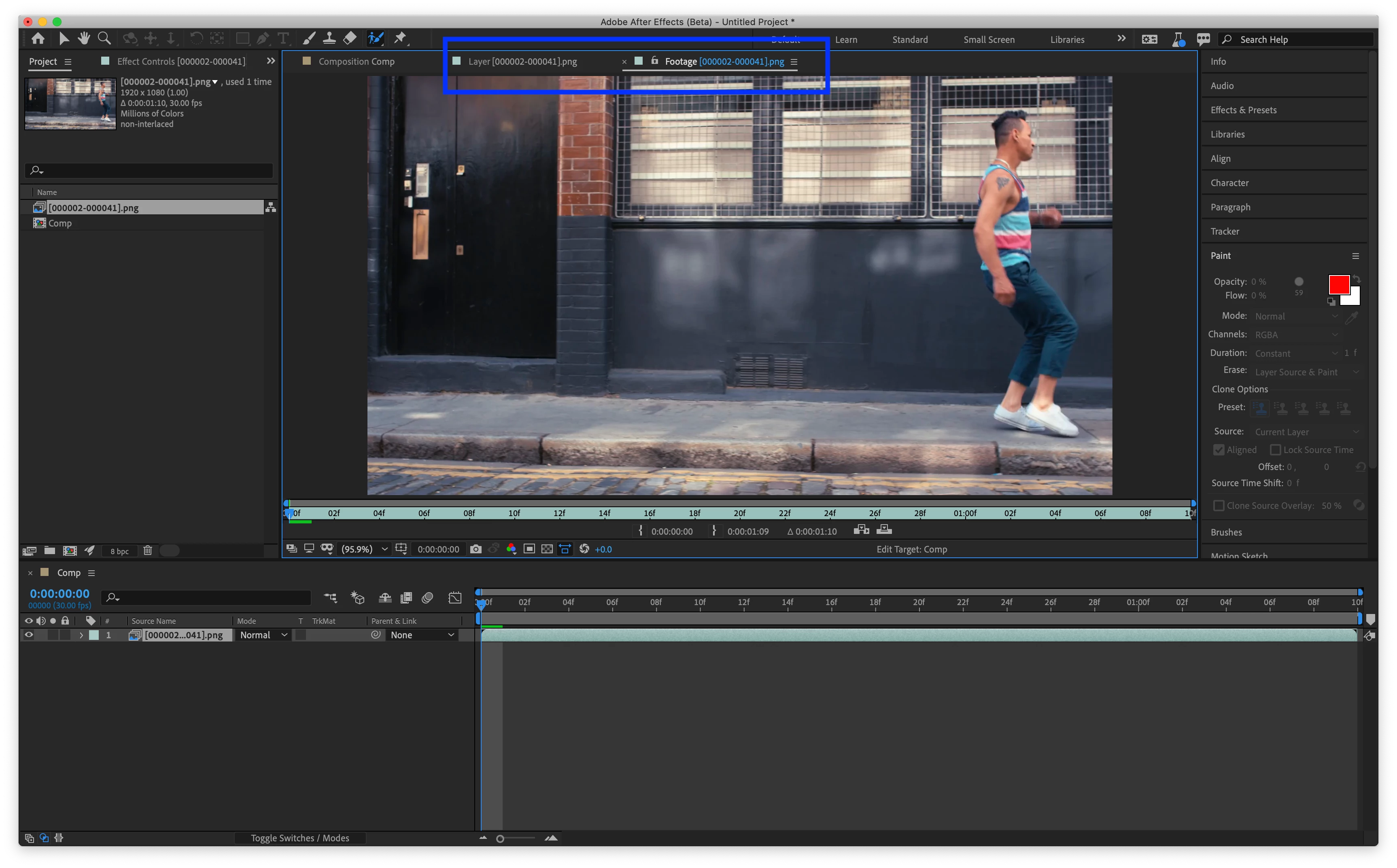
2. Make sure you are in the Layer Panel, not the Footage Panel.
See screenshots below for examples.

2 replies

Participant
September 4, 2020

Are you using it on a pre-comp by any chance? I have an issue in the last few betas (including 17.5.0) where this will happen if I try to rotobrush a pre-comp. Workarounds for me are using Rotobrush 1.0 (boooh) or prerendering the pre-comp.

James Landy
Community Manager
Community Manager
September 11, 2020

Yes, that could also be the cause.  It's a known issue that we recently fixed.  A build with the fix should be available very soon.

James Landy
Community Manager
James LandyCommunity ManagerCorrect answer
Community Manager
September 2, 2020

A couple possiblities. 
1. Check to see if you have "Roto Brush and Refine Edge" selected in the Layer panel view pop-up menu.
2. Make sure you are in the Layer Panel, not the Footage Panel.
See screenshots below for examples.