
Rene Andritsch
Community Expert
Community Expert
October 16, 2020
Answered

V 17.5.1.26: Confusing lines in the 3D Gizmo when the rotation tool is activated

  • October 16, 2020
  • 2 replies
  • 552 views

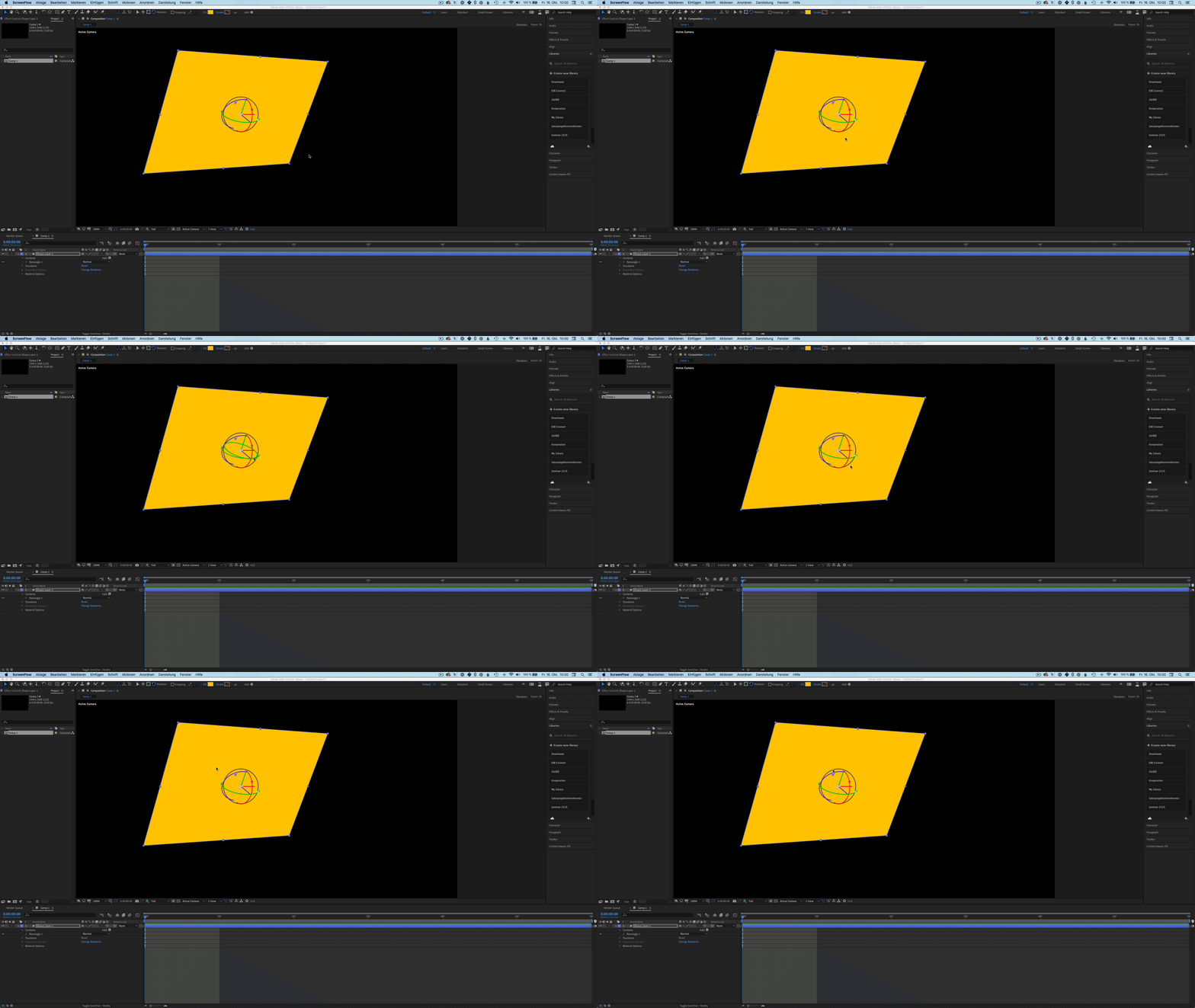
When the 3D-rotation tool is active there are some confusing annotations visible additional to the axis notations. In my example the annotation for the x-axis is as expected, but for the y- and z- axis there are additional lines in green and blue.

What is the meaning of the black circle?


Thank you!
This topic has been closed for replies.
Correct answer VictoriaNece

This is a bug. Thanks for reporting it! While we're working on a fix, there's a workaround: the gizmo should behave normally if you work with square pixels.

2 replies

VictoriaNece
Community Manager
VictoriaNeceCommunity ManagerCorrect answer
Community Manager
October 21, 2020

This is a bug. Thanks for reporting it! While we're working on a fix, there's a workaround: the gizmo should behave normally if you work with square pixels.

Rene Andritsch
Community Expert
Community Expert
October 22, 2020

@VictoriaNece Thank you! The square pixels have escaped my attention because there was an default NTSC setting selected when creating a new project. I’m workingin PAL and always have square pixels selected. Sorry for the user error. I will post a related bug with fast draft and non square pixels.

PS: The hour with the AE team yesterday at MAX was great!

Rene Andritsch
Community Expert
Community Expert
October 17, 2020

Still visible in build (Beta) v17.5.1.28 – first seen in build 17.5.1.26
OS: macOS v10.15.7, RAM: 32.00 GB, CPUs (logical): 12

Rene Andritsch
Community Expert
Community Expert
October 17, 2020

Please see a comparison between the rotation controls triggered by the Selection Tool versus the Rotation Tool.

With the Rotation Tool active: there are arrows indicating the rotatinal direction but they are not aligne with the red, green and blue arcs. The correct ones come in to view when hovering over the weird angled ones.