



Theresa Rostek
Community Manager
Community Manager
November 21, 2023
Question

Video Previews for Motion Graphics Templates Thumbnails in After Effects (Beta) 24.2.0x22

  • November 21, 2023
  • 8 replies
  • 4686 views

We're excited to announce that starting in After Effects (Beta) 24.2.0 build 22, you'll have the choice to export your .mogrt thumbnail with a video preview of the primary composition. Additionally, all .mogrt thumbnails will export at a full 16:9 resolution instead of being letterboxed. 


In After Effects, in the Essential Graphics panel, select Export Motion Graphics Template… Select the Include video preview checkbox to create a video preview, or deselect it to create a static thumbnail.  
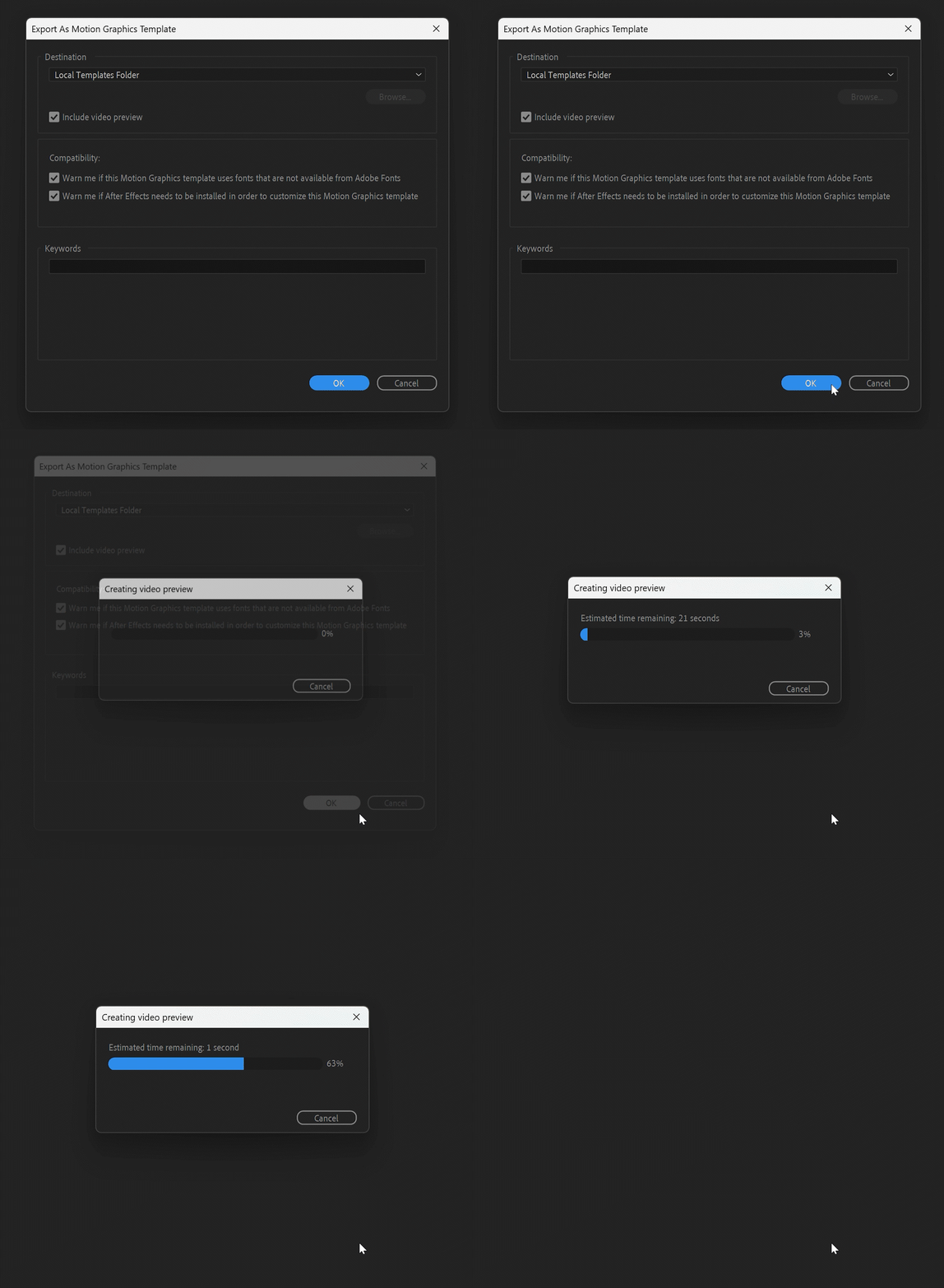
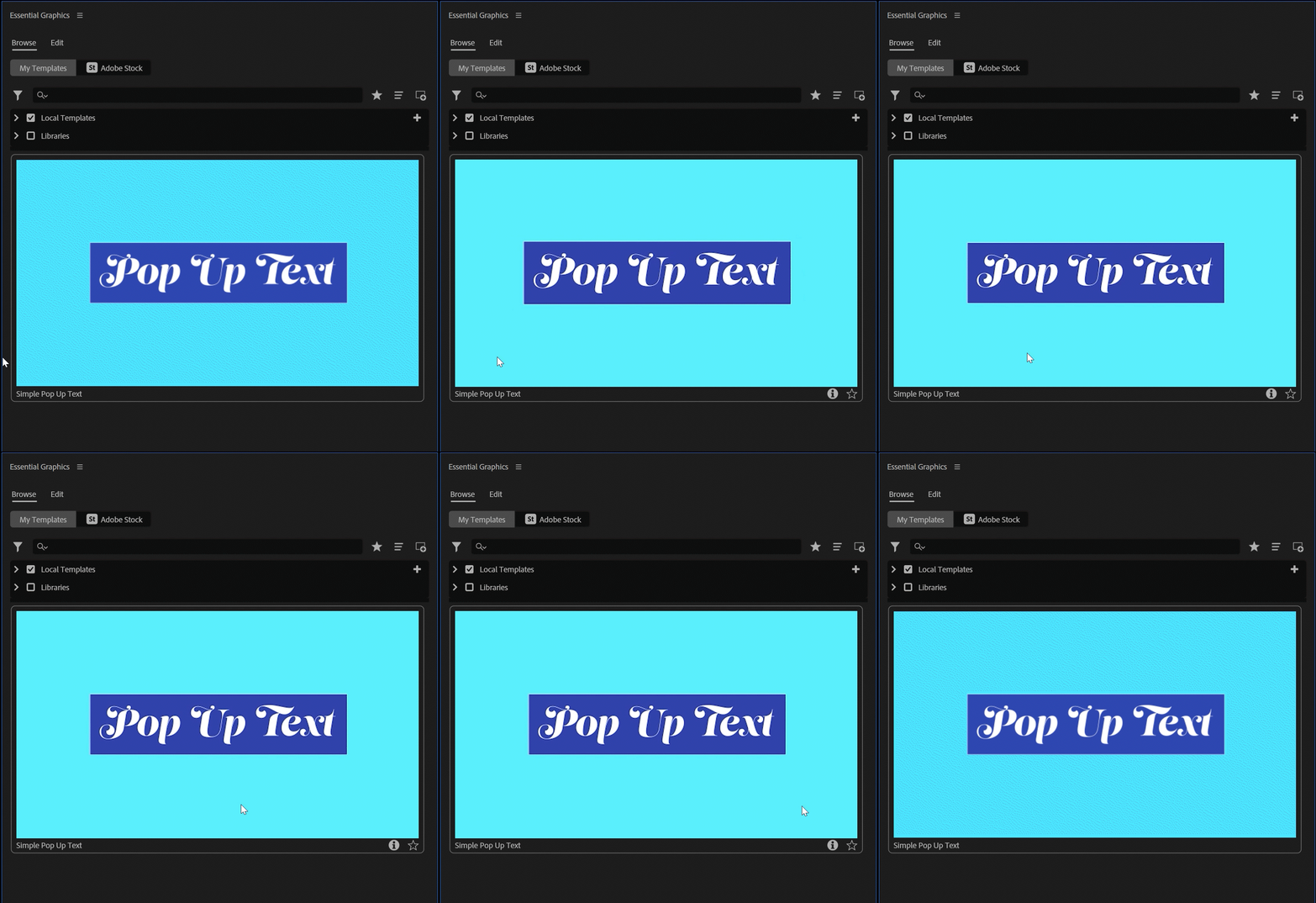
In Premiere Pro, open the Essential Graphics panel and hover scrub over your .mogrt to see it animate. 
Tell us what you think, your feedback is appreciated! 


This topic has been closed for replies.

8 replies

Participant
December 20, 2024

Love this! However, there should be an option to toggle the video preview off to make even smaller MOGRTs.

Theresa Rostek
Community Manager
Community Manager
December 20, 2024

hi @Chris3457100805fo,


There is a checkbox to enable or disable the video! The video itself is a 700x394 mp4, so it never should be more than a few megabytes. Mogrt filesize is impacted mostly by the size of any assets used inside of it, just the same as an AEP.


Cheers,

Theresa

Participant
January 16, 2024

This is what we have been waiting for a long time...!!

Participant
December 6, 2023

So looking forward to this update! It would be great if the video container itself was responsive to the mogrt aspect ratio instead of trying to fit all video sizes into a 16:9 container. The hover scroll playback can be a little weird, I would prefer the preview to auto-play on hover.

Alex White
Legend
December 7, 2023

Sorry for self-promotion, but you can already do that and even more with Aep To Mogrt Pro.

kulss
Inspiring
November 28, 2023

Just last week I learned how to get into the MOGRT and add my custom thumb.mp4 besides thumb.png, great timing! Hahah


Great update, thank you! Do you think it would be possible in the future to have a preview without hovering the whole frame from left to right to see the animation?

Theresa Rostek
Community Manager
Community Manager
November 28, 2023

Thank you for your feedback. Are you envisioning an on rollover preview, and on click preview, or something else?

ribaslucas
Participant
November 27, 2023

I fear the new bugs that will come with it :C

Legend
November 27, 2023

Fantastic! Does it also get rid of the super-strange aspect ratio of the AE MOGRT thumbnails in Premiere Pro?

All of them should be square by default IMO, as the real aspect ratio of a MOGRT could be anything between 16x9 and 9x16 (plus some more). But it would be nice if the background would show the boundaries of the MOGRT. Black (transparent) areas are now rendered as black, as they probably should, but since the background of a thumbnail is also black, the boundaries do not show.

Theresa Rostek
Community Manager
Community Manager
November 27, 2023

Hi Jarle,


The thumbnail now fills the 16:9 size. You can see the new thumbnail on the left, with the old behavior on the right, and vertical mogrt export on the bottom for comparison. 


Thanks for your feedback! For the boundaries of the mogrt, what are you envisioning for that? 


Best,

Theresa


Legend
November 29, 2023

Hi Theresa, I've tried to do some Photoshopping to illustrate my point. Most MOGRTs I make are NOT full screen, and they're NOT all 16/9. I think the previews should be square, not 16x9 - that's SO 2022.  🙂

In a square preview box, the 16x9 MOGRTs and the 9x16 MOGRTs would fill the same area. Why should 9x16 MOGRTs be smaller in the preview? Makes no sense to me. 

Also, see how easy it is to see the boundaries when I changed the background from black to dark gray? Everyone can see what aspect ratio they are at a glance. Please don't give us a black background outside of the boundaries! Anything else but black will do.

Alex White
Legend
November 22, 2023

That's awesome! Does it generate sprites or MP4 video inside the MOGRT file?

Theresa Rostek
Community Manager
Community Manager
November 22, 2023

@Alex White It creates an mp4 video inside of the .mogrt package

_nicdean
Community Expert
Community Expert
November 21, 2023

Thank you to the team for shipping this! Beautiful update