


Answered
64 bit Flex based Desktop application
How to create a 64 bit desktop application using Flash builder and Flex SDK ?

How to create a 64 bit desktop application using Flash builder and Flex SDK ?
Hi, I follow really simple steps as mentioned below:
Updated environment variable.
New -> Action Script project -> Project will use AIR SDK 31 -> Finish -> Right click Export -> Release build -> Signed application with Captive runtime -> Finish -> Creates a 64 bit setup
New -> Flex project -> Select Desktop & use default SDK(currently Flex 4.6.0) -> Finish -> Right click Export -> Release build -> Signed application with Captive runtime -> Finish -> Creates a 32 bit setup
I want to build a 64 bit setup with second case that is on creating new Flex project. What is it I am missing here ? Please help.Attached images for reference
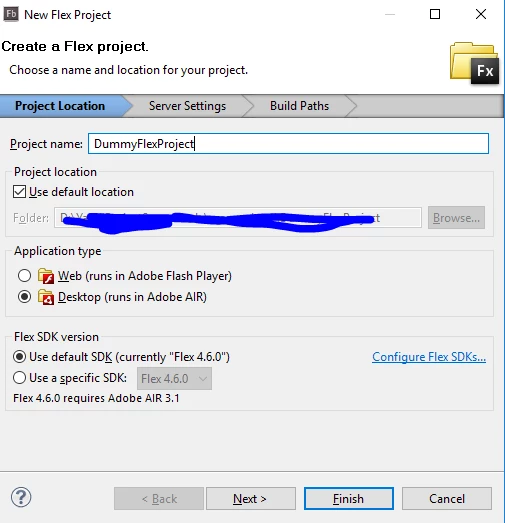
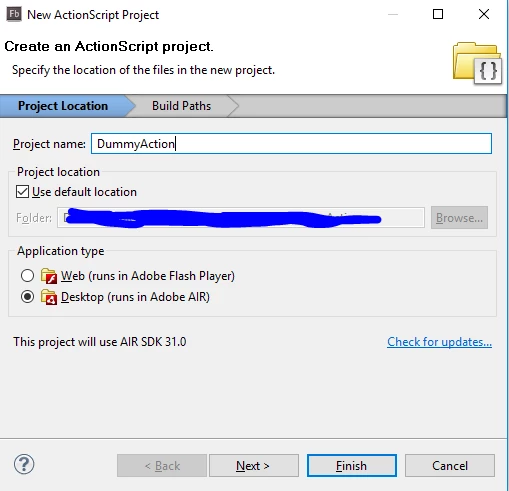
I guess the problem is your SDK version. You said you're using Flex 4.6.0. This version does not support 64-bit targeting.
Get the latest Apache Flex from http://flex.apache.org/installer.html
That should do the trick.
Already have an account? Login
Enter your E-mail address. We'll send you an e-mail with instructions to reset your password.
 AdChoices