
Error occurred while packaging the application: Android-x86
Hello,
I tried to export an existing Android-ARM to Android-x86:
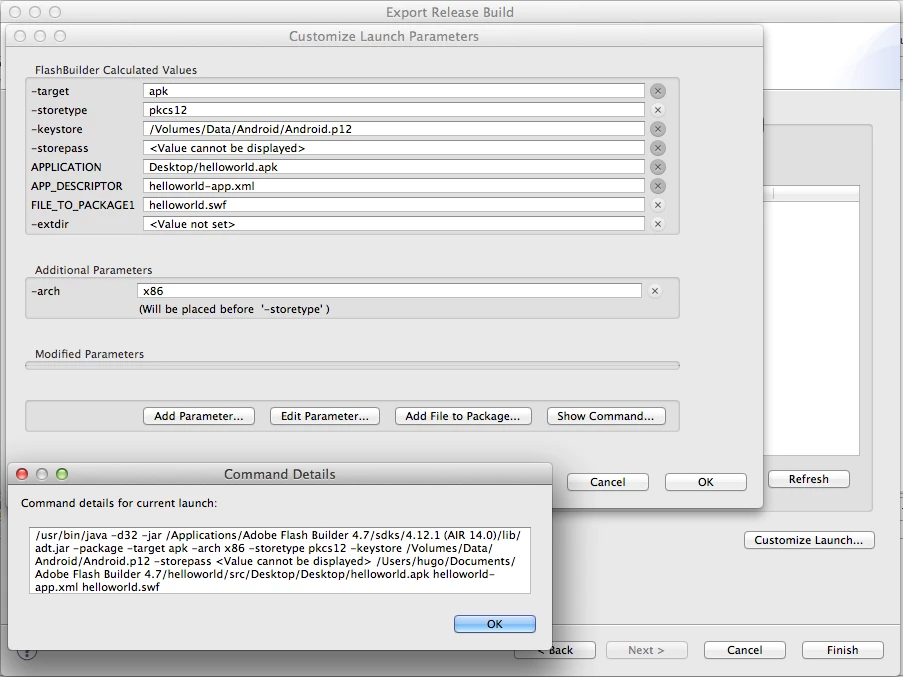
This application uses to 2 ANE for In-App purchases. One for iOS and another one for Android. I repackaged the Android ANE file to be compatible with Android-x86 and I also add the new Flash Builder "-arch" with value "x86" and place it before "-storetype".
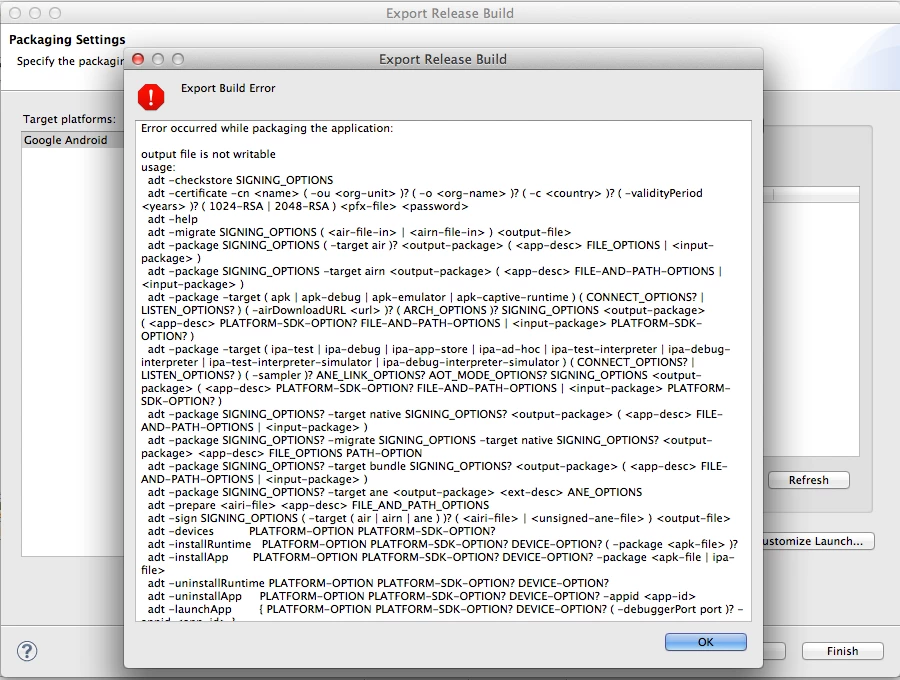
Error occurred while packaging the application:
output file is not writable
usage:
adt -checkstore SIGNING_OPTIONS
adt -certificate -cn <name> ( -ou <org-unit> )? ( -o <org-name> )? ( -c <country> )? ( -validityPeriod <years> )? ( 1024-RSA | 2048-RSA ) <pfx-file> <password>
adt -help
adt -migrate SIGNING_OPTIONS ( <air-file-in> | <airn-file-in> ) <output-file>
adt -package SIGNING_OPTIONS ( -target air )? <output-package> ( <app-desc> FILE_OPTIONS | <input-package> )
adt -package SIGNING_OPTIONS -target airn <output-package> ( <app-desc> FILE-AND-PATH-OPTIONS | <input-package> )
adt -package -target ( apk | apk-debug | apk-emulator | apk-captive-runtime ) ( CONNECT_OPTIONS? | LISTEN_OPTIONS? ) ( -airDownloadURL <url> )? ( ARCH_OPTIONS )? SIGNING_OPTIONS <output-package> ( <app-desc> PLATFORM-SDK-OPTION? FILE-AND-PATH-OPTIONS | <input-package> PLATFORM-SDK-OPTION? )
adt -package -target ( ipa-test | ipa-debug | ipa-app-store | ipa-ad-hoc | ipa-test-interpreter | ipa-debug-interpreter | ipa-test-interpreter-simulator | ipa-debug-interpreter-simulator ) ( CONNECT_OPTIONS? | LISTEN_OPTIONS? ) ( -sampler )? ANE_LINK_OPTIONS? AOT_MODE_OPTIONS? SIGNING_OPTIONS <output-package> ( <app-desc> PLATFORM-SDK-OPTION? FILE-AND-PATH-OPTIONS | <input-package> PLATFORM-SDK-OPTION? )
adt -package SIGNING_OPTIONS? -target native SIGNING_OPTIONS? <output-package> ( <app-desc> FILE-AND-PATH-OPTIONS | <input-package> )
adt -package SIGNING_OPTIONS? -migrate SIGNING_OPTIONS -target native SIGNING_OPTIONS? <output-package> <app-desc> FILE_OPTIONS PATH-OPTION
adt -package SIGNING_OPTIONS? -target bundle SIGNING_OPTIONS? <output-package> ( <app-desc> FILE-AND-PATH-OPTIONS | <input-package> )
adt -package SIGNING_OPTIONS? -target ane <output-package> <ext-desc> ANE_OPTIONS
adt -prepare <airi-file> <app-desc> FILE_AND_PATH_OPTIONS
adt -sign SIGNING_OPTIONS ( -target ( air | airn | ane ) )? ( <airi-file> | <unsigned-ane-file> ) <output-file>
adt -devices PLATFORM-OPTION PLATFORM-SDK-OPTION?
adt -installRuntime PLATFORM-OPTION PLATFORM-SDK-OPTION? DEVICE-OPTION? ( -package <apk-file> )?
adt -installApp PLATFORM-OPTION PLATFORM-SDK-OPTION? DEVICE-OPTION? -package <apk-file | ipa-file>
adt -uninstallRuntime PLATFORM-OPTION PLATFORM-SDK-OPTION? DEVICE-OPTION?
adt -uninstallApp PLATFORM-OPTION PLATFORM-SDK-OPTION? DEVICE-OPTION? -appid <app-id>
adt -launchApp { PLATFORM-OPTION PLATFORM-SDK-OPTION? DEVICE-OPTION? ( -debuggerPort port )? -appid <app-id> }
adt -runtimeVersion PLATFORM-OPTION PLATFORM-SDK-OPTION? DEVICE-OPTION?
adt -appVersion PLATFORM-OPTION PLATFORM-SDK-OPTION? DEVICE-OPTION? -appid <app-id>
adt -version
SIGNING_OPTIONS : -storetype <type> ( -keystore <store> )? ( -storepass <pass> )? ( -alias <aliasName> )? ( -keypass <pass> )? ( -providerName <name> )? ( -tsa <url> )? ( -provisioning-profile <profile> )?
FILE_OPTIONS : <fileOrDir>* ( ( -C <dir> <fileOrDir>+ ) | ( -e <file> <path> ) )*
ARCH_OPTIONS : -arch (armv7 | x86)
CONNECT_OPTIONS : -connect <host>
LISTEN_OPTIONS : -listen <port>
ANE_LINK_OPTIONS : -hideAneLibSymbols ( yes | no )
ANE_OPTIONS : -swc <swc> ( -platform <name> (-platformoptions <file>)? <fileOrDir>* ( -C <dir> <fileOrDir>+ )* )*
FILE-AND-PATH-OPTIONS: ( PATH-OPTION | FILE-OPTIONS ) FILE-AND-PATH-OPTIONS?
PATH-OPTION : -extdir <dir>
PLATFORM-OPTION : -platform (android | ios)
PLATFORM-SDK-OPTION : -platformsdk <platform-sdk-home-dir>
DEVICE-OPTION : -device ( deviceID | ios-simulator )
AOT_MODE_OPTIONS : -useLegacyAOT ( yes | no )


 AdChoices