

Advanced: Export Options in Layer Naming Script
Hello, we are using a layer exporting script in 2022 animate that we found on this forum. It's very useful for managing the nomenclature and index order of sprites drawn in animate, and generally facilitates collaboration between Animate and game development very well.
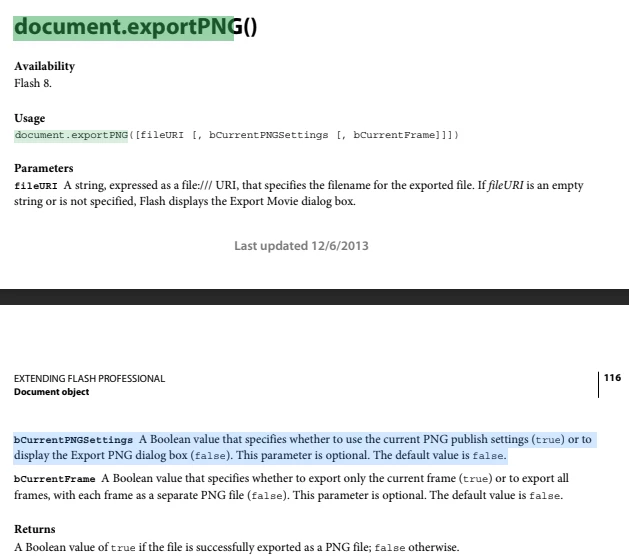
However, there is a significant color quality issue when exporting because there are no Export Options when using this script. If you select Export Movie, it will give you these options. I need this Layer naming script to do this. After some research we found that it is possible and we amended the script's parameters so that it should display an export dialog that prompts you with export options now. Either the documentation that we used is out of date, or something has become obsolete. I was wondering if anyone here is familiar with the details of the Export Movie function and might see what we are missing:
var doc = fl.getDocumentDOM();
var lyrs = doc.getTimeline().layers;
var len = lyrs.length;
var lyr;
var originalType;
var i;
var saveDir = fl.browseForFolderURL("Choose a folder in which to save your exported SWFs:");

var layers = new Array();
var count = 0 ;

//create folder with the file name//
var exportDest = saveDir + "/" + doc.name;
FLfile.createFolder(exportDest);


if (saveDir)
{
    fl.outputPanel.clear();
    var originalTypes = new Array();

    for (i=0; i < len; i++)
    {
        lyr = lyrs[i];

        originalTypes[i] = lyr.layerType;
    }

    for (i=0; i < len; i++)
    {
        lyr = lyrs[i];

        lyr.layerType = "guide";
    }

    for (i=0; i < len; i++)
    {
        lyr = lyrs[i];

        originalType = originalTypes[i]
        if (originalType == "normal" && lyr.visible == true)
        {
            lyr.layerType = "normal";

            doc.exportPNG(exportDest + "/" + lyr.name + ".png", false);

            fl.trace("Exported: " + lyr.name+".png");

            lyr.layerType = "guide";

            count += 1;
        }
    }

    for (i=0; i < len; i++)
    {
        lyr = lyrs[i];

        lyr.layerType = originalTypes[i];
    }
}
I've tried to attach the layer naming script for your convenience but it is getting blocked.
Thank you for your time.


 AdChoices