

Star5FCB
Participant
December 20, 2021
Answered

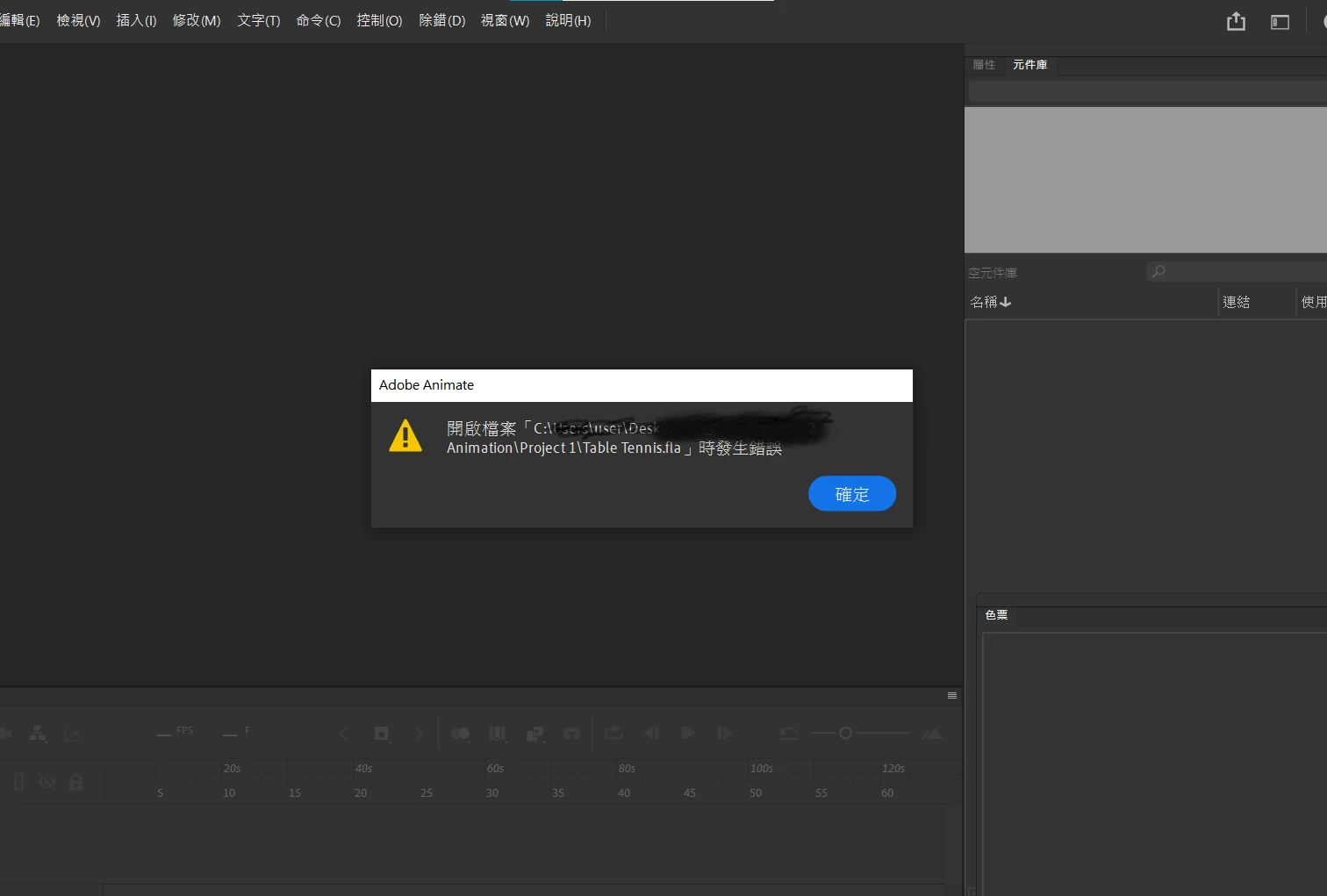
Animate file cannot be open

  • December 20, 2021
  • 1 reply
  • 3087 views

When I drew my animation work, it went black and my computer crashed.
I restarted it and I found that my Animate file could not be opened.

I haven't change anything with setting, and I had restarted my preferences but it still not works.

I feel sad cause I done my works been half, so can someone help me?

Just like this, it means there is error with open this file. (Adobe Animate 2022 in Chinese version)
    This topic has been closed for replies.
    Correct answer DeanUtian

    For anyone visiting this thread, the issue has been resolved as best as possible. Star5FCB direct messaged me with a link to the corrupted FLA. I was not able to repair it by looking inside and following the approach I reffered to in my last message. However, a SWF had been created and it could be imported into Animate to get back the content. This is a positive outcome of restoring lost work in the corrupt FLA.

    The lesson for all is to save multiple copies of your work in different FLA files. Keep a good system for naming and keeping track of the different versions of yor work. That way, if something goes wrong and a file is corrupted, you have something to go back to.

    1 reply

    Community Expert
    December 20, 2021

    Do you have any recovery versions? Sometimes when Aninate crashes, it creates a copy of the FLA? Or there could be automated backup versions created.


    The thread below give a way to repair a corrupt FLA

    https://community.adobe.com/t5/animate-discussions/adobe-animate-cc-fla-file-has-an-error-while-opening/td-p/10339732


    I'm happy to look at the file and see if I can do anything with it. You can message me directly and give a link to the file if you want.

    DeanUtianCommunity ExpertCorrect answer
    Community Expert
    December 23, 2021

    For anyone visiting this thread, the issue has been resolved as best as possible. Star5FCB direct messaged me with a link to the corrupted FLA. I was not able to repair it by looking inside and following the approach I reffered to in my last message. However, a SWF had been created and it could be imported into Animate to get back the content. This is a positive outcome of restoring lost work in the corrupt FLA.

    The lesson for all is to save multiple copies of your work in different FLA files. Keep a good system for naming and keeping track of the different versions of yor work. That way, if something goes wrong and a file is corrupted, you have something to go back to.

    Participating Frequently
    January 1, 2024

    Can u help me 😭🙏