
maxosh
Participating Frequently
July 17, 2023
Answered

As an entrance animation, drop many elements at once, but all at different speeds

  • July 17, 2023
  • 1 reply
  • 1218 views

Hi, 

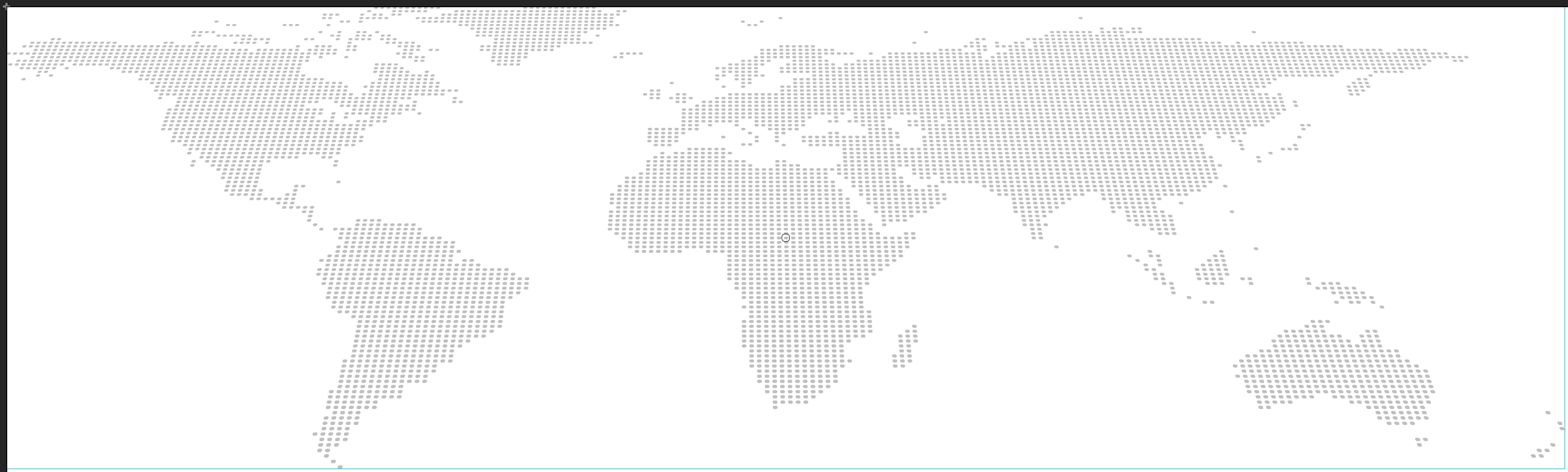
I have a world map that is rasterized in individual small points (all vectors). I want to make these individual points fall down as an input animation, all at different speeds. So that the world map slowly assembles. How can I realsize this? If someone has an idea I would be very grateful. I am a beginner and have already gone through the tutorials, but have not yet found a solution.

Thank you,
Max
 

    This topic has been closed for replies.
    Correct answer JoãoCésar17023019

    Thanks a lot for your suggestions. Is there no function to automatically animate the dot-elements, that they will randomly just move from up to down, goal-image is like I posted it above?

    Best,

    Oliver


    The easiest way is to use JavaScript.


    Preview:

    https://bit.ly/3pUDPkS


    JavaScript code (main timeline):

    var root = this;
    var map = root.map;
    var i, child;
    
    for (i = map.numChildren - 1; i > -1; i--)
    {
    	child = map.children[i];
    	child.startY = child.y;
    	child.y = child.startY - lib.properties.height - Math.random() * 200;
    	child.alpha = Math.random() * 0.2;
    	
    	createjs.Tween
    	.get(child)
    	.wait(500)
    	.to({ y: child.startY, alpha: 1 }, 2000 + Math.random() * 10000, createjs.Ease.sineOut);
    }


    Files / FLA / code / download:

    https://bit.ly/3Q3S1mo


    I hope this helps.


    Regards,

    JC

    1 reply

    kglad
    Community Expert
    Community Expert
    July 17, 2023

    as3 or canvas?

    maxosh
    maxoshAuthor
    Participating Frequently
    July 17, 2023

    Canvas I think, I'm new to Animate

    kglad
    Community Expert
    Community Expert
    July 17, 2023

    what's the project name shown in animate?