

Canvas Export Not Adding Symbols to Texture
Hello all!
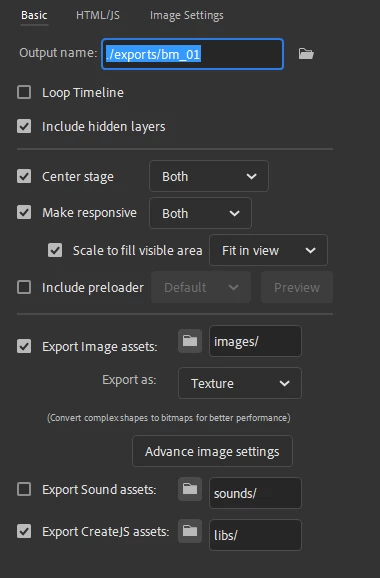
Back in 2019 I was using Adobe Animate to create animations for a training course used on low powered devices in poorer countries. We were using canvas export so that the learners could view the course in their browser. Because we did not want to overload the device's CPU, we did our best to avoid having symbols drawn on the stage at run time, and instead used the Export Image assets as Texture setting. Therefore, all the image assets in the course ented up in several texture atlas'. From there, we could analyse the texture atlas and find ways to optimise our image assets down to the bare minimum. With that we were just able to create something that would not overload our learner's phones CPU.
Now I have been asked to come an update certain parts of the course. I am now using Adobe Animate 2022. However, with the same export settings I find that the Texture export no longer exports all symbols to a texture atlas. In fact, only a very small number of images are added to the texture atlas, the rest are drawn programatically (which is too CPU intensive for my target audience).
I can confirm all symbols are selected when I go to Publish Settings > JavaScript/HTML > Image Settings > Choose Symbols. My configuration of that dialog doesn't seem to influence the export at all. I get the same behaviour in Animate v22.0.1 and v21.0.9
Below is a link to a test document. It contains only a single movie clip. However, when I publish the HTML export, no texture altas is generated. Does anyone have any idea what has changed since 2019?
https://www.infosemantics.com.au/wp-content/uploads/2021/12/canvas-export-test.zip
A screenshot of my publish settings


 AdChoices