
Inspiring
September 27, 2022
Answered

Check if variable is true and play animation.

  • September 27, 2022
  • 1 reply
  • 447 views

Hello, I want to be able to play an animation if a variable is true. "Checker" is dynamic text for seeing if the var SimpCarbPlay1 is true or false. It works, but what doesn't work is the if statement. That's what I'm really trying to do so when SimpCarbPlay1 is true, it should go to frame 30 and play. 


var _this=this;
this.stop()
var SimpCarbPlay1 = "what";

this.checker.text = SimpCarbPlay1;


_this.Ybutton.on('click', MakeTrue);
_this.Bbutton.on('click', MakeFalse);

function MakeTrue() {
	SimpCarbPlay1 = true;
	_this.checker.text = SimpCarbPlay1;
}
function MakeFalse() {
	SimpCarbPlay1 = false;
	_this.checker.text = SimpCarbPlay1;
}


if (SimpCarbPlay1 == true) {
	_this.gotoAndPlay(30);
} 
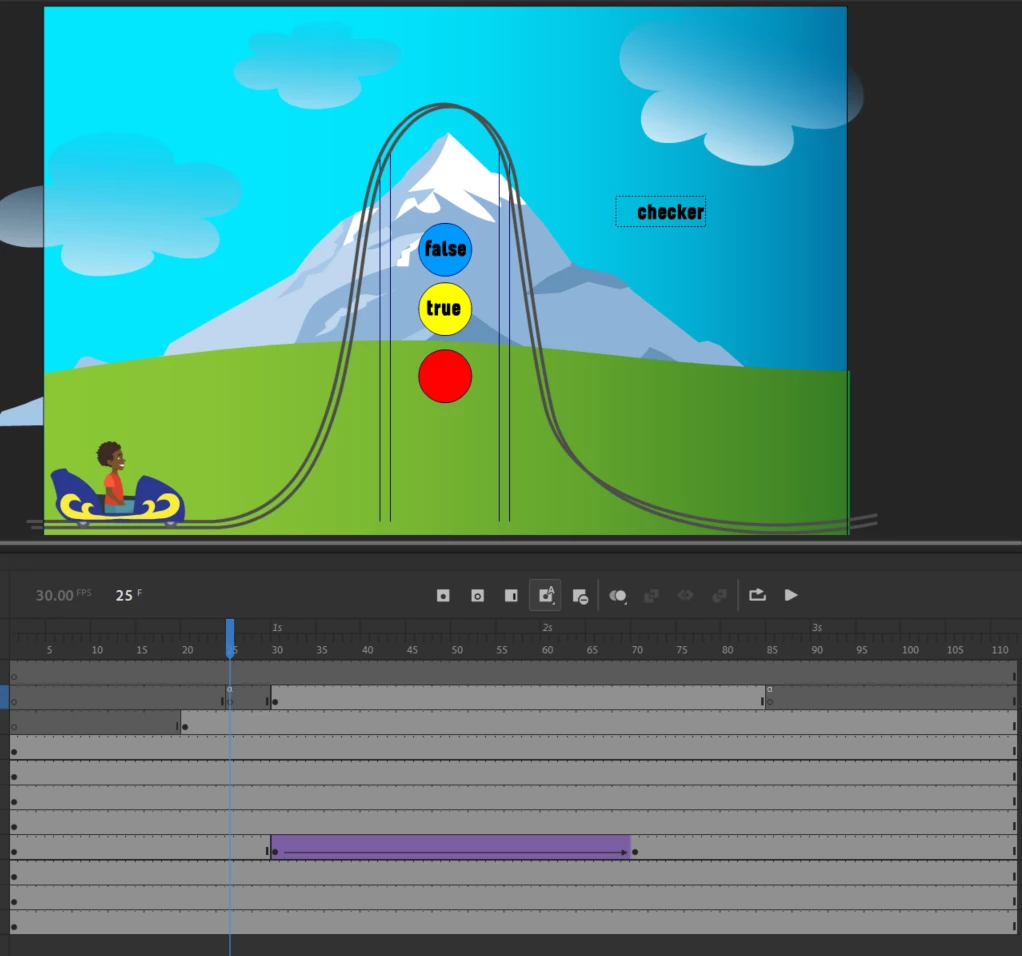


thanks for your help.

dr


This topic has been closed for replies.
Correct answer beatbum

ok I solved it by using a loop:


if (v_playAnim1 == true) {
_this.gotoAndPlay("Anim1");
} else {
_this.gotoAndPlay("Looper1")
}


This way, it checks over and over again until the variable changes to true.

1 reply

JoãoCésar17023019
Community Expert
Community Expert
September 28, 2022

Hi.


The if statement is executed only once and in the beginning. You should run it inside of your functions. Like this:

function MakeTrue()
{
	SimpCarbPlay1 = true;
	_this.checker.text = SimpCarbPlay1;
	
	if (SimpCarbPlay1 == true)
	{
		_this.gotoAndPlay(30);
	}
}

function MakeFalse()
{
	SimpCarbPlay1 = false;
	_this.checker.text = SimpCarbPlay1;
	
	if (SimpCarbPlay1 == true)
	{
		_this.gotoAndPlay(30);
	}
}


This code can be further optimized but I'll leave it like this so it's easier to understand.


Regards,

JC


beatbumAuthor
Inspiring
September 28, 2022

ok thanks, that will work but it is depending on clicking the button. In which case I would just say on click go to and play 30. I need it to check if a variable is true or false because the variable will be changing in the parent application. This Adobe Animate module will be embedded inside of Storyline and I want Storyline to change the variable. So that's where my if statement comes in. 


I was able to get Animate to communicate to Storyline using this:

//parent.GetPlayer().SetVar("SL_VOchoose", false);


But now I want Storyline to communicate down to Animate and let it know when to play the animation. So when Storyline changes the variable to true I want Animate to recognize that and go to and play 30. I hope this is not confusing. And I hope you can help.

beatbumAuthorCorrect answer
Inspiring
September 29, 2022

ok I solved it by using a loop:


if (v_playAnim1 == true) {
_this.gotoAndPlay("Anim1");
} else {
_this.gotoAndPlay("Looper1")
}


This way, it checks over and over again until the variable changes to true.