
Code only works when page refreshed?
Back already guys, simple practice game project, (i thought), but I'm totally stumped.
So the way it runs is this, starts on scene 1, there's a movie and a button. Click the button and the function makes that button dissapear and plays the bull movie.
Now inside the movie clip, Click the new button to jump off the bull and depending on the current frame number, you either land on your feet or land on your side. (the key is to click the moment the bull's Butt or Right Side is exposed)
When I try this simple game it runs perfect first time thru, (he lands on his feet if I click correctly) but when it goes back to scene 1 and starts over, it stops working and always goes to Frame(72) [which means you lose] no matter if I click at the right time or not. Refresh the page and works correctly again??
I originally had it all together in one scene but had this same problem, which is why I tried to spilt them up but it didn't help. I purposely made it only 8fps, not sure if that effects anything.
I give up! any help is greatly appreciated as always...
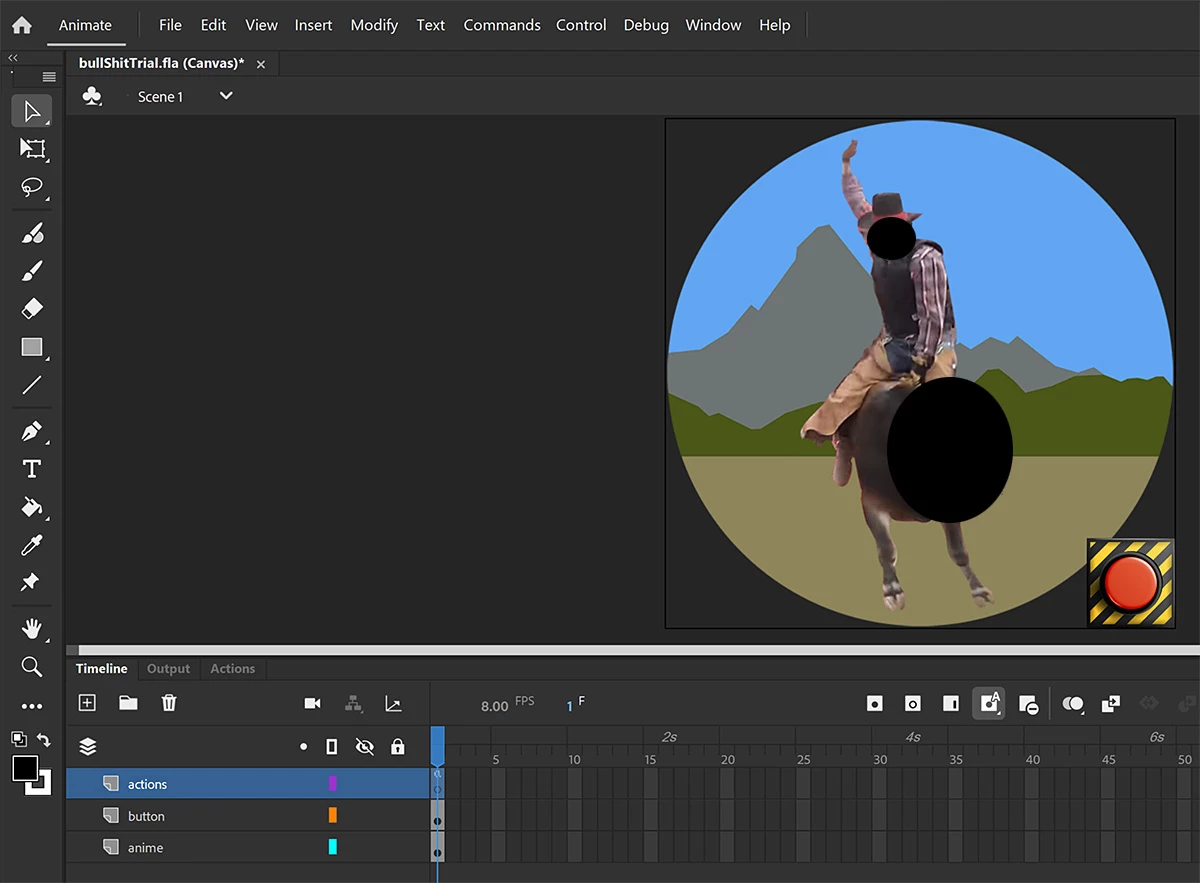
SCENE 1 code ->
Frame 1 aka 0
this.bull.stop();
this.bulbut.addEventListener("click", start.bind(this));
function start()
{
this.bulbut.visible=false;
this.bull.play();
}
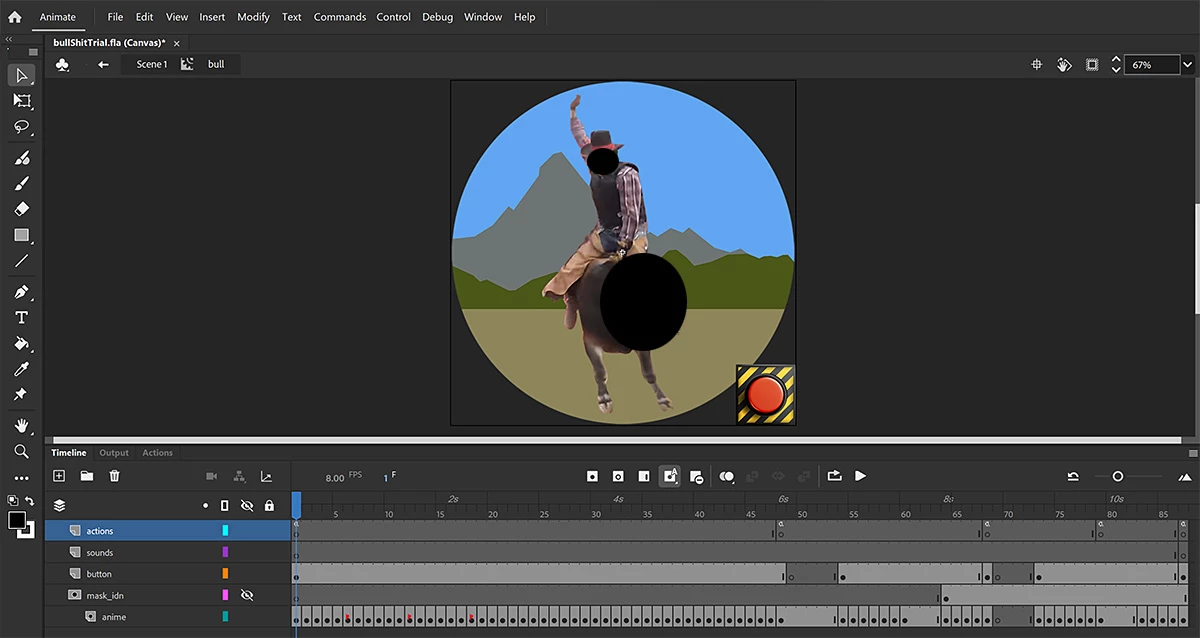
BULL MOVIE code ->
Frame 1 aka 0
this.bulbut2.addEventListener("click", playjump.bind(this));
function playjump()
{
if (this.currentFrame > 3 && this.currentFrame < 6)
this.gotoAndPlay(53);
else if (this.currentFrame > 9 && this.currentFrame < 12)
this.gotoAndPlay(53);
else if (this.currentFrame > 15 && this.currentFrame < 18)
this.gotoAndPlay(53);
else if (this.currentFrame > 21 && this.currentFrame < 24)
this.gotoAndPlay(53);
else
this.gotoAndPlay(72);
}
Frame 48 aka 47
this.gotoAndPlay(1)
Frame 68 aka 67
this.stop()
this.bulbut0.addEventListener("click", start2.bind(this));
function start2()
{
this.parent.bulbut.visible=true;
this.parent.bull.gotoAndStop(0);
}
Frame 87 aka 86
this.stop()
this.bulbut3.addEventListener("click", start3.bind(this));
function start3()
{
this.parent.bulbut.visible=true;
this.parent.bull.gotoAndStop(0);
}
I have hosted this little game @ https://jeetah.org/


 AdChoices