Known Participant
July 13, 2018
Answered

Countdown Timer with canvas

  • July 13, 2018
  • 4 replies
  • 10332 views

Hello. i wanted to make a countdown timer in Adobe animate Canvas with minutes and seconds (it takes for example 45 minutes) .when the time will over , my movieclip disapear

(this.mc.visible = false)!
I read all forums but I couldn't succeed .can any one write this shortly plsssss???

This topic has been closed for replies.
Correct answer JoãoCésar17023019

Hi.

Here is my suggestion.

Complete ignore the code for the buttons if you wish. You can just set the initialMinutes variable to 45 and then only call the startTimer function.

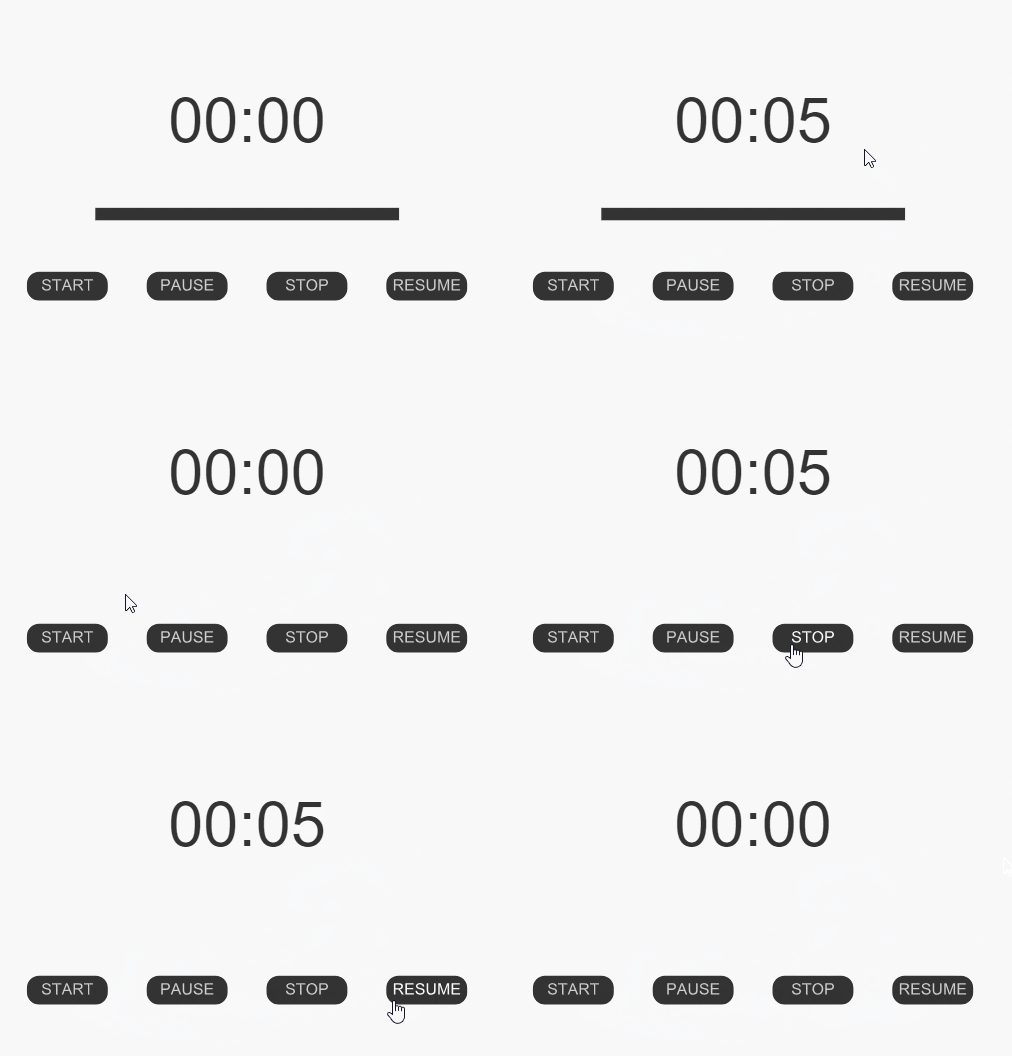
Preview:

JavaScript code:

var that = this;

this.initialMinutes = 0.2; // set here to 45

this.totalTime = 0;

this.currentTime = 0;

this.interval = 0;

this.start = function()

{

     that.startTimer(that.updateCallBack, that.endCallback);

     that.startButton.on("click", function(e){that.startTimer(that.updateCallBack, that.endCallback)}, this);

     that.stopButton.on("click", function(e){that.stopTimer(that.stopCallback)}, this);

     that.pauseButton.on("click", function(e){that.pauseTimer(that.pauseCallback)}, this);

     that.resumeButton.on("click", function(e){that.resumeTimer(that.resumeCallback, that.updateCallBack, that.endCallback)}, this);

};

this.updateCallBack = function()

{

     that.setText();

};

this.endCallback = function()

{

     that.mc.visible = false

};

this.stopCallback = function()

{

     console.log("stopped");

};

this.pauseCallback = function()

{

     console.log("paused");

};

this.resumeCallback = function()

{

     console.log("resumed");

};

this.startTimer = function(updateCallback, endCallback)

{

     clearInterval(that.interval);

     that.totalTime = that.minutesToMilliseconds(that.initialMinutes);

     that.currentTime = that.totalTime;

     that.setText();

     that.setTime(updateCallback, endCallback);

};

this.stopTimer = function(callback)

{

     clearInterval(that.interval);

     that.totalTime = 0;

     that.currentTime = 0;

     that.setText();

     callback();

};

this.pauseTimer = function(callback)

{

     clearInterval(that.interval);

     that.totalTime = that.currentTime;

     callback();

};

this.resumeTimer = function(resumeCallback, updateCallback, endCallback)

{

     if (that.currentTime == 0)

          return;

     clearInterval(that.interval);

     that.totalTime = that.currentTime;

     that.setTime(updateCallback, endCallback);

     resumeCallback();

};

this.setTime = function(updateCallback, endCallback)

{

     that.interval = setInterval(function()

     {

          that.currentTime -= 1000;

          updateCallback();

          if (that.currentTime == 0)

          {

               clearInterval(that.interval);

               endCallback();

          }

     }, 1000);

};

this.setText = function()

{

     var time = that.timeCode(that.currentTime);

     that.timeText.text = time.minutes + ":" + time.seconds;

};

this.minutesToMilliseconds = function(minutes)

{

     return 1000 * 60 * minutes;

};

this.timeCode = function(milliseconds)

{

     var seconds = Math.floor((milliseconds / 1000) % 60);

     var strSeconds = (seconds < 10) ? ("0" + String(seconds)) : String(seconds);

     var minutes = Math.round(Math.floor((milliseconds / 1000) / 60));

     var strMinutes = (minutes < 10) ? ("0" + String(minutes)) : String(minutes);

     return {seconds: strSeconds, minutes: strMinutes};

};

this.start();

FLA download:

animate_cc_html5_timer_02.zip - Google Drive

Please let me know if there is some concept you don't understand.

I hope this helps.

Regards,

JC

4 replies

Participant
August 18, 2020

This is working great for me.  Thanks so much.

I am wondering how I might add a gotoAndPlay(1); or some other command when the timer times out?

Again, thanks!

JoãoCésar17023019
Community Expert
Community Expert
August 18, 2020

Hi.


I'm glad this is working for you.


When the time is out, the endCallback is called. So you only have to place your code in it.

this.endCallback = function()
{
    // your code
};


Regards,

JC

Participant
August 18, 2020

Hello!

Thanks for the help on this.


I added this:


//restart

this.endCallback = function()
{
	that.mc.visible = false
	this.gotoAndStop(1);
};

Keeping your code.  I also tried putting it in it's own endCallback function (leaving and removing your endCallback function).  I can't get it to go back to the first frame and stop.

I did a lot of Javascript in the 90's but I'm afraid I've lost it all.  I mostly have no idea what I'm doing.  Sorry.


Thank you.


Inspiring
December 17, 2018

Hi.. Thanks for the code for the timer. That works great! Any idea on how to expand this to Days : Hours : Minutes : Seconds? Doing a countdown timer for about a 380 days. Amny help would be super appreciated.. Thanks!

JoãoCésar17023019
Community Expert
JoãoCésar17023019Community ExpertCorrect answer
Community Expert
July 14, 2018

Hi.

Here is my suggestion.

Complete ignore the code for the buttons if you wish. You can just set the initialMinutes variable to 45 and then only call the startTimer function.

Preview:

JavaScript code:

var that = this;

this.initialMinutes = 0.2; // set here to 45

this.totalTime = 0;

this.currentTime = 0;

this.interval = 0;

this.start = function()

{

     that.startTimer(that.updateCallBack, that.endCallback);

     that.startButton.on("click", function(e){that.startTimer(that.updateCallBack, that.endCallback)}, this);

     that.stopButton.on("click", function(e){that.stopTimer(that.stopCallback)}, this);

     that.pauseButton.on("click", function(e){that.pauseTimer(that.pauseCallback)}, this);

     that.resumeButton.on("click", function(e){that.resumeTimer(that.resumeCallback, that.updateCallBack, that.endCallback)}, this);

};

this.updateCallBack = function()

{

     that.setText();

};

this.endCallback = function()

{

     that.mc.visible = false

};

this.stopCallback = function()

{

     console.log("stopped");

};

this.pauseCallback = function()

{

     console.log("paused");

};

this.resumeCallback = function()

{

     console.log("resumed");

};

this.startTimer = function(updateCallback, endCallback)

{

     clearInterval(that.interval);

     that.totalTime = that.minutesToMilliseconds(that.initialMinutes);

     that.currentTime = that.totalTime;

     that.setText();

     that.setTime(updateCallback, endCallback);

};

this.stopTimer = function(callback)

{

     clearInterval(that.interval);

     that.totalTime = 0;

     that.currentTime = 0;

     that.setText();

     callback();

};

this.pauseTimer = function(callback)

{

     clearInterval(that.interval);

     that.totalTime = that.currentTime;

     callback();

};

this.resumeTimer = function(resumeCallback, updateCallback, endCallback)

{

     if (that.currentTime == 0)

          return;

     clearInterval(that.interval);

     that.totalTime = that.currentTime;

     that.setTime(updateCallback, endCallback);

     resumeCallback();

};

this.setTime = function(updateCallback, endCallback)

{

     that.interval = setInterval(function()

     {

          that.currentTime -= 1000;

          updateCallback();

          if (that.currentTime == 0)

          {

               clearInterval(that.interval);

               endCallback();

          }

     }, 1000);

};

this.setText = function()

{

     var time = that.timeCode(that.currentTime);

     that.timeText.text = time.minutes + ":" + time.seconds;

};

this.minutesToMilliseconds = function(minutes)

{

     return 1000 * 60 * minutes;

};

this.timeCode = function(milliseconds)

{

     var seconds = Math.floor((milliseconds / 1000) % 60);

     var strSeconds = (seconds < 10) ? ("0" + String(seconds)) : String(seconds);

     var minutes = Math.round(Math.floor((milliseconds / 1000) / 60));

     var strMinutes = (minutes < 10) ? ("0" + String(minutes)) : String(minutes);

     return {seconds: strSeconds, minutes: strMinutes};

};

this.start();

FLA download:

animate_cc_html5_timer_02.zip - Google Drive

Please let me know if there is some concept you don't understand.

I hope this helps.
Regards,

JC

arash6657Author
Known Participant
July 14, 2018

woww.thanks alot.its exactly what i need

JoãoCésar17023019
Community Expert
Community Expert
July 14, 2018

You're welcome!

Community Expert
July 13, 2018

Try using this ticker class to create a countdown timer, EaselJS v0.8.2 API Documentation : Ticker

This should do the trick.

arash6657Author
Known Participant
July 14, 2018

Thanks but as i am new with canvas can you please write the timer code for 45 minutes???