Inspiring
February 20, 2023
Question

Creating a background glitch effect in Adobe Animate

  • February 20, 2023
  • 4 replies
  • 3148 views

Hello,

I'm after some advice, please.

I need to create a 'glitch effect' for the background of a html5 canvas banner. It will be on screen for 2 seconds.

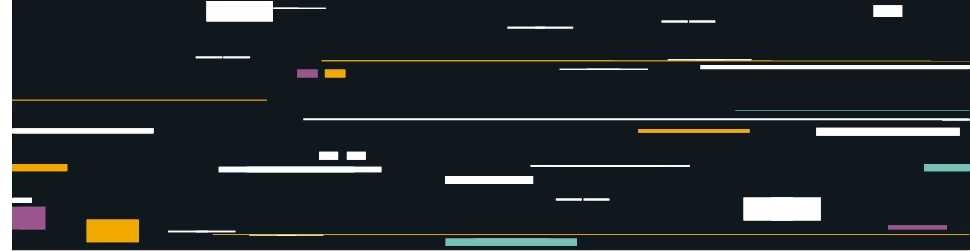
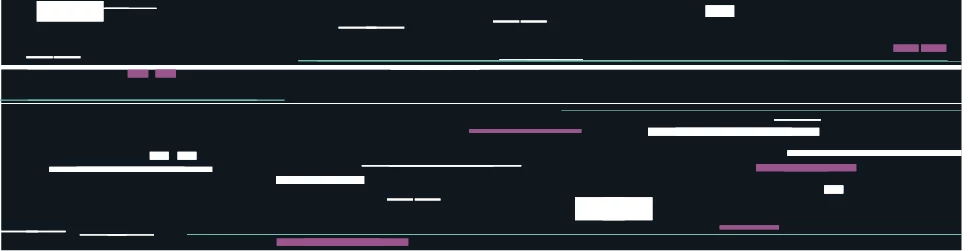
I'll insert photos from the storyboard so you can see what we are trying to achieve.

Any advice would be appreciated.

Thank you
This topic has been closed for replies.

4 replies

JoãoCésar17023019
Community Expert
Community Expert
February 24, 2023

Hi again.


I really wanna to give it a shot. So here is a code approach for the effect. Basically the effect uses three custom filters and a wrapper class to manage everything. The target instance's origin point should be at the top left (0, 0).

Preview:


Try it:

https://bit.ly/3IA0p7Q


JavaScript code:


[glitch_effect.js]


(function () {
	"use strict";
	
	var p;

	function RectangularDisplacementFilter(density, scale)
	{
		this.Filter_constructor();
		
		p.density = density !== undefined ? density : 1;
		p.scale = scale !== undefined ? scale : 1;
	}

	function drawRec(imageData, scale)
	{
		var data = imageData.data;
		var length = data.length;
		var width = imageData.width;
		var lastIndex = imageData.data.length - 4;
		var firstIndex = Math.floor(Math.random() * lastIndex);
		firstIndex = firstIndex - firstIndex % 4;
		var secondIndex = firstIndex + Math.ceil(Math.random() * (lastIndex - firstIndex) * scale);
		secondIndex = secondIndex - secondIndex % 4;
		var firstColumn = getColumn(firstIndex, width);
		var secondColumn = getColumn(secondIndex, width);
		var i, columnsGap, column;
				
		if (firstColumn > secondColumn)
			return;
		
		columnsGap = secondColumn - firstColumn;
		columnsGap = columnsGap - columnsGap % 4;
		
		for (i = firstIndex; i <= secondIndex; i += 4)
		{
			column = getColumn(i, width);
			
			if (column >= firstColumn && column <= secondColumn)
			{				
				data[i] = data[Math.min(i + columnsGap, length - 1)];
				data[i + 1] = data[Math.min(i + 1 + columnsGap, length - 1)];
				data[i + 2] = data[Math.min(i + 2 + columnsGap, length - 1)];
				data[i + 3] = data[Math.min(i + 3 + columnsGap, length - 1)];
			}
		}
	
		return data;
	}

	function getRow(index, width)
	{
		return Math.floor(index * 0.25 / width);
	}

	function getColumn(index, width)
	{
		return index * 0.25 - width * getRow(index, width);
	}

	p = createjs.extend(RectangularDisplacementFilter, createjs.Filter);

	p.toString = function ()
	{
		return "[RectangularDisplacementFilter]";
	};

	p.clone = function ()
	{
		return new RectangularDisplacementFilter(this.density, this.scale);
	};

	p._applyFilter = function(imageData)
	{
		var data = imageData.data;
		var length = data.length;
		var i, j, modifiedData;
		
		for (i = 0; i < this.density; i++)
		{
			modifiedData = drawRec(imageData, this.scale);
			
			if (!modifiedData)
				continue;
			
			for (j = 0; j < length; j++)
			{
				data[j] = modifiedData[j];	
			}
		}

		return true;
	};

	createjs.RectangularDisplacementFilter = createjs.promote(RectangularDisplacementFilter, "Filter");
}());

(function () {
	"use strict";
	
	var p;

	function ScanlinesFilter(gap, r, g, b, alpha)
	{
		this.Filter_constructor();
		
		p.gap = gap !== undefined ? gap : 4;
		p.r = r !== undefined ? r : 255;
		p.g = g !== undefined ? g : 255;
		p.b = b !== undefined ? b : 255;
		p.alpha = alpha !== undefined ? alpha : 255;
	}

	function getRow(index, width)
	{
		return Math.floor(index * 0.25 / width);
	}

	p = createjs.extend(ScanlinesFilter, createjs.Filter);

	p.toString = function ()
	{
		return "[ScanlinesFilter]";
	};

	p.clone = function ()
	{
		return new ScanlinesFilter(this.gap, this.r, this.g, this.b, this.alpha);
	};

	p._applyFilter = function(imageData)
	{
		var data = imageData.data;
		var length = data.length;
		var width = imageData.width;
		var i;
		
		for (i = 0; i < length; i += 4)
		{
			if (getRow(i, width) % this.gap === 0)
			{
				data[i] = this.r;
				data[i + 1] = this.g;
				data[i + 2] = this.b;
				data[i + 3] = this.alpha;
			}
		}

		return true;
	};

	createjs.ScanlinesFilter = createjs.promote(ScanlinesFilter, "Filter");
}());

(function () {
	"use strict";
	
	var p;

	function ChromaticAberrationFilter(iterations, intensity, phase)
	{
		this.Filter_constructor();
		
		p.iterations = iterations !== undefined ? iterations : 1;
		p.intensity = intensity !== undefined ? intensity : 5;
		p.phase = phase !== undefined ? phase : 1;
	}

	p = createjs.extend(ChromaticAberrationFilter, createjs.Filter);

	p.toString = function ()
	{
		return "[ChromaticAberrationFilter]";
	};

	p.clone = function ()
	{
		return new ChromaticAberrationFilter(this.iterations, this.intensity, this.phase);
	};

	p._applyFilter = function(imageData)
	{
		var data = imageData.data;
		var length = data.length;
		var i, j;

		for (i = 0; i < this.iterations; i++)
		{
			for (j = this.phase % 4; j < length; j += 4)
				data[j] = data[j + 4 * this.intensity];
		}

		return true;
	};

	createjs.ChromaticAberrationFilter = createjs.promote(ChromaticAberrationFilter, "Filter");
}());

(function () {
	"use strict";
	
	function Calc()
	{
		
	}
	
	Calc.randomFloat = function(min, max)
	{
		return min + Math.random() * (max - min);
	};

	Calc.randomInt = function(min, max)
	{
		return Math.round(min + Math.random() * (max - min));
	};
	
	if (!window.jc)
		window.jc = {};
	
	jc.Calc = Calc;
}());

(function () {
	"use strict";
	
	function GlitchEffect(props)
	{
		this.target = props.target;
		this.scanlinesProps = props.scanlinesProps || function(){ return { offsetY: 2, r: 255, g: 255, b: 255, alpha: 20 }; };
		this.displacementProps = props.displacementProps || function(){ return { density: jc.Calc.randomInt(1, 32), scale: jc.Calc.randomFloat(0.1, 0.2) }; };
		this.chromaticProps = props.chromaticProps || function(){ return { iterations: jc.Calc.randomInt(1, 2), intensity: jc.Calc.randomInt(0, 10), phase: jc.Calc.randomInt(0, 2) }; };
		this.fxDelay = props.fxDelay !== undefined ? props.fxDelay : { min: 0, max: 500 };
		this.idleDelay = props.idleDelay !== undefined ? props.idleDelay : { min: 300, max: 700 };
		this.fxToIdleChance = props.fxToIdleChance !== undefined ? props.fxToIdleChance : 0.7;
		this._delay = jc.Calc.randomInt(this.fxDelay.min, this.fxDelay.max);
		this._acc = 0;
		this.createEffect();
		this.start();
	}

	GlitchEffect.prototype.onTick = function(e)
	{
		if (this._acc >= this._delay)
		{
			if (Math.random() < this.fxToIdleChance)
			{
				this.createEffect();
				this._delay = jc.Calc.randomInt(this.fxDelay.min, this.fxDelay.max);
			}
			else
			{
				this.removeEffect();
				this._delay = jc.Calc.randomInt(this.idleDelay.min, this.idleDelay.max);
			}
			
			this._acc = 0;
		}

		this._acc += e.delta;
	};

    GlitchEffect.prototype.start = function()
	{
        this.tickEvent = createjs.Ticker.on("tick", this.onTick, this);
    };

    GlitchEffect.prototype.pause = function()
	{
        createjs.Ticker.off("tick", this.tickEvent);
    };

    GlitchEffect.prototype.createEffect = function()
	{
		var bounds;
		var sProps = this.scanlinesProps();
		var dProps = this.displacementProps();
        var cProps = this.chromaticProps();
        var scaleX, scaleY;
		
		this.target.filters =
		[
			new createjs.ScanlinesFilter(sProps.offsetY, sProps.r, sProps.g, sProps.b, sProps.alpha),
			new createjs.RectangularDisplacementFilter(dProps.density, dProps.scale),
			new createjs.ChromaticAberrationFilter(cProps.iterations, cProps.intensity, cProps.phase)
		];
		
		bounds = this.target.nominalBounds || this.target.getBounds();
        scaleX = this.target.scaleX * this.target.stage.scaleX;
        scaleY = this.target.scaleY * this.target.stage.scaleY;
        this.target.cache(0, 0, bounds.width * this.target.scaleX, bounds.height * this.target.scaleY, Math.max(scaleX, scaleY));
	};

	GlitchEffect.prototype.removeEffect = function()
	{
		this.target.filters = [];
		this.target.uncache();
	};

    GlitchEffect.prototype.destroy = function()
	{
        this.removeEffect();
        createjs.Ticker.off("tick", this.tickEvent);

		delete this.target;
		delete this.scanlinesProps;
		delete this.displacementProps;
		delete this.chromaticProps;
		delete this.fxDelay;
		delete this.idleDelay;
		delete this.fxToIdleChance;
        delete this.tickEvent;
        delete this._delay;
		delete this._acc;
	};

	if (!window.jc)
		window.jc = {};
	
	if (!jc.fx)
		jc.fx = {};
	
	jc.fx.GlitchEffect = GlitchEffect;
}());


[Main timeline]


var fx = new jc.fx.GlitchEffect({ target: this.background });


Source / code / files / FLA:

https://bit.ly/41ARuvB


Usage:
- Include the file glitch_effect.js using the Actions Panel's Include section (or copy the file's code to an action frame in Animate);

- Create an instance of the GlitchEffect class passing the target instance as a parameter.
Example:


var fx = new jc.fx.GlitchEffect({ target: this.background });


- You can also customize the filter instatiating it like this:

var fx = new jc.fx.GlitchEffect
({
	target: this.background,
	scanlineProps: function(){ return { offsetY: 1, r: 255, g: 255, b: 255, alpha: 35 }; },
	displacementProps: function(){ return { density: jc.Calc.randomInt(1, 16), scale: jc.Calc.randomFloat(0.1, 0.2) }; },
	chromaticProps: function(){ return { iterations: jc.Calc.randomInt(1, 4), intensity: jc.Calc.randomInt(0, 10), phase: jc.Calc.randomInt(0, 2) }; }
});


I hope this helps.

Regards,
JC

Inspiring
February 27, 2023

Thank you for looking into this. Your example is great.

JoãoCésar17023019
Community Expert
Community Expert
February 27, 2023

You're welcome.

Adobe Employee
February 22, 2023

You can make use of mask and adjust the position of the masked BG layer to get similar effect. Please check the attached link for the sample file and let us know if this helps.


https://drive.google.com/file/d/1xEgm_tRKFxDNLHb3p9mfdjr650h1Bgh-/view?usp=share_link 

Inspiring
February 22, 2023

Thank you (where's the attached file?)

Adobe Employee
February 22, 2023
Community Expert
February 20, 2023

Let's work smarter and not harder. Got to https://motionarray.com/browse/after-effects-templates/?q=glitch&subcategories=free This will save you so much time. I know it's after effects. But you can export your file and add the effect in after effects.

JoãoCésar17023019
Community Expert
Community Expert
February 20, 2023

Hi.


I think we need more details, but right now I would say that you would have to fade these images that you attached in and out over your background using keyframes and tweens.


You can show these images in a way that seems random.


Is this what you want? Please let us know.


Regards,

JC

Inspiring
February 20, 2023

Thank you for your reply.


It's this type of effect. https://www.youtube.com/watch?v=KIY7mw5mV4M

n. tilcheff
Legend
February 20, 2023

You can easily achieve it non-destructively, using multiple instances of the same symbol and masks.

You can scale, move, apply alpha and so on to the symbols and only show bits of them overlaid on top of one another by using the masks.


Nick - Character Designer and Animator, Flash user since 1998 | Member of the Flanimate Power Tools team - extensions for character animation