
Known Participant
January 29, 2024
Question

Error #1009: Cannot access a property or method of a null object reference.

  • January 29, 2024
  • 2 replies
  • 1427 views

I have the following error, when i convert swf file to gfx using scaleform exporter,
Note that
I can call other functions to set the width or the position of the button or the ImageLoader and it works, Only SetImagePath fails, so I can use other function to access the ImageLoader and set it's position!

This has nothing to do with the fact that I am trying to pass a DDS file, I have this issue with JPG too, the code worked when I passed a JPG file in adobe animate but i get this error when I try to convert the swf to gfx using scaleform exporter
for now Adobe Animate won't let me load a dds file for some reason unlike AS2

[Warning] <Flash> The method LoaderInfo::sharedEventsGet() is not implemented [MyButton.gfx]
[Error] <Flash> TypeError: Error #1009: Cannot access a property or method of a null object reference.
at fl.display::ProLoader instance constructor()
at fl.containers::UILoader/initLoader()
at fl.containers::UILoader/load()
at MyButton/SetImagePath()
at MyButton_fla::MainTimeline/SetImagePath() [MyButton.gfx]
package
{
	import flash.display.MovieClip;
	import flash.events.Event;
	import flash.net.URLRequest;
	import fl.containers.UILoader; 
	import fl.display.ProLoader; 
	public class MyButton extends MovieClip
	{
		public function ButtonWithImage()
		{
			stop();
			buttonMode = true 
			mouseChildren = false;
		}

		public function SetImagePath(newPath: String): void
		{
			ImageLoader.load(new URLRequest("img://TEXID:"+newPath));
		}
	}
}
var newButton = new MyButton();
newButton.ImageLoader.addEventListener(Event.COMPLETE, OnCompleteHandler);
SetImagePath("test.dds");

function OnCompleteHandler(loadEvent:Event)
{
	addChild(loadEvent.currentTarget.content);
}

function SetImagePath(newPath: String): void
{
	newButton.SetImagePath(newPath);
}

ImageLoader is a UI component, as you can see I have the loader in 3 the Image Layer and it span over 3 frames. adobe animate doesn't complain, it compiles and works, so why the gfx fails
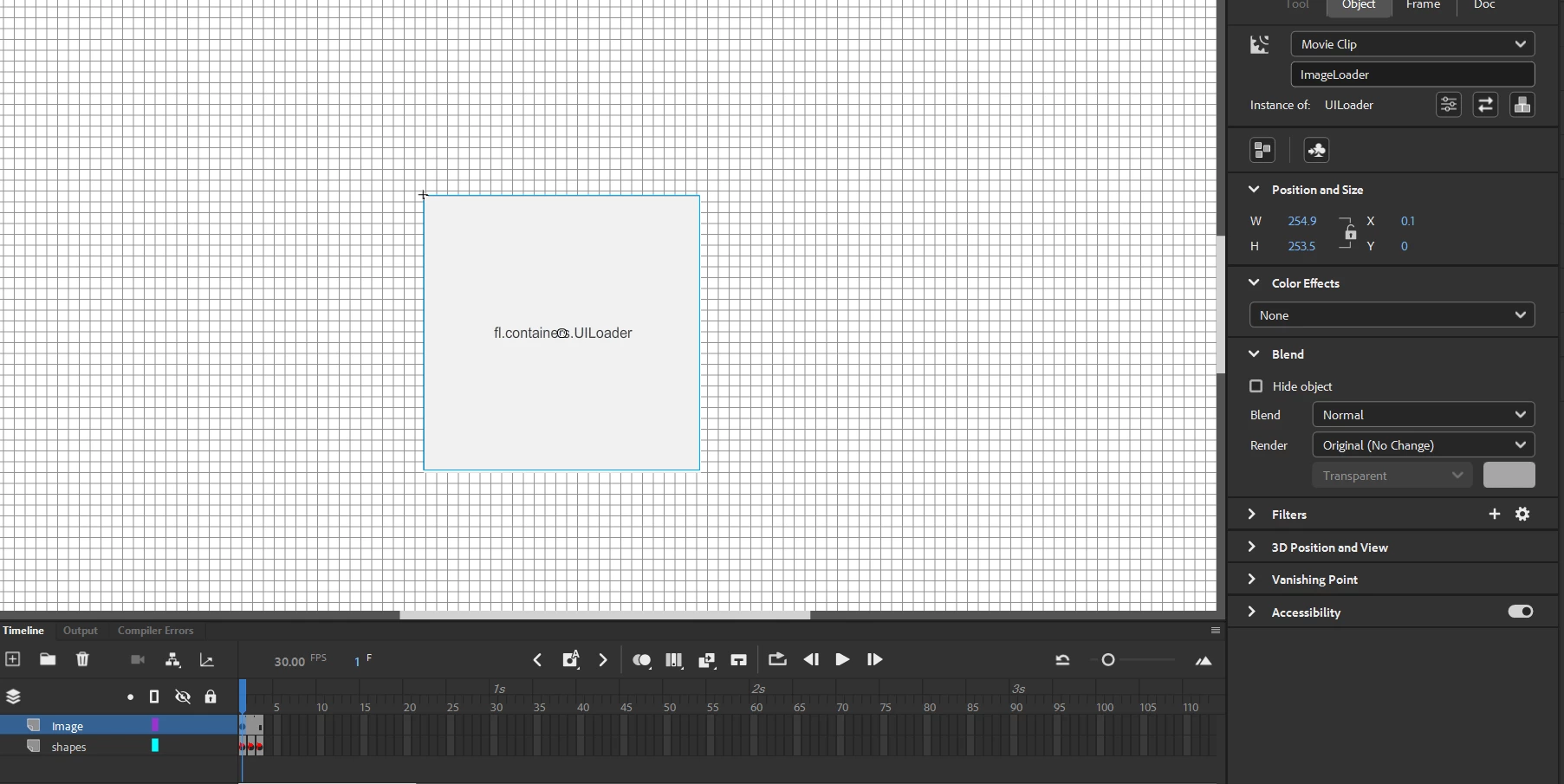
so Any Idea how to fix "Error #1009: Cannot access a property or method of a null object reference. "
optional request how to load a dds file in AS3, in adobe animate, but this is low priority


    This topic has been closed for replies.

    2 replies

    Participating Frequently
    January 29, 2024

    It may be that you have no variable called "ImageLoader" on your MyButton class. I think you have two options. Define a public class variable that matches the same type and stage instance name. Flash will automatically fill the public variable with the stage instance.

    The seond option with be to open the publish settings for your project, go to the actionscript settings, and enable the "automatically declare stage instances" option. Doing this will allow you to reference stage instances in the linked class without defining the public variable yourself. I am speaking from mostly AS3 knowledge though.

    moali_Author
    Known Participant
    January 30, 2024

    As for option #2 I already have "automatically declare stage instances" enabled, so that's not it
    As for option #1 I can make a member variable, but how to define " stage instance name" from the code?
    I made a member variable like

    var ImageLoader2 : UILoader;


    and in the constructor I Initalized it like

    ImageLoader2 = new UILoader();

    and renamed ImageLoader to ImageLoader2 And I still have the same error!

    also, note that I showed in the picture above the UILoader exist inside the button, I can call other functions that access ImageLoader,  and I did a trace and the variable is not null. + it compiled and it works in adobe animate.


    kglad
    Community Expert
    Community Expert
    January 30, 2024

    where is ImageLoader defined?  ie, is it on MyButton?

    Community Expert
    January 29, 2024

    I am not a coder but it doesn't look like you gave the images an instance name, which is how it would know to call on these images to load in. 

    moali_Author
    Known Participant
    January 29, 2024

    First, Thanks for help,
    can you clarify, what do you mean that i need to give instance name? do you mean give instance name of the loader? as you can see in the picture, The UILoader has ImageLoader as InstanceName, and I can access ImageLoader from the gfx.
    and in the code I let it know which Image to load by passing the name of the file to the loader, the newPath is the file it needs to load in the loader

    ImageLoader.load(new URLRequest("img://TEXID:"+newPath));

    Am I missing something more??


    kglad
    Community Expert
    Community Expert
    January 29, 2024

    in your publish setting, tick "permit debugging".  retest.


    the line number triggering the error will be listed in the error message.  what is the line triggering the error?